
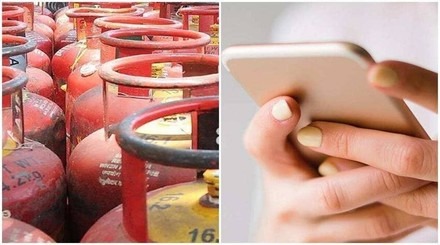
4 easy online ways to book cylinder: If phone call is not available then Indane, HP and Bharat Gas customers should book like this

News India Live, Digital Desk: Booking LPG cylinder has now become easier than ever. Often due to network problems or heavy traffic, calls to IVRS numbers cannot be made. In such a situation, customers of Indane, HP and Bharat Gas can book their LPG cylinder within minutes using these 4 digital methods.1. Booking through WhatsApp: This is the fastest and popular method. All you have to do is text ‘REFILL’ to your gas company’s number. Indane: Text ‘REFILL’ to 7588888824. Bharat Gas: Text ‘Hi’ or ‘Book’ to 1800224344. HP Gas: Start the booking process by sending the message to 9222201122. (Note: The message should be sent from your registered mobile number only.)2. Use of Mobile App (IndaneOne / Hello BPCL / HP Pay) All three major companies have their own official mobile apps: Download the respective app from Play Store or App Store. Login with your consumer ID and mobile number. On the home screen itself, you will get the option of ‘Quick Book’ or ‘Refill’. Here you can also make online payment.3. Online Portal/Website (Official Portal)If you are using a computer, book through official websites: My LPG: Go to mylpg.in, select your company and log in and book. This portal also allows you to track subsidy status and booking history.4. Payment Apps (PhonePe, Google Pay, Paytm) Digital payment apps have made booking extremely simple: Open your favorite app (like Paytm or PhonePe). Click on the ‘Book a Cylinder’ icon. Select your gas provider (Operator). Enter your registered mobile number or LPG ID. Make instant payments along with booking. Benefits of Digital BookingCashback and Offers: Booking through payment apps sometimes comes with attractive rewards and Get cashback. Real-time tracking: You can know when your cylinder is released from the warehouse. Call-free operation: No more hassles of busy lines and being on hold.

Comments are closed.