

1
WhatsApp Happy New Year 2026 sticker pack
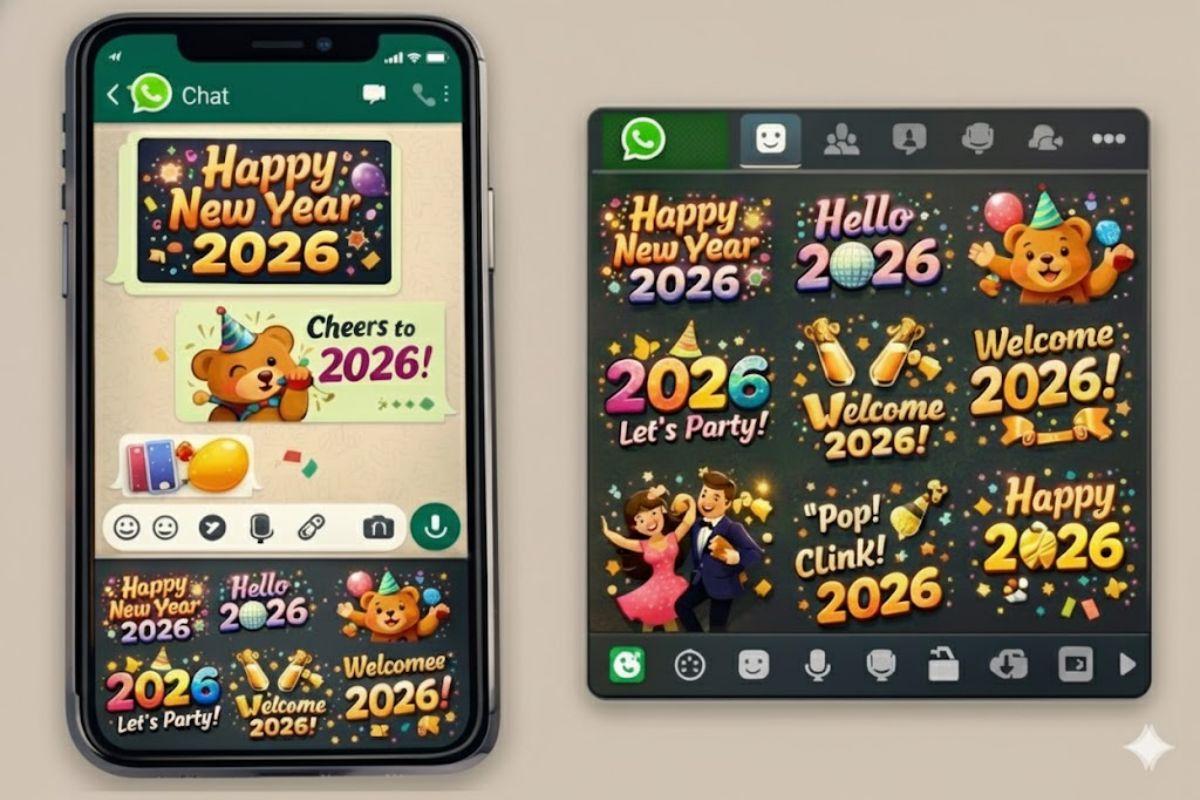
As the year 2025 ends, WhatsApp has introduced a special gift to commemorate the new year 2026. Through this new sticker pack, users will not only be able to send messages to their friends and family, but can also add it to their status updates. This pack is known as “Happy New Year 2026”.
What is WhatsApp’s Happy New Year 2026 sticker pack?
This new animated sticker pack comes with a total of 14 stickers and its file size is only 488KB. If you don’t see this sticker pack yet, you’ll need to update your WhatsApp from the Google Play Store or Apple App Store. After the update, these stickers will be available in the stickers section of the chat.
How to send Happy New Year 2026 stickers on WhatsApp
- User first open your WhatsApp.
- Select the chat to send the sticker to.
- Tap the sticker icon in the message bar.
- Find the “Happy New Year 2026” sticker pack in the sticker tray.
- Open the sticker pack, select the sticker of your choice and click on the send button.
How to put Happy New Year 2026 stickers in status?
To apply New Year stickers on WhatsApp status, first select a photo. Next, click on the sticker option above and choose the sticker of your choice from the Happy New Year 2026 sticker pack and post it on the status.
New Year image can be created with Meta AI
If you want to create a custom image for the New Year, you can do so with the help of Meta AI. For this, open any chat in WhatsApp, click on the paperclip icon and select AI Image option. Then enter the prompt like “Happy New Year”. The system will instantly generate several AI-generated images, from which you can choose the one you like and send it in the chat.
Have any thoughts?
Share your reaction or leave a quick response — we’d love to hear what you think!

Comments are closed.