
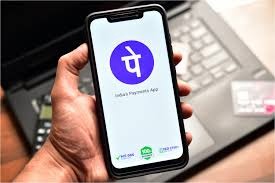
UPI payment will be done on PhonePe without entering PIN. For transactions up to Rs 5,000, just thumb is enough. Know how to activate.

News India Live, Digital Desk: Digital payment giant PhonePe has launched ‘Biometric Pay’ for its users. Through this feature, you will be able to make payment directly using your smartphone’s fingerprint scanner or face recognition. This not only saves time, but also eliminates the menace of ‘Shoulder Surfing’ in crowded places. Key Highlights of this new feature: Transaction Limit: You can do UPI transactions up to Rs 5,000 only through biometrics without entering the PIN. Payments above Rs 5,000 will still require a UPI PIN for security reasons. Where you can use it: You can use it to send money to friends, scan QR codes at shops, make online payments and even check bank balance. Availability: Currently, this feature has been rolled out only for Android users. This feature will be rolled out soon for iPhone (iOS) users. Security Circle: If biometric does not work due to poor lighting or sensor issue, you can immediately switch to the old method of ‘UPI PIN’. How to turn on ‘Biometric Pay’ on PhonePe? (Step-by-Step Guide) To avail this feature, you need to make a small change in the app: Update the app: First update your PhonePe app to the latest version from Google Play Store. Go to Profile: Open the app and tap on your profile photo in the top left corner. Manage Payments: Scroll down and click on the ‘Manage Payments’ option. Biometric Pay: Here you will find a new ‘Biometric Pay’ option. The icon/option will appear, tap on it. Enable: Enable ‘Biometric Authentication’ for your respective bank account. Complete the setup: For first time setup, you will be required to enter your UPI PIN and then verify with fingerprint or Face ID. After this your ‘one-touch’ payment will start.Benefits of Biometric PaymentFaster Payment: Saving 5-10 seconds in typing the PIN.Better Security: No fear of the PIN being exposed in public.Less Failure: Often the transaction fails due to entering the wrong PIN, this problem will be reduced with biometrics.

Comments are closed.