

severity of air pollution in winter
Air pollution becomes a serious problem during winter in North India, especially Delhi-NCR. Haze, smog and poisonous air have negative effects on health. In such a situation, it is very important to get information about the air quality before going out. The good news is that you can check the real-time Air Quality Index (AQI) through Google Maps on your smartphone or computer. This feature tells you how safe or dangerous the air is in your area.
cause of pollution in winter
Air quality often deteriorates in many areas of North India in winter. Its main reasons are crop burning, cold winds and temperature fluctuations. In these conditions, pollutant particles remain trapped in the air, causing the environment to become poisonous. At such times, it becomes necessary to check AQI before morning walk, outdoor activities or travelling, so that you can protect your health.
AQI feature on Google Maps
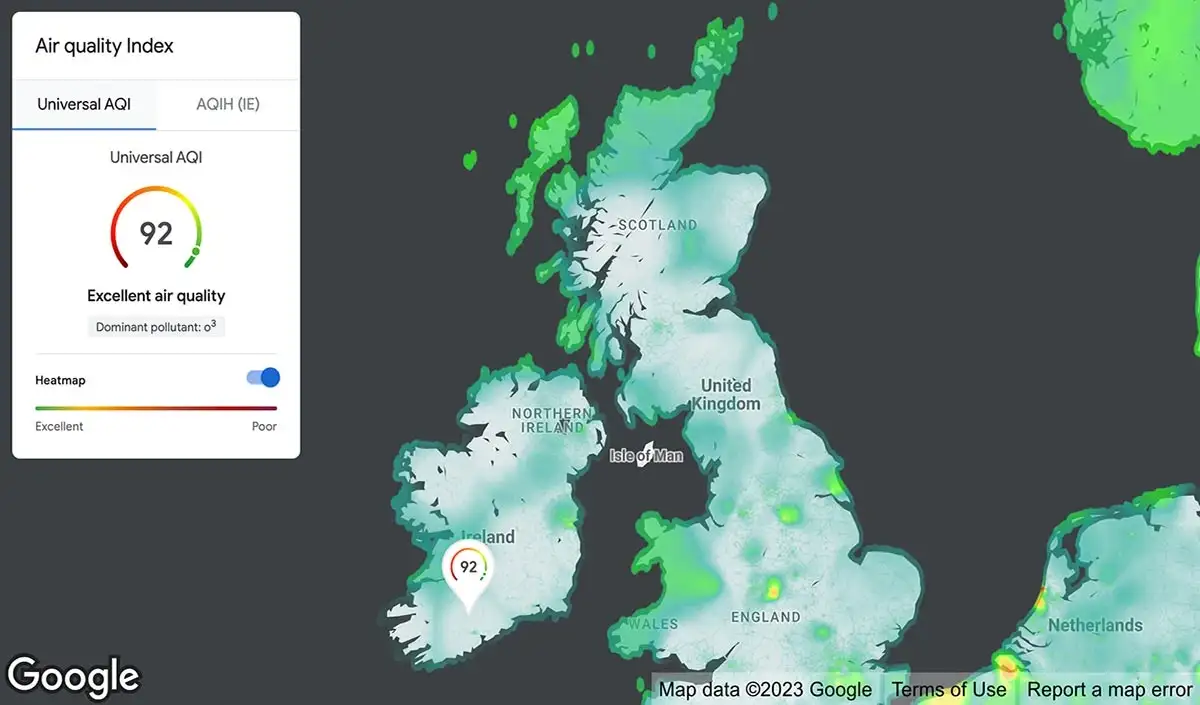
The Air Quality feature of Google Maps provides users with information about the air quality of any location around them. This feature is based on a color-coded system, allowing you to understand the wind conditions at a glance.
– Green: The air is good and safe
– Yellow: Normal level air
– Orange: Harmful for sensitive people
– Red: Bad and unhealthy air
– Dark Red/Maroon: Very dangerous pollution
With the help of this feature, you can see the real time air quality of your home, office, travel destination or any city.
How to check AQI in mobile app?
If you’re using Google Maps on a smartphone, follow these simple steps:
Step 1:
First of all, update the Google Maps app on your phone and then open it.
Step 2:
Tap the Layers icon on the right side of the screen.
step 3:
Now select the Air Quality option. After this, different colors will appear on the map.
step 4:
If red or dark red color is visible in your area, it means the air is extremely bad. Green color indicates better air quality.
Step 5:
You can tap on any location on the map to see the AQI of that location in detail.
How to view AQI on desktop or website?
If you’re using Google Maps on a computer or laptop, viewing the AQI is very easy.
1. Open the Google Maps website.
2. Click on the Layers icon at the bottom or side.
3. Select the Air Quality option.
4. Now the air quality of different places will be displayed through colors on the map.
In this way, you can easily check the air quality of any city or area sitting at home.
Be careful before going out
Pollution levels can change rapidly in winter. So, if you are planning to go out—like for a morning walk, travel or outdoor activities—be sure to check the AQI first. If the air quality is bad, wear a mask when going out, do not stay outside for too long and take special care of children and the elderly.
This feature of Google Maps not only makes your travel safe, but also helps in protecting you from health risks. Therefore, whenever you think of going out, first know the wind conditions of your area.

Comments are closed.