
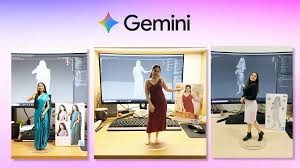
Google Gemini: Now use Nano Banana 2 image tool for free, follow these steps to create amazing AI photos

News India Live, Digital Desk: Google has started rolling out its most advanced image generation model ‘Nano Banana 2’ for free users of Gemini also. This model is not only adept at text-to-image, but has also revolutionized image editing and multi-image composition. Nano Banana 2 Free Access: Google’s new image generation model is now available on the free tier of Gemini. This model is more capable than the previous version of high-fidelity text rendering (writing correct spelling inside the image) and understanding complex styles.1. Key Features of Nano Banana 2Text-to-Image: Create professional quality photos from a simple text prompt.Image Editing: You can add or remove things from your uploaded photos.Style Transfer: Applying the style of one photo to another.High-Speed: This model gives very fast results on both mobile and web.2. How to use it for free? (Step-by-Step Guide)Step 1: Open the Gemini website or app Go to gemini.google.com on your browser or open the Gemini app on your Android/iOS phone. Make sure you’re logged in with your Google account. Step 2: Type the prompt Type the image you want to create in the chat box. For best results, start the prompt with “Generate an image of…” or “Create a photo of…”. Example: “Generate an image of a futuristic city in India with flying cars and neon lights, highly detailed.” Step 3: Image editing (Optional) If you want to make some changes to the created image, just tap on the same photo and write – “Change the background to Mars” or “Add a space suit to the character.” Nano Banana 2 will update it immediately.Step 4: Download and Share Once the image is generated, you can download it in ‘Full Resolution’ or share it directly on social media.3. Usage Limits (Quota & Constraints)Free Quota: Free users of Gemini get a combined quota of up to 100 images per day for Nano Banana 2.Safety Rules: This model does not allow editing of photos of political figures or creating unsafe content.4. Why is ‘Nano Banana 2’ special? The biggest feature of this model is its ‘Conversational Refinement’. That means you can improve the same image by giving prompts again and again until it becomes the way you want it. It is one of the most “human understanding” image models ever created.

Comments are closed.