
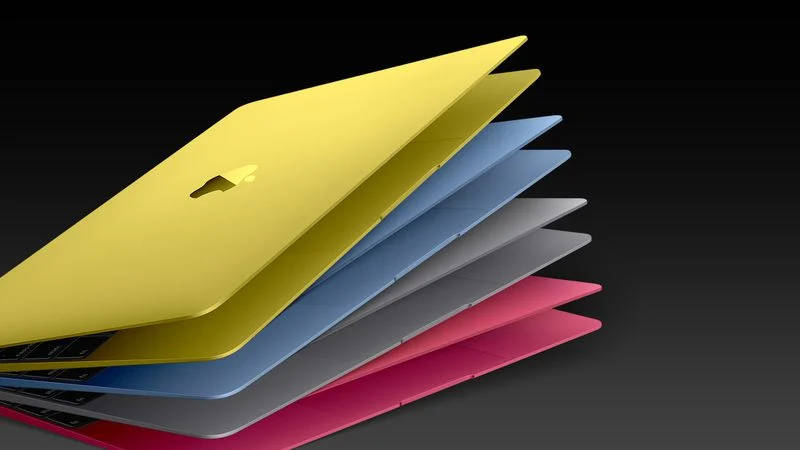

When Apple unveiled the latest iterations of the MacBook Pro featuring the M5 Pro and M5 Max chips, the headline was predictably about raw power, 30% faster CPUs and a staggering 50% leap in graphics performance. However, beneath the hood of these machines lies a fundamental architectural shift that should, in theory, have decimated the laptop’s legendary battery life. Yet, as recent reports and official benchmarks confirm, the battery life remains remarkably unaffected.
The Architecture Pivot: Enter “Fusion”
For years, the secret sauce of Apple Silicon has been the “Big.LITTLE” approach: a strategic mix of high-performance (P) cores for heavy lifting and high-efficiency (E) cores for background tasks. This balance allowed MacBooks to sip power during a Zoom call but roar to life during an 8K render.
With the M5 Pro and M5 Max, Apple has effectively rewritten this playbook. The new chips utilize what Apple calls Fusion Architecture. This isn’t just a catchy marketing term; it represents a physical move to a multi-die system-on-a-chip (SoC). Instead of one large silicon slab, Apple is now bonding two 3nm dies together using advanced packaging techniques.
The most radical change, however, is the disappearance of the traditional efficiency core. In the M4 generation, we saw a healthy split for instance, 8 performance cores paired with 4 efficiency cores. In the M5 Pro and Max, Apple has replaced this setup with an 18-core CPU consisting of six “Super Cores” and 12 “performance-efficient” cores.
The “Super Core” and the Efficiency Paradox
The “Super Cores” are branded by Apple as the fastest single-threaded CPU cores in the world. They are designed for maximum burst speed. But the real heavy lifting of the “unaffected battery life” story comes from the other 12 cores.
Apple has essentially “blended” the two previous core types. These 12 new cores are performance cores optimized for multithreaded efficiency. By ditching the tiny, ultra-low-power E-cores, Apple has bet that its new architecture can handle low-level tasks more quickly allowing the chip to return to a “sleep” state faster while still maintaining a low enough voltage to not drain the cell.
This architectural “gamble” appears to have paid off. While you might expect 18 high-powered cores to devour a battery, the 3nm “Fusion” process is so efficient that the energy-per-instruction remains steady.
By the Numbers: Battery Life Benchmarks
So, how does this look in the real world? Despite the massive increase in transistor count and the shift in core logic, the 2026 MacBook Pro models match or slightly exceed their predecessors’ endurance.
Battery Life Breakdown (Wireless Web Browsing)
| Model | M4 Pro/Max (2024) | M5 Pro / Max (2026) |
| 14-inch Pro | ~14 Hours | 14 Hours |
| 16-inch Pro | ~17 Hours | 17 Hours |
| 14-inch Max | ~12 Hours | 13 Hours |
| 16-inch Max | ~14 Hours | 14 Hours |
Note: Statistics based on standard wireless web browsing tests at 150 nits brightness.
While these numbers represent the “floor” of pro performance, Apple claims that for specialized tasks like video playback, the 16-inch model can now reach a staggering 24 hours. This puts the MacBook Pro in a category where “all-day battery life” isn’t just a slogan, but a literal description of its capabilities.
The Role of Neural Accelerators
Another factor shielding the battery from the M5’s raw power is the integration of Neural Accelerators directly into every GPU core. Previously, AI tasks were offloaded to a separate Neural Engine. By embedding these accelerators within the GPU, the M5 can handle complex Large Language Model (LLM) prompts and image generation with significantly less “data travel” across the chip.
Less data travel equals less heat and less power draw. This is why, even though the M5 Max offers up to 4x faster AI performance than the M4 Max, it doesn’t require a bigger battery to get through the day.
This shift raises a fascinating question for the future of mobile computing: Is the dedicated efficiency core becoming obsolete? As manufacturing processes shrink to 3nm and eventually 2nm, the “overhead” of running a performance core at a low clock speed may become lower than the cost of switching tasks between two different types of silicon.
For the pro user, this means a machine that is more responsive. There is no longer a “lag” as a task is handed off from an E-core to a P-core. Everything is “fast” by default, and the battery is no longer the victim of that speed.
The 2026 MacBook Pro is a masterclass in optimization. Apple has managed to increase base storage to 1TB, double SSD speeds to 14.5 GB/s, and introduce Wi-Fi 7 via the new N1 wireless chip, all while maintaining a battery profile that defies its increased core count.
While the $100–$200 price hike across the lineup might sting, the trade-off is a machine that finally delivers “desktop-class” architecture in a frame that still lasts a full flight across the Atlantic.

Comments are closed.