
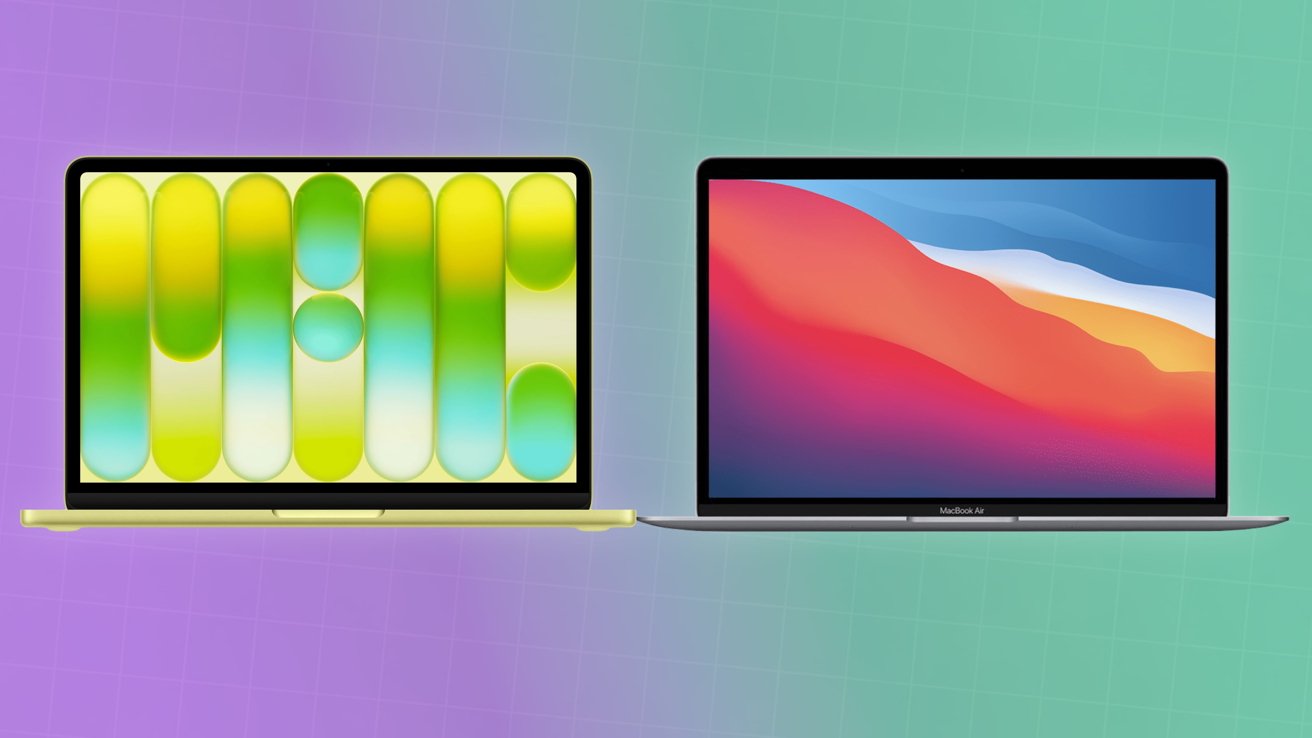

For six years, the tech world had a default answer to the question: “What is the best laptop for under $800?” That answer was almost always the M1 MacBook Air. Even as it aged, its fanless design and groundbreaking efficiency made it the gold standard for value. But with the arrival of the $599 MacBook NeoApple has finally introduced a successor that doesn’t just challenge the M1 Air, it attempts to retire it.
Is the MacBook Neo simply an “M1 Plus” updated for 2026, or is it a “MacBook Pro Lite” in a colorful trench coat? Let’s dive into the benchmarks and build quality to see which budget king deserves your money.
The Silicon Showdown: A18 Pro vs. The Legendary M1
The most polarizing aspect of the MacBook Neo is its “Phone Chip.” Powering the Neo is the A18 Prothe same 3nm silicon found in the iPhone 16 Pro. On the other side, we have the M1the 5nm chip that started the Apple Silicon revolution in 2020.
Single-Core Performance: The A18 Pro is the clear winner here. Thanks to six years of architectural advances, the Neo is roughly 35% faster in single-core tasks than the M1. This makes the Neo feel noticeably snappier when opening Safari tabs or launching apps.
Multi-Core & Sustained Loads: The M1 Air still holds its ground in multi-core tasks due to its 8-core CPU (4 performance, 4 efficiency). The A18 Pro in the Neo utilizes a 6-core setup (2 performance, 4 efficiency). For light video editing or heavy multitasking, the M1 Air is surprisingly competitive, but the Neo’s 3nm efficiency means it stays cooler for longer without thermal throttling.
The AI Divide: Apple Intelligence
This is where the comparison becomes one-sided. The M1 Air features a first-generation Neural Engine that, while revolutionary in 2020, struggles with the heavy lifting of macOS Tahoe’s latest AI features.
The MacBook Neo’s A18 Pro features a 16-core Neural Engine that is nearly 4x faster than the M1’s. If you plan on using local LLMs, advanced “Image Wand” features, or the new Siri 2.0, the Neo is the only viable choice. The M1 Air can run basic Apple Intelligence, but it often offloads tasks to the cloud, leading to a slower, less private experience.
Design: The Wedge vs. The Slab
The M1 MacBook Air is the last of the “Wedge” era, a design that many still find more comfortable for typing. It feels impossibly thin at the front edge.
The MacBook Neo adopts the modern, flat language of the M3 and M5 lines. It is essentially a “Mini MacBook Air M3.”
Weight: The Neo is lighter at 2.7 lbscompared to the M1’s 2.8 lbs.
Colors: The M1 Air is limited to Space Gray, Silver, and Gold. The Neo explodes onto the scene with Blush, Citrus, Indigo, and Silver. For students and Gen-Z buyers, the Neo’s “fun” factor is a major selling point.
Display and Ports: Give and Take
Apple had to make cuts to hit the $599 price point on the Neo, and nowhere is that more apparent than in connectivity.
Ports: The M1 Air features two Thunderbolt 3 ports. The Neo features two USB-C ports, but notably, they are not Thunderbolt-rated. This means slower data transfer for external SSDs and limited support for high-end external displays.
Screen: The Neo takes the win here with a 500-nit Liquid Retina display. It is 25% brighter than the M1 Air’s 400-nit panel and features thinner, symmetrical bezels. However, both are capped at 60Hz; if you want ProMotion, you still have to pay the “Pro” tax.
Battery Life: 3nm Efficiency Wins
Both laptops are fanless, silent, and incredibly efficient. However, the move to the 3nm process gives the Neo a distinct advantage. In real-world testing, the Neo consistently delivers 16 hours of wireless web browsing. The M1 Air, even when new, typically tapped out at around 14 hours. In 2026, most M1 Airs on the market are refurbished or have degraded batteries, making the Neo the clear champion for “all-day” endurance.
The Verdict: M1 Plus or M4 Lite?
The MacBook Neo is best described as an “M1 Plus.” It doesn’t quite reach the productivity heights of the M4 or M5 MacBook Airs because of its limited ports and lower performance core count. However, it takes everything people loved about the M1 Air, the price, the silence, the reliability and modernizes it for an AI-centric world.
Buy the M1 MacBook Air if: You can find it refurbished for under $400 and you absolutely need Thunderbolt for external drives.
Buy the MacBook Neo if: You want a brand-new machine with a full warranty, a brighter screen, modern colors, and the best possible AI performance for the price.

Comments are closed.