


Microsoft has released its March 2026 Patch Tuesday update for Windows 11, which includes a new cumulative update named Windows 11 update KB5079473. The update applies to systems running Windows 11 version 24H2 and version 25H2, bringing both builds to 26100.8037 and 26200.8037, respectively.
The update includes security patches, performance enhancements, and bug fixes, adding new features that improve system stability and the user experience. Users can download the update from Windows Update, Windows Update for Business, and the Microsoft Update Catalog.
This release represents the third Patch Tuesday update of 2026, continuing Microsoft’s regular monthly update cycle for Windows 11.
Built-in Network Speed Test in the Taskbar
One of the most important new features in the March update is a taskbar network speed test that lets users test their internet connection.
Users can launch the test by:
- Right-clicking the network icon in the system tray
- Opening Wi-Fi or Cellular settings in Quick Settings
The feature opens a web-based speed test in the user’s default browser and measures the performance of Wi-Fi, Ethernet, or cellular connections.
By installing third-party tools or visiting speed test websites manually. Users can diagnose internet connection issues using this feature, which lets them test connectivity.
Camera Pan and Tilt Controls
The update now provides users with pan and tilt functionality for compatible cameras, enabling better control of webcams and external cameras on Windows PCs.
The Settings app enables users to access these controls through the Bluetooth & Devices section, which includes Cameras.
The feature shows its best value when used in:
- video conferencing setups
- streaming environments
- security camera integrations
The built-in camera controls in Windows 11 let users control their camera movements without any external software.
Native Sysmon Support for Security Monitoring
IT administrators and cybersecurity professionals use Sysmon as a security monitoring tool, which now receives native support in this release.
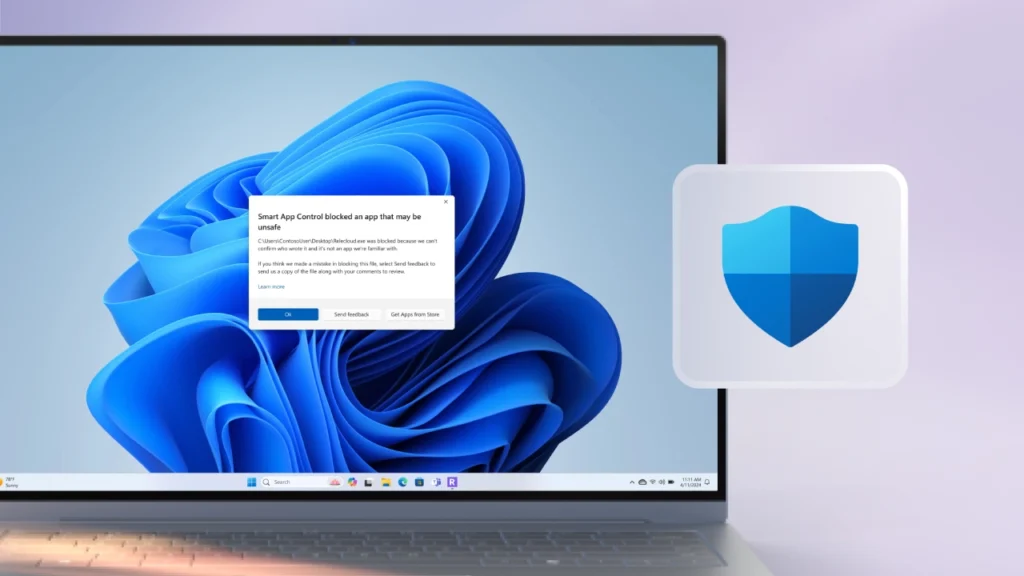
Sysmon records complete system activity events, which organizations use to identify suspicious activities that include the following:
- Unauthorized process execution
- Network connections
- File modifications
Organizations can now use Sysmon as an optional Windows feature via the latest update, helping them monitor system activity while strengthening security.
File Explorer Improvements
Microsoft has implemented multiple enhancements to File Explorer to improve its reliability and performance.
The main improvement enables users to search multiple drives or the “This PC” directory because it now provides accurate search results.
Microsoft is modernizing File Explorer through these changes, enhancing daily file management processes.
Secure Boot and Security Enhancements
The March update focused primarily on implementing security measures to protect against threats.
The update improves Secure Boot certificate distribution, allowing Windows to better identify devices eligible for
You need to complete two tasks: install third-party tools and run speed tests on designated websites on your own.
The feature serves specific purposes that benefit the following:
- video conferencing setups
- streaming environments
- security camera integrations
Windows 11 now provides camera controls that let users adjust their camera positions using built-in features without extra software.

The software now includes Sysmon, a security monitoring tool used by IT administrators and cybersecurity professionals.
Sysmon gathers system activity data through its extensive event tracking system, which helps organizations identify suspicious activities through monitoring of the following:
- unauthorized process execution
- network connections
- file modifications
The latest update enables organizations to monitor system activity via Sysmon, an optional Windows feature that enhances their security capabilities.
Microsoft has introduced multiple enhancements to File Explorer that improve its performance and reliability.
Michael’s efforts to modernize File Explorer continue through these updates, which improve access to daily file management activities.
The March update maintains its primary objective, which focuses on security matters
The update improves Secure Boot certificate distribution, allowing Windows to better identify devices eligible to receive automatic certificate updates.
The system boot process becomes more secure because the update prevents untrusted components from executing during system startup.
The update introduces multiple enhancements to Windows Defender Application Control (WDAC), which improve its performance. The update resolves a bug that caused specific COM objects to be incorrectly blocked when security policies were set to elevated protection levels.
The security fixes improve compatibility with applications while maintaining effective security measures.
Quick Machine Recovery Improvements
The Windows update enhances the Quick Machine Recovery (QMR) feature, which enables automatic system recovery from specific startup problems.
The latest update introduces these changes:
- Windows 11 Pro devices that lack enterprise management systems will now start QMR as an active feature.
- The feature needs to be activated by administrators for corporate devices that are under managed corporate control.
The system update will enable automatic recovery for boot problems on various consumer devices.
Additional Fixes and Improvements
The operating system update KB5079473 brings numerous minor enhancements that improve operational performance alongside its new features.
The improvements cover these service areas:
- Nearby Sharing system and user connectivity capabilities
- Windows Update system reliability
- storage scanning performance
- lock screen behavior
- display and projection settings
- Start menu responsiveness
The system enhancements improve overall system stability and performance.
Windows 11 Update KB5079473: Availability
The update began its international distribution on March 10, 2026, through the Windows Update service.
Windows 11 users on versions 24H2 or 25H2 will receive automatic updates, except when they pause updates. The Microsoft Update Catalog provides manual installation packages for offline use.
The latest cumulative update installation will maintain all system functionality.
All previous security patches and reliability fixes have been received by the system.
Conclusion
The KB5079473 update for Windows 11 delivers a combination of useful features and important security improvements. The system now supports three new features: a built-in taskbar speed test, camera controls, and native Sysmon support. The system now provides better reliability through enhancements to File Explorer, Secure Boot, and system recovery features.
The update enhances Windows 11 with system performance improvements, security enhancements, and a better daily user experience, though it does not introduce any significant interface changes.
The monthly updates from Microsoft, which help develop the Windows operating system, demonstrate that Microsoft works to provide its users with a secure and stable operating system through the release of KB5079473.

Comments are closed.