
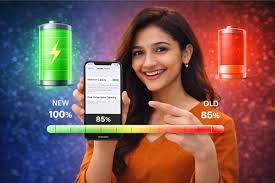
Battery Tips: Is AI eating your phone’s battery? Alarm bells for Google Pixel and Samsung users, know the solution

News India Live, Digital Desk: The noise of Artificial Intelligence (AI) is everywhere in the smartphone world. Google’s ‘Pixel’ and Samsung’s ‘Galaxy’ devices are now coming fully equipped with AI features. From Circle to Search to Live Translation, these features are making our lives easier, but the phone’s battery has to pay a heavy price for it. According to recent reports and user complaints, AI processes running continuously in the background are draining the phone’s battery faster than expected. If the battery of your premium phone is also responding before evening, then this report is for you. Why is AI becoming the ‘enemy’ of the battery? ‘On-device AI’ is used in modern smartphones. This means that tasks like photo editing, voice recognition and predictive text are done by the phone’s processor itself. Pixel’s ‘Tensor’ and Samsung’s ‘Exynos/Snapdragon’ chipsets consume more energy to perform these heavy tasks. Apart from this, AI continuously ‘learns’ your usage patterns, due to which the processor never sits quiet in the background and the battery drain increases. Pixel and Samsung users save battery like this (Fixing the Drain)1. Activate Adaptive Battery: Both Google Pixel and Samsung have the option of ‘Adaptive Battery’. This feature uses AI to reduce the power of apps that you use less. Turn it on immediately by going to the ‘Battery’ section of the settings.2. Disable unwanted AI features: Features like Samsung’s ‘Galaxy AI’ or Pixel’s ‘Live Caption’ and ‘Always-On Microphone’ consume a lot of power. If you don’t use Circle to Search or Real-time Translate frequently, turn them off in Settings.3. Control background data and sync: AI apps often remain active in the background to sync data. Go to Settings and limit ‘Background Data’. Pixel users can make smart use of the ‘Battery Saver’ mode which stops unwanted sync.4. Synergy of refresh rate and brightness: High refresh rate (120Hz) and AI-based ‘Adaptive Brightness’ make the screen more powerful. To save battery, set the refresh rate to ‘Standard’ (60Hz) and start manually controlling the brightness.5. Latest software updates are important: Companies often release ‘software patches’ to fix battery drain problems. Make sure your Pixel or Samsung device is running the latest security updates. Sometimes a small bug fix can increase your battery life by up to 20%. Use ‘Smart’ Phones ‘Intelligently’ AI is the future, but that doesn’t mean you should keep your phone tied to the charger all the time. If you follow the steps given above, you will be able to enjoy the benefits of AI and your phone’s battery will also last longer. Remember, for the long life of the phone, it is best to keep it charged between 20% to 80%.

Comments are closed.