
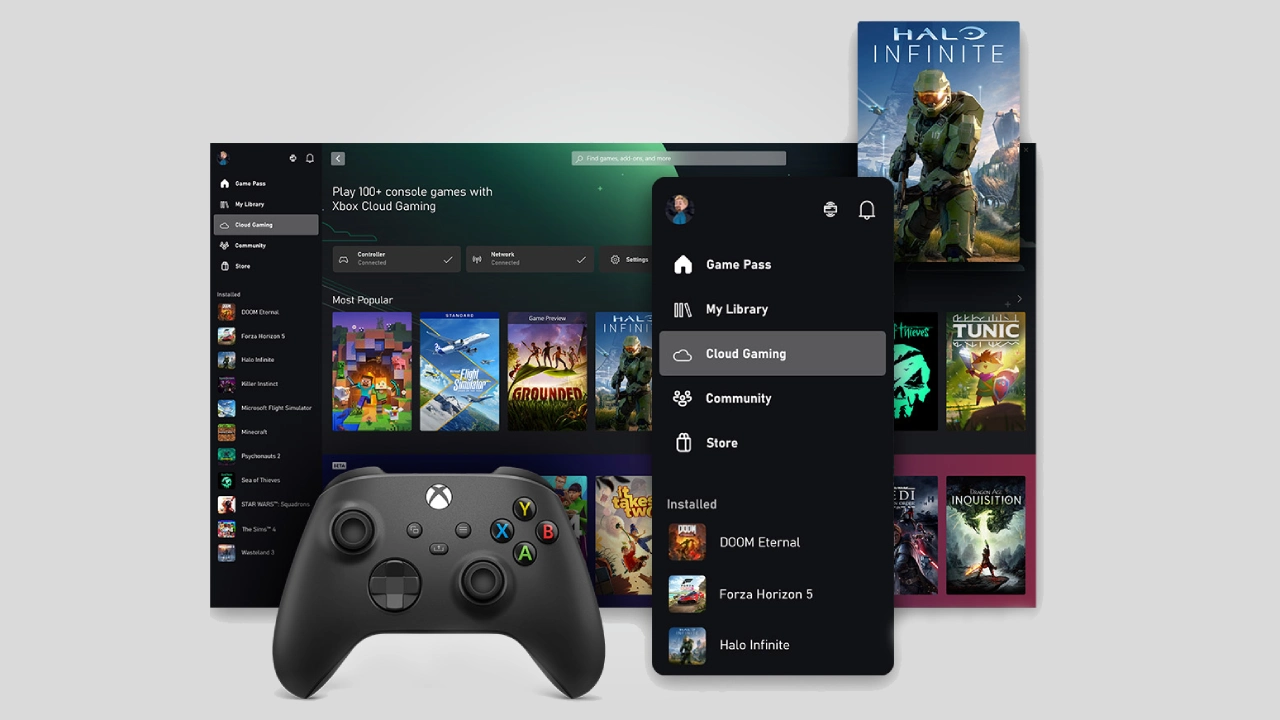

Microsoft is making a significant move to change PC gaming with the launch of Windows 11 Xbox Mode in its latest Insider Canary Build 29570. According to the official Microsoft blog, this update offers a console-like gaming experience on a variety of devices, including desktops, laptops, and tablets.
This change shows a shift in Microsoft’s approach, turning Windows 11 into a platform that focuses more on gaming by connecting traditional PCs with Xbox consoles.
What is Windows 11 Xbox Mode?
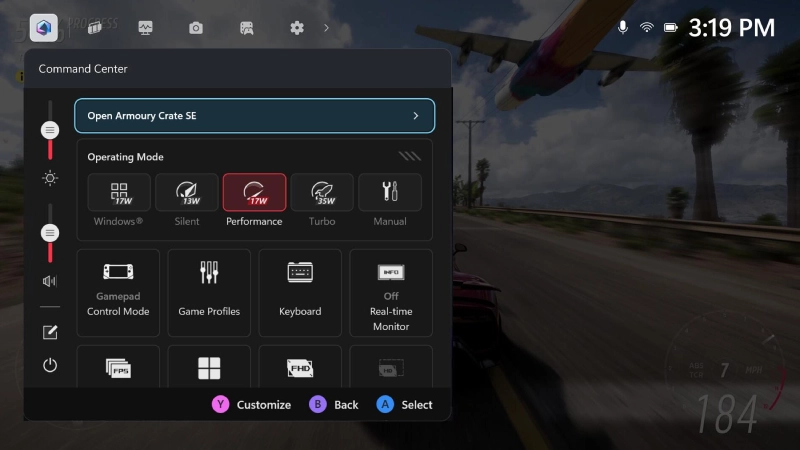
Windows 11 Xbox Mode features a full-screen, console-inspired interface aimed at simplifying gaming. Users can switch from the regular Windows desktop to a streamlined environment dedicated entirely to gaming.
This feature is designed for relaxed gameplay, allowing users to grab a controller and engage with their system in a more intuitive manner. It can be activated using the Xbox app, Game Bar settings, or a straightforward keyboard shortcut (Win + F11).
The setup resembles that of an Xbox console, where the interface is designed for quick access to games with minimal distractions.
Expansion Beyond Handheld Devices
A major highlight of this update is that Xbox Mode now extends beyond handheld devices. Originally created for handheld PCs, it’s now available on desktops, laptops, and tablets.
This expansion represents Microsoft’s changing vision. Rather than seeing Xbox Mode as just a feature for portable devices, the company is branding it as a universal gaming layer for all Windows systems.
With this move, Microsoft addresses a longstanding issue: while Windows is powerful and flexible, it hasn’t always been set up for gaming with controllers like consoles do. Xbox Mode seeks to fix this by offering a more focused and engaging interface.
Key Features of Windows 11 Xbox Mode
The launch of Windows 11 Xbox Mode introduces several key features aimed at improving the gaming experience.
Console-Like Full-Screen Interface
The standout feature is the full-screen interface that emphasizes games and cuts down on background clutter. This allows users to immerse themselves in gameplay without interruptions from other applications or system tasks.
Controller-First Navigation
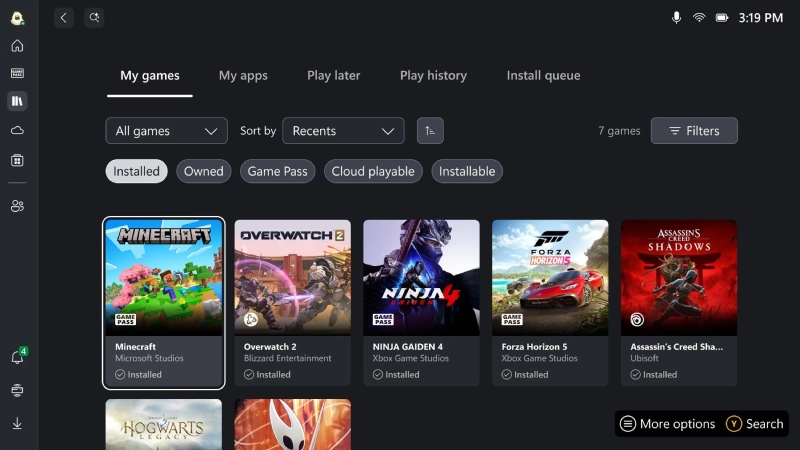
Xbox Mode is designed to work well with controller input. This setup makes it simpler to navigate menus, start games, and switch between tasks without needing a mouse and keyboard.
Reduced Background Activity
By limiting unnecessary background processes, the mode can boost performance and create a smoother gaming experience. This is especially helpful for devices with fewer resources.
Integration with Game Libraries
The feature connects smoothly with the Xbox ecosystem and allows access to games from various platforms, including services like Steam, through the Xbox app.
Additional Changes in Canary Build 29570
While Xbox Mode is the main feature, the Windows 11 Insider Canary Build 29570 also brings other improvements.
These enhancements include better system customization options, like more personalizable lock screen widgets and new touchpad settings that let users adjust right-click zone sizes.
Additionally, Microsoft is adding new features for enterprises, such as improved methods for removing preinstalled apps. This change gives administrators more control over system setups in business environments.
These updates show Microsoft’s commitment to enhancing both user experience and enterprise functionality.
What It Means for the Windows Gaming Ecosystem
The roll-out of Windows 11 Xbox Mode marks a significant change in Microsoft’s approach to gaming on its platform.
For years, Windows has been the leading choice for PC gaming, but it has often fallen short in terms of the simplicity and ease of use found in console systems. With the addition of Xbox Mode, Microsoft is combining the strengths of both.
This strategy also positions Windows 11 to compete more effectively with other gaming platforms, such as SteamOS, which have gained traction for their user-friendly interfaces. By delivering a similar experience on Windows, Microsoft aims to maintain its leadership in the PC gaming market.
Moreover, the growth of Xbox Mode hints at a future where Windows devices can operate more like dedicated gaming machines. This could be especially significant for users who connect their PCs to TVs or primarily use them for gaming.
A Step Toward a Unified Gaming Platform
A broader implication of Windows 11 Xbox Mode is the idea of a unified gaming platform that includes PCs, consoles, and cloud services. Microsoft has been gradually merging its Xbox and Windows ecosystems, and this update is another advancement in that direction.
By offering a consistent interface across various devices, the company makes it easier for users to switch between different platforms while enjoying a seamless gaming experience.
This aligns with Microsoft’s long-term goal of making Windows “the best place to play,” combining flexibility with a console-like user experience.
Conclusion
The launch of Windows 11 Xbox Mode in Insider Canary Build 29570 marks a key moment in the development of PC gaming. By providing a console-style interface across desktops, laptops, and tablets, Microsoft is changing how users engage with games on Windows.
With its focus on simplicity, performance, and integration across platforms, Windows 11 Xbox Mode has the potential to alter the gaming landscape. As the feature evolves, it could play a central role in unifying Microsoft’s gaming ecosystem and enhancing the overall experience for gamers worldwide.

Comments are closed.