
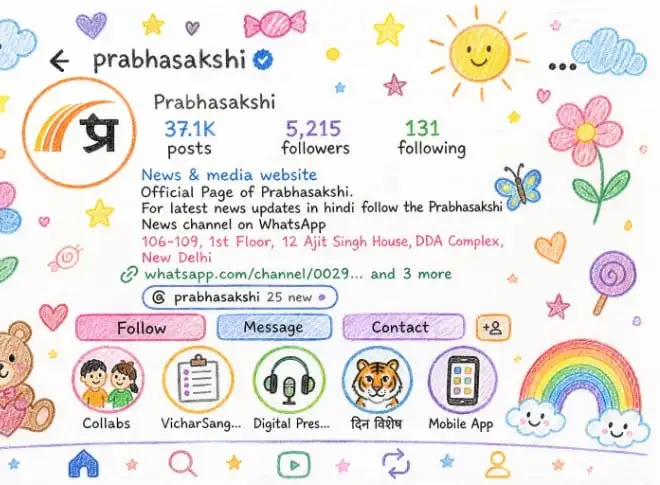

How to Draw Crayon-Style Drawings
In recent times, a new trend is spreading rapidly on social media. People are turning to ChatGPT to turn their profile pictures into crayon-style cartoons. These pictures are very simple and attractive, which look like colorful drawings made by children.
For this process, users have to upload a screenshot of their profile in ChatGPT and then using a special prompt the picture can be rendered in a colourful, cute and childish form. Let us know about this prompt.
prompt 1
In the first prompt, users are required to upload a screenshot of their profile in ChatGPT and then write: “Edit the given photo and re-imagine it as a crayon-style drawing. Simplify the details and make it look like it was drawn by a 10-year-old. Don’t use basic colors. Make it feel like a drawing on white paper, incorporating cute and playful elements.”
prompt 2
In another prompt, users can write: “Edit the given image and turn it into a soft crayon drawing with pastel colors. Make the characters’ faces round and expressive, like in a children’s storybook. Fill the background with clouds, rainbows, and little hearts.”
prompt 3
In the third prompt, users can write: “Redraw the uploaded image as a cute crayon doodle. Use bright and dark crayon strokes and add balloons, smiling suns, and butterflies around the subject.”
prompt 4
In another option, users can write: “Turn the given image into a gentle and relaxing crayon drawing. Use warm colors and add a small house, tree, and books in the background.”
prompt 5
In the final prompt, users can write: “Turn the uploaded image into a magical crayon-style drawing. Use bright colors and include fantasy elements like little fairies and rainbows.”
conclusion
Now you too can create amazing images using these prompts. These drawings are not only attractive to look at, but they are also very fun to create.

Comments are closed.