


We may receive a commission on purchases made from links.
No, it’s not recommended to use eyeglass cleaner on a monitor screen. While you might have used this trick on CDs in the past, it’s not a good idea for your expensive display. It may seem intuitive to do so, but using eyeglass cleaner — or other harsh chemical cleaners — on your PC monitor can actually damage some components of the display. Plus, you likely won’t need it in the first place.
If you check monitor cleaning guidelines from reputable sources like HP and Lenovoyou’ll see much of the same advice: Stick to the basics. Use warm water, diluted isopropyl alcohol, and a microfiber cloth, much the same as how you’d safely clean your TV screen. Avoid household cleaners like Clorox wipes or eyeglass cleaner, and never spray or pour liquid directly onto the screen. There are also a number of techniques you can use to make sure stubborn fingerprints and streaks stand no chance against your monitor cleaning prowess.
The best way to safely clean your monitor screen

First things first, make sure you turn off your monitor. Then, rather than pouring or spraying water and/or diluted isopropyl alcohol — one part water to one part IPA — directly onto the monitor, use it to lightly wet the microfiber cloth. Microfiber cloths are quite affordable, often come in multi-packs, and you can purchase them from nearly all major electronics retailers, including Walmart, Amazonand Best Buy.
Then, wipe away smudges, streaks, and fingerprints in a circular motion, making sure you don’t press too hard – use the lightest pressure you can that removes the grime. Some stubborn marks may need a little extra attention. This advice goes for the monitor’s bezels and stand, too. Plus, if you’re using a laptop, you can also use this setup to clean your keyboard.
Try cleaning your monitor every one or two weeks to prevent hard-to-tackle smudges. Additionally, clean up any splatters or smudges right away to prevent them from setting in and becoming tough to clean. You can also use a can of compressed air to remove dust and grime from hard to reach areas in the base or bezels.
What not to do when cleaning your monitor
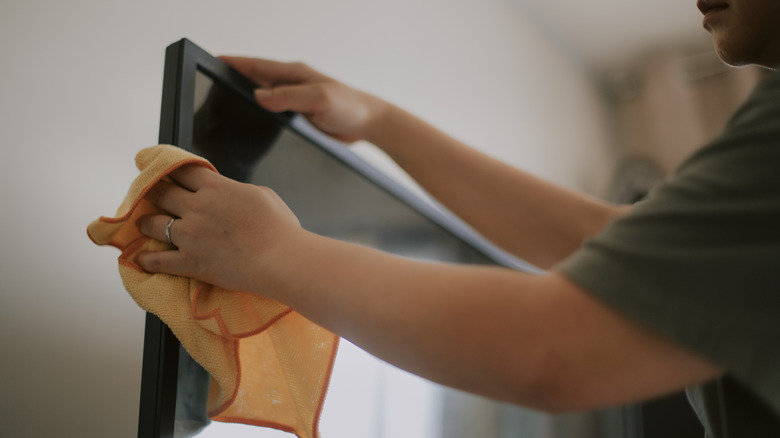
Avoid harsh chemical cleaners like Clorox wipes, eyeglass cleaners, or Windex. Many of the best gaming monitors come equipped with protective or anti-glare layers, which are easy to damage, and the price of repair is usually enough to warrant a brand new monitor purchase. Similarly, cleaning your monitor while it’s powered on is asking for trouble. Don’t risk using a paper towel or rough dish towel; these can damage your screen permanently, leaving scratches and marks that warm water and alcohol won’t buff out. Stick to the basic cleaning supplies.
Wiping the screen in a circular motion serves an important purpose, too. If you wipe from top to bottom or side to side, there’s a good chance streaks will set in as the cleaning agents dry. Circular motions do the best job of preventing any streaks from forming. When applying these circular swipes, be sure not to press too hard, even on stubborn smudges.

Comments are closed.