
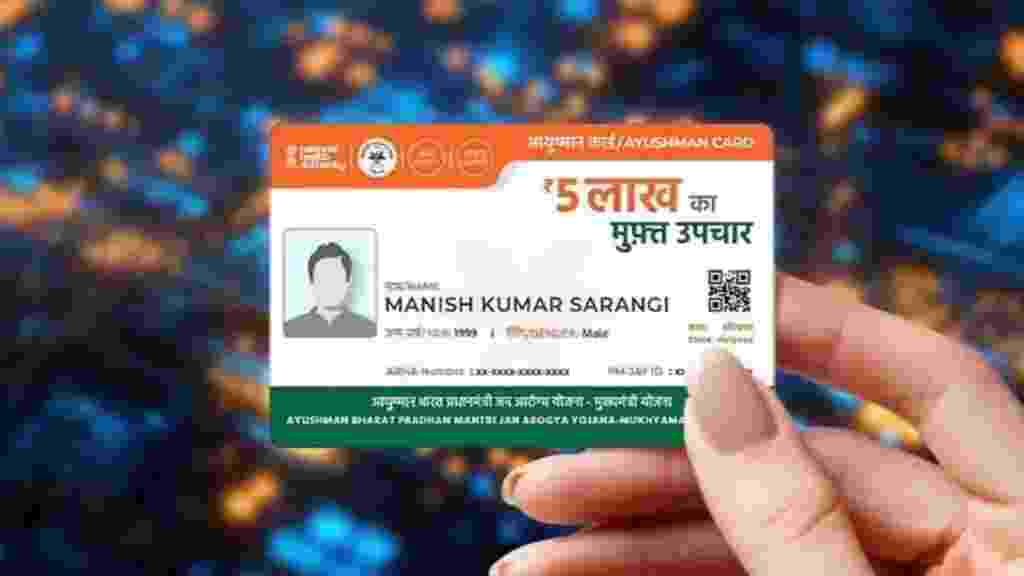
No More Government Office Runs: How to Get Your Ayushman Card Directly on WhatsApp Using ‘Ayushman Sarathi’:

Securing government healthcare benefits in India has just taken a massive leap into the digital age. In a game-changing move to eliminate administrative red tape, Union Health Minister J.P. Nadda has officially launched ‘Ayushman Sarathi’— the official WhatsApp chatbot for the Pradhan Mantri Jan Arogya Yojana (PM-JAY).
Developed by the National Health Authority (NHA), this high-tech digital assistant gives you secure, real-time access to key healthcare schemes on your mobile device, so you don’t need to visit crowded local administrative centres or call toll-free helplines.
A 24/7 Virtual Counter for PM-JAY Services
Built on an advanced, API-based digital infrastructure linked straight to the Ministry of Health’s operational databases, the chatbot operates 24 hours a day. It functions as a single window to bypass heavy offline processing networks. Through automated, secure message prompts, citizens can check their scheme eligibility, review insurance wallet balances, look up medical treatment histories, and search for the closest empanelled government or private hospitals in their vicinity.
The application also adds a security layer that lets users instantly lock or unlock their health benefit cards to reduce the risk of identity theft or fraudulent hospital billing. It includes a specialised framework for the Ayushman Vaya Vandana Card, so senior citizens aged 70 and above can easily activate their ₹5 lakh health insurance caps without technical issues.
Quick Tutorial: Generating Your Healthcare Card in Under Five Minutes
The NHA has simplified the registration pipeline down to a single text string. Eligible users can set up their documentation by utilising the following direct walkthrough:
- Save the Official Helpline Number: Step 1.
Add the NHA’s verified official WhatsApp service number +91 72908 23838 directly to your smartphone’s contact directory.
2. Initialise the Automated Conversation: Step 2.
Open WhatsApp, search for the saved contact, and send the word “Hi” to activate the chat interface.
3. Select the Onboarding Feature: Step 3.
From the automated interactive menu options pushed back by the server, select the “Create Ayushman Card” module.
4. Provide Identity Mapping Data: Step 4.
Input your verified mobile number and key details as prompted by the secure bot framework.
5. Verify OTP and Complete Verification: Step 5.
Enter the secure One-Time Password (OTP) sent to your linked device to complete the electronic Know Your Customer (eKYC) verification stream.
Important: Once the server finishes rendering your profile data, a high-resolution, downloadable digital copy of your unique card will appear in the active chat window, ready to print for physical hospital use.
Upgrading Governance and Hospital Accountability
Beyond being a convenient enrollment tool, the platform is designed to improve user protection and transparency across the medical ecosystem. The health ministry has fully integrated an advanced grievance redressal setup within the platform. Beneficiaries can now log formal complaints against hospitals, monitor ongoing case files, or instantly withdraw grievances via text.
The platform also asks for immediate feedback after users are discharged from medical centres. This micro-data feeds directly into centralised healthcare monitoring systems, enabling metrics-driven oversight of public hospitals, reducing institutional corruption, and accelerating the delivery of India’s universal healthcare infrastructure.

Comments are closed.