Headless WordPress represents an alternative to the traditional web development model where WordPress takes care of the content, themes take care of presentation, and visitors view WordPress-rendered pages. This is still a very effective way to go, but modern-day web development has created another alternative: headless WordPress.
In a headless setup, WordPress still serves its purpose as the CMS, whereas the front end of the website is decoupled from the CMS itself and developed on a different technology stack altogether. This means that WordPress will be responsible for providing the content, and not developing the page itself using the other technology.
The advantage of having such an arrangement is obvious: more flexibility and freedom. However, extra complications also exist. It is vital to understand when to use headless WordPress and when not to.
The word “headless” implies dividing the frontend, or “the head,” from the backend.
Traditional architecture for a WordPress site would look like this:
WordPress → Theme → Web browser
WordPress stores the content and uses its theme architecture to transform that content into HTML pages. Thus, there is a connection between the frontend and the content management system.
When it comes to headless WordPress, the architecture is different:
WordPress CMS → API → Independent frontend → Web browser
WordPress still takes care of the creation and management of the content, but it doesn’t have to determine how the content will appear to the site visitors anymore.
Instead of that, the frontend can be developed with the help of frameworks like React, Next.js, Vue, etc., which can consume the WordPress content via API.
Why Separate the Frontend?
Flexibility is the key advantage of headless WordPress.
WordPress creates a proven content management system that the editors are already familiar with – creating posts, managing media, categorizing the content, and publishing the material using familiar tools.
At the same time, developers have an opportunity to implement the frontend using other, more suitable technologies.
Such an approach will be helpful when building sites that require a custom UI or a more complex user experience. As a result, developers have the ability to build the frontend separately without any limitations created by traditional WordPress themes.
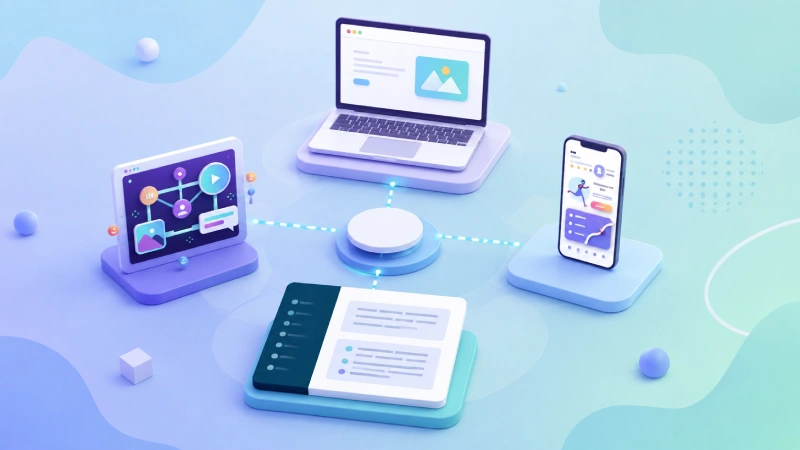
This architecture allows the creation of several user experiences using the same content source. A WordPress instance could provide the content for a website, mobile app, and other digital platforms.
How Headless WordPress Works
A headless WordPress architecture uses the API as its core.
WordPress exposes its data via the WordPress REST API, but there are also other implementations using, for example, GraphQL with proper extensions.
When the user asks for a specific page, the frontend application gets the necessary content from WordPress and renders it using its own components and styles.
For example, a news website might store an article in WordPress containing:
- Title
- Author
- Featured image
- Article body
- Categories
- Publication date
The frontend can request those fields and decide exactly how they should appear.
This means the WordPress database does not need to know whether an article will appear as a conventional webpage, a card in a mobile application, or another interface.
Choosing the Frontend Technology
Another critical point about a headless WordPress project is selecting the frontend framework.
If the developers prefer a component architecture in interface development, then React can be a good choice. Next.js, which uses React under the hood, may become an attractive choice due to its functionality like server-side rendering, static generation, routing, and optimized app delivery.
There are other frameworks available to use with JavaScript. The key factor is the ability of the frontend to interact with WordPress using the chosen API.
The right technology should be selected according to the project’s needs, not the popularity of the framework itself.
Benefits of Headless WordPress
Greater Frontend Control
Without the restriction of a WordPress theme governing how things look, the developer gains a lot of freedom when it comes to the user interface.
Content Reuse
One of the key benefits of headless is the ability to treat WordPress as a centralized system for storing your content. The same content can theoretically be reused in different platforms. This gives the headless architecture a lot of value in case of publishing content on multiple digital products.
Modern Development Processes
Headless development offers the possibility to use contemporary tools and processes without being restricted by the old way of developing WordPress themes. It is also possible to split up frontend from backend development and allow specialists to work independently.
Performance Opportunities
Having the frontend separated from the rest, it can utilize approaches like static generation, caching, and content delivery networks. But there is one thing to keep in mind: just because the website uses a headless architecture, that doesn’t mean it’s fast.
There are many factors affecting performance: how the frontend is built, how API requests are handled, content caching, and asset delivery.
The Challenges of Going Headless
These pros come with some drawbacks.
First, there is increased complexity. A conventional WordPress setup comes with lots of pre-installed features. After splitting the frontend from the system, developers will have to re-create features that would otherwise be created by the themes and plugins.
SEO is another thing that needs to be carefully thought out. Metadata, canonical URLs, structured data, sitemaps, redirects, and social sharing data have to be taken care of by the frontend.
Another problem is compatibility with the existing plugins. Many WordPress plugins rely on the system being responsible for building the site. The plugin that works flawlessly in the traditional setup may behave differently when WordPress is used only as a backend.
Previewing the articles before they are published is another potential problem. Users expect to press the “Preview” button and see how their article looks right away. In a headless architecture, developers will have to create the preview mechanism themselves.
When Should You Use Headless WordPress?
But is Headless WordPress always the best solution?
In the case of a small blog, portfolio, website for a local business, or even some small publications – traditional WordPress can be enough.
But when there is a need for significant frontend customizations, multiple destinations for content, complex interactions, or there is a development team well-versed in modern frontend frameworks – then headless architecture starts looking quite appealing.
So the choice between headless and traditional WordPress should start with the project’s needs, not technologies.
Approach to Development
A rational way to develop the headless WordPress solution is to divide the process into several steps:
First, decide on the content model. Find out what kind of information should be managed by WordPress and how it is structured.
Second, pick an API layer. Choose either the WordPress REST API or some other API solution.
Third, design the frontend architecture. Set up reusable components for articles, navigation, images, search, categories, etc.
Fourth, make sure you have good data fetching and caching in place. Try not to request any unneeded information from WordPress and set up proper caching.
Finally, test the whole publishing pipeline. Editors should be able to create, update, preview and publish the content seamlessly.
This last point is frequently overlooked. A technically impressive frontend is not enough if the people responsible for publishing content find the CMS workflow frustrating.
The Future of WordPress Development?
Headless WordPress is just one element of a larger trend in developers’ attitudes towards CMS. In such a situation, developers treat WordPress not as a full website but as a platform to manage content which will power other experiences.
Such an approach can turn out to be incredibly effective for some projects.
Developers will have the ability to maintain all the capabilities of WordPress for editing while being able to control the frontend independently.
However, there is no universal solution here, and whether traditional or headless WordPress should be used depends on the characteristics of the particular project.
In the end, the main advantage of headless WordPress is not in its novelty or fashionable nature. The main reason to use such a solution lies in solving a certain issue using headless WordPress.