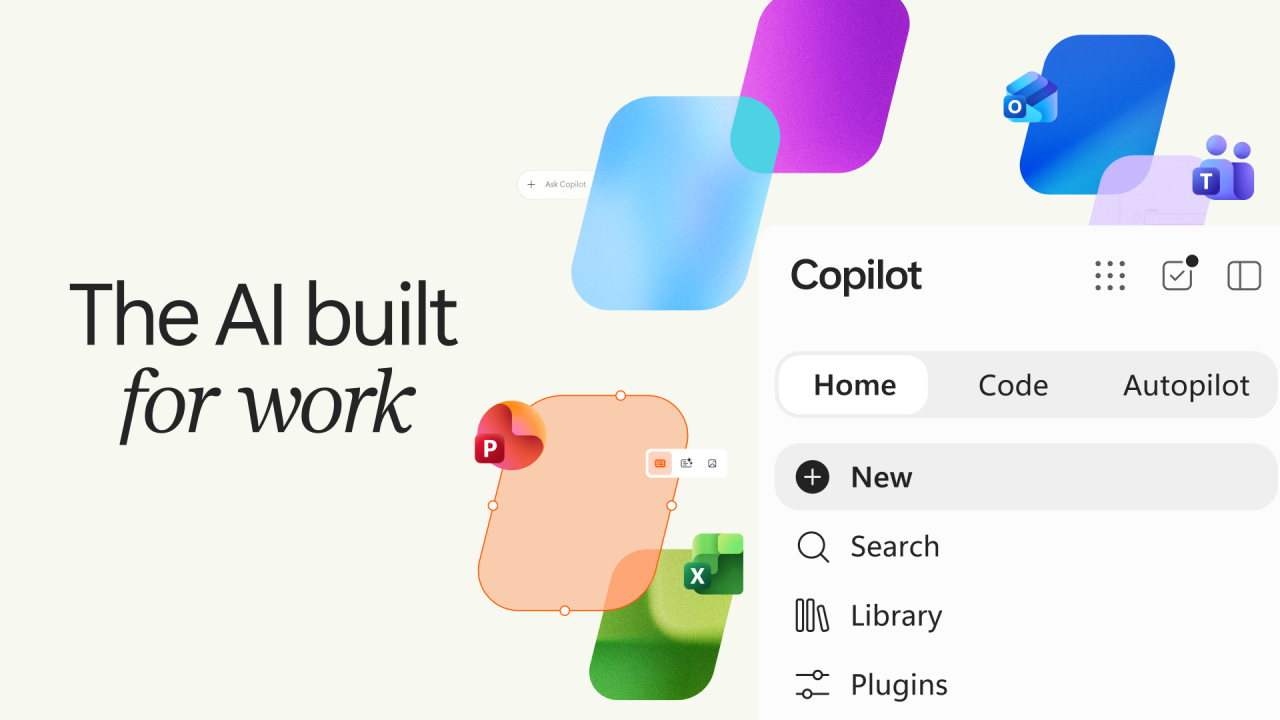
Microsoft has introduced a redesigned Copilot experience built around three central areas: Home, Code, and Autopilot. The company is positioning the update around a broader range of AI-assisted work, including everyday interactions, application building, workflows, and longer-running tasks.
Home is designed to serve as the central entry point. It brings Chat together with Cowork, with Cowork being integrated into the Home experience for delegated work. Code takes a different approach by helping users create applications and other digital tools through natural-language instructions.
Autopilot is designed for objectives that require more than a single interaction. Rather than simply continuing a chat after a user leaves, Microsoft’s announced model gives an Autopilot an objective and role, along with its own identity, memory, computing environment, and workspace.
Together, these experiences expand Copilot beyond its earlier chat-focused presentation. Microsoft is connecting conversational assistance with tools for building, delegating, and managing AI-assisted work.
Microsoft Copilot Has Three New Experiences
The redesigned Copilot is centered on three main experiences. Home is the central place for interacting with Copilot. It brings Chat and Cowork into the same experience, with Cowork focused on delegated work rather than simply functioning as another version of Chat.
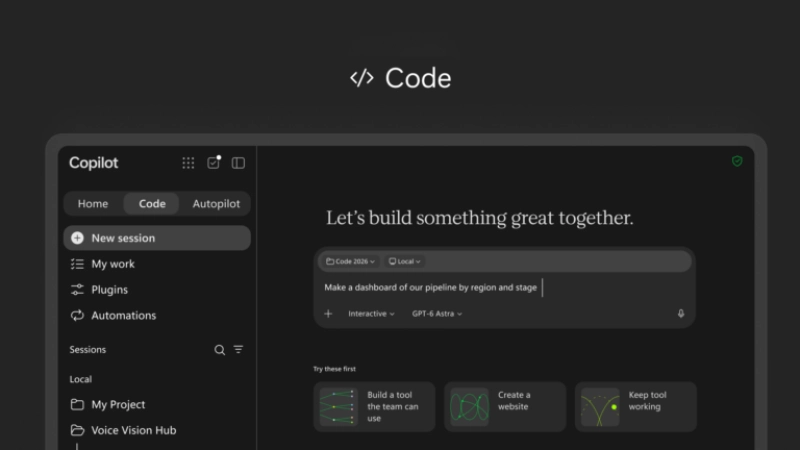
Code lets users describe what they want in natural language. Microsoft says it can help create applications, dashboards, trackers, and workflows from those instructions.
Autopilot is designed around longer-running objectives. Microsoft previously discussed this experience under the name Scout. It is now being introduced as Autopilot.
The three areas therefore cover different types of interaction: using AI through Home, building with Code, and assigning objectives to Autopilot.
Home Brings Chat And Cowork Together
Home is intended to become the central area in the redesigned Copilot experience. Microsoft is bringing Chat and Cowork into Home so that users can access everyday conversations alongside delegated work.
This distinction matters because Cowork is not simply another name for Chat. It is being brought into Home as part of Microsoft’s approach to delegated work, allowing the central Copilot experience to cover both conversational interactions and more task-oriented activity.
Microsoft is also planning Today in Home, which is intended to provide useful information and activities within the Home experience.
The company is also expanding Copilot’s ability to work with business data. This is intended to provide more context from the tools and information users already have access to, while existing account and permission controls continue to determine what information Copilot can access.
Copilot Code Lets Users Build Apps And Workflows
Copilot Code is designed to let users create digital tools through natural-language instructions. Instead of starting by writing every part of an application manually, users can describe what they want Copilot to build.
Microsoft says Code can help create applications, dashboards, trackers, and workflows. This gives the feature a broader role than simply explaining programming concepts or generating isolated pieces of code.
Copilot Code also has a connection to Microsoft’s work with GitHub Copilot. However, the two should not be treated as the same product. GitHub Copilot is focused primarily on software development, while Microsoft presents Copilot Code as a broader tool for building applications and workflows within its wider Copilot environment.
For users who do not regularly write software, the natural-language approach could make it easier to begin creating internal tools or workflow-based applications.
Autopilot Is Built Around Objectives, Memory And Its Own Workspace
Autopilot is Microsoft’s renamed version of the experience previously announced as Scout. The company is positioning it around objectives rather than one-off questions.
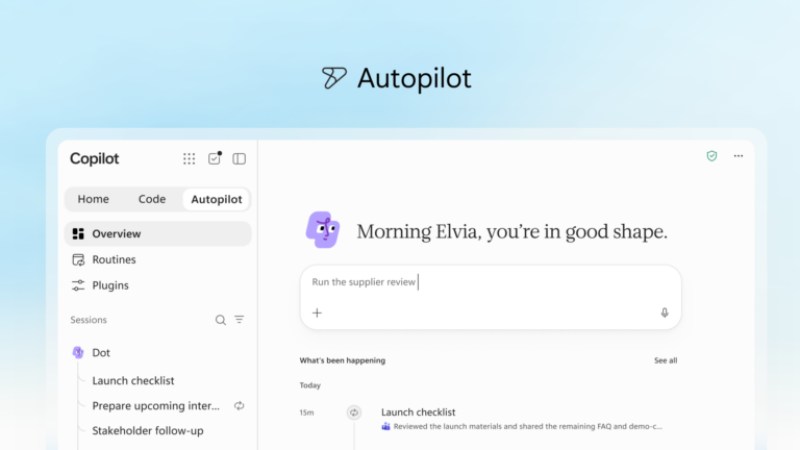
Users give an Autopilot an objective and a role. Microsoft says the Autopilot then has its own identity, memory, computing environment, and workspace. This gives the experience a more defined operating environment than a standard conversational exchange.
That distinction is important. Autopilot should not simply be described as a chatbot that keeps a conversation running after the user leaves. Its announced design is based on giving an AI experience the resources and context needed to work toward a defined objective.
Autopilot remains in preview as Microsoft continues developing the experience, so its availability and capabilities should not be treated as equivalent to a generally available autonomous system.
Word, Excel And PowerPoint Come Closer To Copilot
Microsoft is also bringing Word, Excel, and PowerPoint more directly into the Copilot experience. The aim is to connect familiar Microsoft productivity applications with Copilot-assisted work.
This approach could reduce the need to move between separate applications for certain tasks. However, the exact features available to a user will depend on the relevant Copilot experience, account, and rollout status.
The broader idea is to connect Microsoft’s existing productivity tools with the new Copilot experiences rather than treating AI as a completely separate destination.
Copilot Managed Runtime Adds Infrastructure For AI Applications
Another part of Microsoft’s announcement is Copilot Managed Runtime. The runtime is designed to provide an environment for hosting AI applications and agents. This gives developers and organizations infrastructure for running AI experiences within the broader Copilot ecosystem.
Its inclusion is significant because Microsoft’s redesigned Copilot is not only about what an individual user can ask an AI assistant to do. The company is also providing infrastructure for AI applications and agents that can operate as part of broader workflows.
This complements Copilot Code, which focuses on building applications and workflows, and Autopilot, which focuses on objectives and longer-running agent experiences.
Copilot Gets More Grounding In Business Data
Microsoft is also expanding how Copilot can use business information and existing work tools as context. For organizations, this means Copilot can be connected to approved business data rather than relying only on the information contained in an individual prompt. Access remains governed by the relevant account and permission controls.
Microsoft’s setup continues to distinguish between personal Microsoft accounts and work or school environments. The announcement therefore does not mean that personal and business information are automatically combined into one unrestricted data pool.
Instead, the expanded business-data grounding is part of Microsoft’s broader effort to connect Copilot with the information and tools people already use at work.
Today In Home And @Copilot In Teams Are Also Coming
Microsoft has announced additional experiences that extend beyond the initial Home, Code, and Autopilot rollout.
Today in Home is planned as part of the Home experience, providing users with information and activities in the Copilot environment.
Microsoft is also bringing @Copilot to Teams, extending Copilot’s role into Microsoft’s collaboration platform.
These features should be treated as upcoming elements of the broader Copilot rollout rather than assuming they are already generally available to every user.
New Microsoft Copilot Availability: What Is Available And What Is Coming
The redesigned Copilot is not arriving for everyone at the same time. Microsoft says Home and Code are rolling out through the Frontier program. Their availability will therefore expand through that program rather than immediately reaching every Copilot user.
Autopilot is scheduled to enter Private Preview at the end of September. This means users should not expect the full Autopilot experience to be generally available alongside Home and Code.
Other announced experiences, including Today in Home and @Copilot in Teams, are also part of the broader rollout rather than features that should automatically be considered available today.
The distinction between announced, rolling out through Frontier, and entering Private Preview is important when discussing the new Copilot. The announcement describes Microsoft’s direction for the product, but availability will depend on the specific experience and rollout stage.
How The New Copilot Differs From The Previous Experience
The biggest change is not simply the addition of three new sections. Microsoft is reorganizing Copilot around different ways of working with AI.
Home provides the central experience for interaction and delegated work.
Code focuses on building applications, dashboards, trackers, and workflows through natural-language instructions. Autopilot is designed around objectives, roles, memory, identity, computing resources, and a dedicated workspace.
Microsoft is also connecting Word, Excel, PowerPoint, Teams, business data, and infrastructure such as Copilot Managed Runtime to the broader ecosystem.
This makes the redesign broader than a conventional chatbot interface. However, the practical impact will depend on how these experiences perform as they move through Frontier and Private Preview and eventually become available more widely.
Final Thoughts
Microsoft’s redesigned Copilot brings Home, Code, and Autopilot together as different parts of a broader AI experience. Home combines Chat with Cowork for everyday interaction and delegated work, while Code focuses on creating applications and workflows from natural-language instructions.
Autopilot takes a different approach by giving an AI experience an objective and role, along with its own identity, memory, computing environment, and workspace. Microsoft is also adding Copilot Managed Runtime to provide infrastructure for hosting AI applications and agents.
The rollout is gradual. Home and Code are moving through the Frontier program, while Autopilot is scheduled for Private Preview at the end of September. Today, Home and @Copilot in Teams are also part of Microsoft’s upcoming Copilot experience.
The broader direction is clear from Microsoft’s announcement: Copilot is being expanded from conversational assistance into a system that can support interaction, application building, workflows, and longer-running AI objectives. How useful those capabilities become will depend on their availability, implementation, and performance as Microsoft expands the rollout.
(Source)