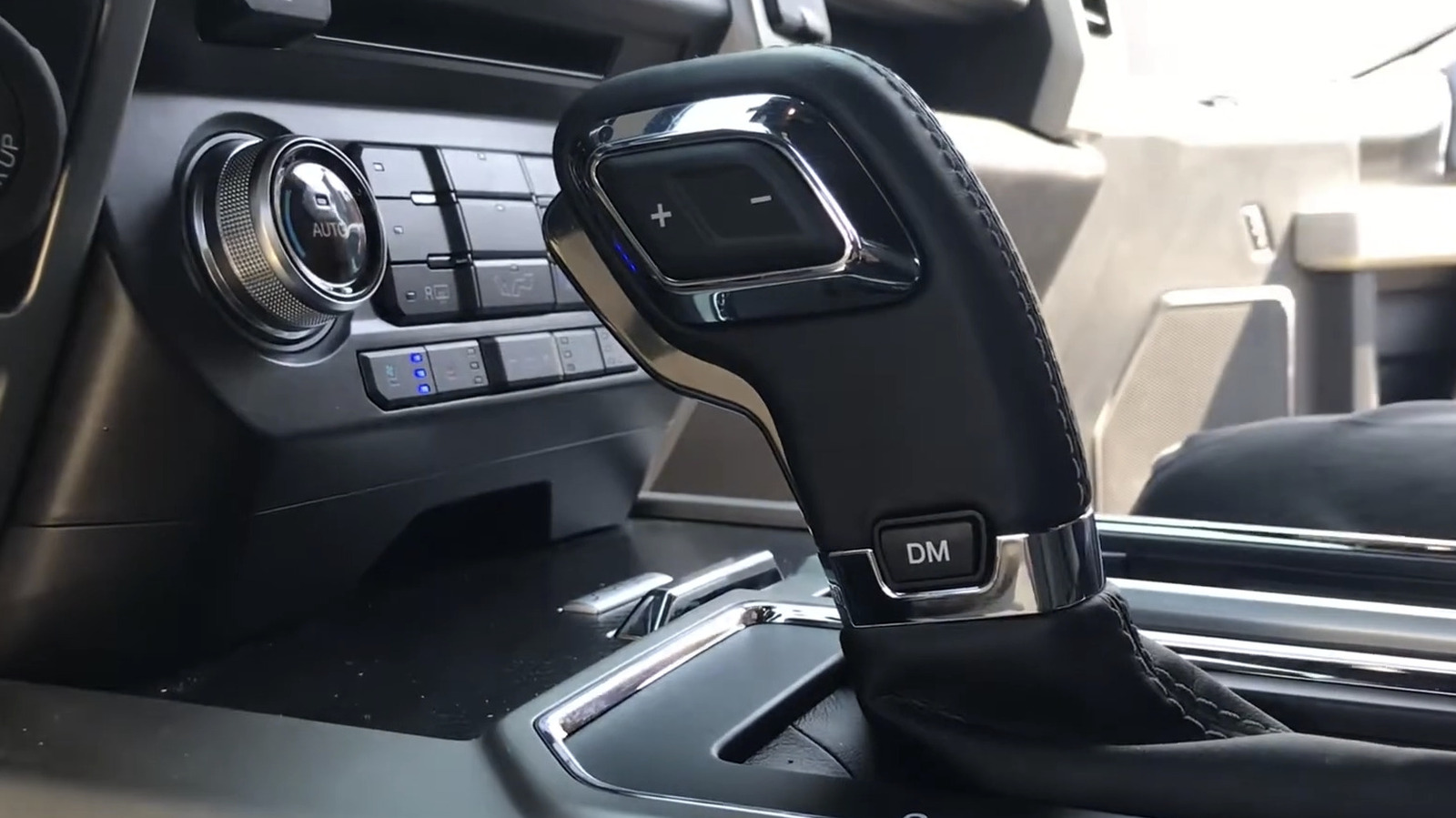
Pretty much everywhere else, the letters “DM” mean but one thing: Direct message. But what about in your car? If you look near the gear shifter in some Ford F-150 models, you’ll see these two letters printed right there on their own designated button. Here, it means Drive Mode: the button you press to adjust your F-150’s presets for different driving conditions.
Depending on your model year and trim level, you might also see the letters on your column-mounted shifter or as a separate button near the gear lever. Other F-150 configurations use a rotary dial on the center console or dashboard. (Four-wheel-drive models also have controls that let you switch between 2H and 4H.) No matter its location, the purpose remains the same. Changing the DM gives you a quick and easy way to adjust everything from throttle response to transmission behavior to steering and traction control without having to change each individual setting manually.
For everyday travel, Normal Mode is the way to go. It’s a middle ground between responsiveness and comfort. Sport Mode makes the accelerator more responsive and increases acceleration. Tow/Haul Mode adjusts your truck’s power delivery and shifting behavior to help make pulling substantial loads more manageable, while Slippery Mode is for driving through rain or snow.
How to use the DM button
The button will be in different places depending on your generation of Ford F-Series. On models with a DM button and a console-mounted shifter, you’ll find the button to the left of the shifter. If your truck has a column-mounted shifter, you’ll first need to open the Drive Mode menu by activating the shifter’s Drive Mode control. From there, a selection menu appears on the instrument cluster. Drivers can then navigate to their mode of choice and press the OK button to confirm. It might go without saying, but the truck has to actually be on to change modes. You can’t do it if you’re simply sitting in the F-150 with the engine off.
There’s one other “DM” setting we haven’t mentioned, and that’s Eco Mode. The Eco Mode setting puts more emphasis on fuel efficiency in exchange for some of your F-150’s performance specs. To activate it, select Eco Mode from your truck’s Drive Mode menu. When activated, Eco Mode makes the accelerator less responsive to help improve fuel economy on ordinary roads.