
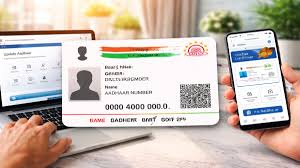
Aadhaar Card Security: Is your Aadhaar card in the wrong hands? How to check authentication history from your phone in minutes

News India Live, Digital Desk: In today’s digital era, Aadhaar card is not just an identity card but has become the key to our financial and personal life. From opening a bank account to purchasing a SIM card, Aadhaar is required everywhere. But have you ever wondered whether your Aadhar card is being used somewhere else without your knowledge? Recently, in view of the increasing cases of Aadhaar related fraud, the Unique Identification Authority of India (UIDAI) has provided a special facility, through which you can check where your Aadhaar has been used in the last 6 months, right on your mobile. What is Aadhaar Authentication History? ‘Aadhaar Authentication History’ on the UIDAI website is a feature that allows you to see how your 12-digit unique identity has been used. When, where and for what purpose (e.g. biometric, OTP or demographic) it has been used. You can check the last 50 authentication records. If you see any entry which you have not made, you can immediately complain about it. Step-by-Step Guide: How to check records on phoneTo prevent misuse of your Aadhaar, you can follow the simple steps given below: Go to the official website: First of all, open the official website of UIDAI in your phone’s browser. My Aadhaar section: Go to the ‘My Aadhaar’ tab on the homepage and click on the option of ‘Aadhaar Services’. Select. Authentication History: Here you will get the option of ‘Aadhaar Authentication History’, click on it. Login Process: Enter your Aadhaar number and the captcha code shown on the screen. After this, an ‘OTP’ will come on your registered mobile number, fill it and login. Select the details: Now select the time range (Date Range) and type of authentication (like OTP or Biometric) that you want to check. View the record: ‘Fetch Authentication History’ On clicking, you will get the complete list. If you notice any suspicious activity in your history, you can immediately call UIDAI’s toll-free number (help@uidai.gov.in). Apart from this, you can also ‘Lock’ your Aadhaar biometrics online. Without this, your fingerprint or iris will not be able to be used. Only by being alert you can keep your digital identity safe.

Comments are closed.