

Highlights
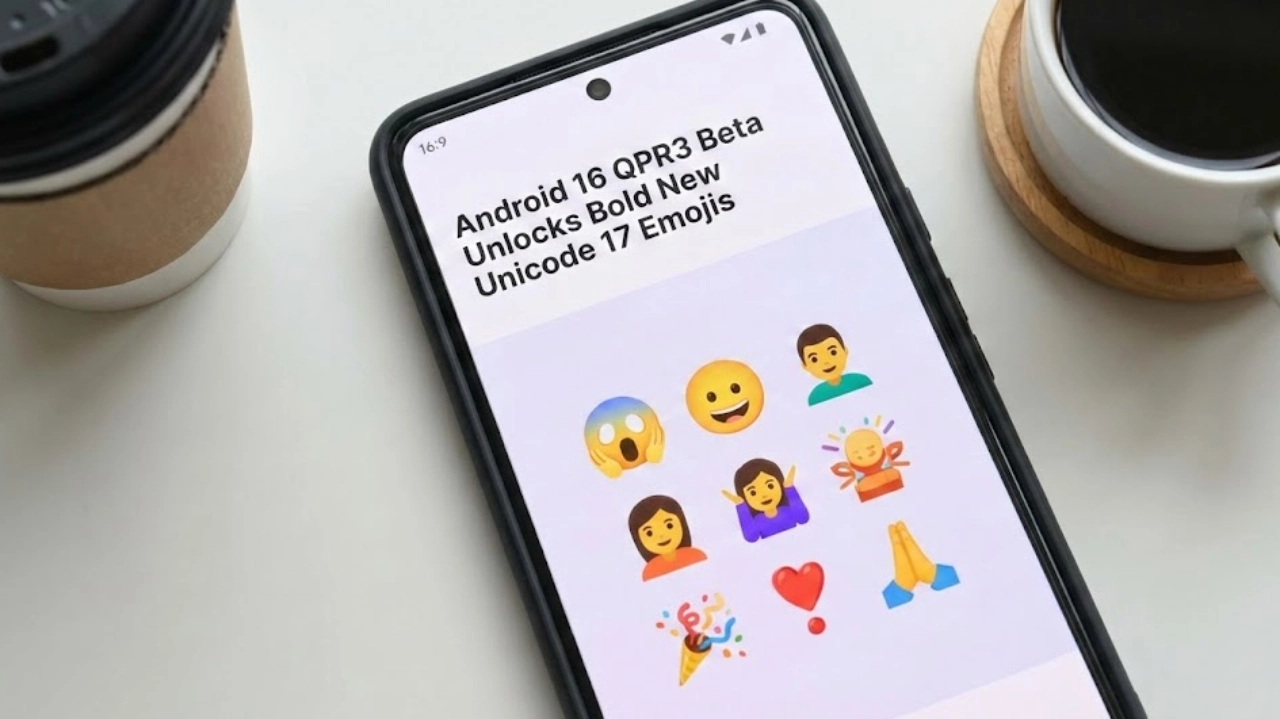
- Android 16 QPR3 Beta 1 introduces full Unicode 17 emoji support on Pixel phones.
- Over 160 new emoji variations arrive via system font updates
- QPR builds focus on stability and usability, not experimental features
- Beta is available for Pixel 6 through Pixel 10 series, Fold, and Tablet
- Users can install via OTA or manual flashing through Android tools
Google has also started rolling out Android 16 QPR3 Beta 1the next Quarterly Platform Release for Google Pixel devices. Typically, Quarterly Releases have stability, functionality, and other improvements. This time, however, it has something quite prominent: emoji support. If you like using new emojis as soon as they’re released, this beta might interest you.
What is a QPR update, and how does it matter?
The first thing that might hit you, especially if you aren’t deeply immersed in the world of Android releases, is that “QPR” is somehow insider talk—speak that only Android developers understand.
Here’s one way to decipher this: Consider that QPR builds are essentially updates that hit Android every four months between version updates.
The crucial aspect: QPR betas are not like developer previews, which can sometimes be a little rough. According to Google, QPR betas are more suitable for use and are still pre-release software, but much more stable than developer preview releases.
Unicode 17 emojis — a slight drop that’s a BIG upgrade!!
Symeon Gerasimidis has shared the news. In theory, the Unicode 17 release doesn’t appear to be gigantic at first glance. There are seven new emojis in the initial list; however, this list increases rapidly when considering:
- Skin tone choices
- Gender variations
- Family/
- Platforms support different emoji sequences
This is why the update is essential. Android 16 QPR3 Beta 1 is more than just bringing additional icons to the table. In fact, it improves the system emoji font, which is necessary to support the latest Unicode 17.0 emoji set, with many variations, on Pixel devices. This brings about 160+ new emoji codes.
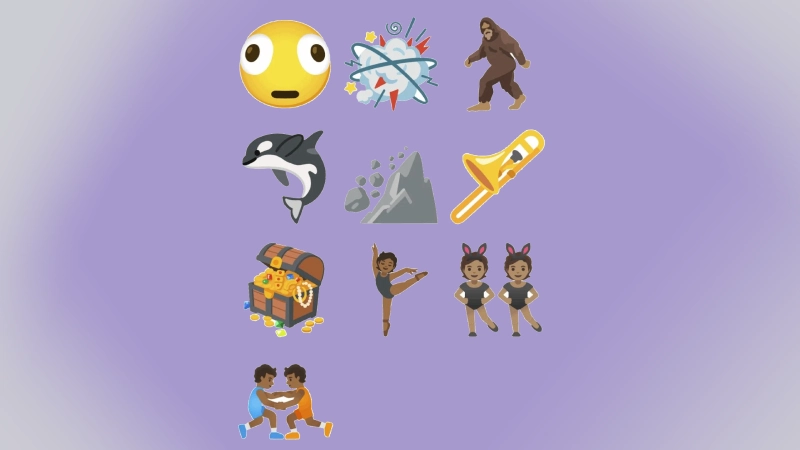
The most exciting new features that have been floated, some of which might actually see the light, include fun ones such as Distorted Face and more specific ones such as Orca and Trombone. This type appears in memes the moment they are introduced into messaging apps.
Why emoji updates really matter (and it’s not just about looks)
It is tempting to see the update to emojis as purely cosmetic, but it is also about compatibility.
If you think back on messaging experiences where the emojis sent were blank boxes or boxes for missing characters, that’s most likely an issue on your mobile because your device doesn’t support the latest font update. With the release of Unicode 17, such experiences are likely to reduce, and messaging across platforms will feel more uniform.
Well, yes, it is fun—but it’s also a valuable improvement for modern messaging.
Eligible Pixel Devices for Android 16 QPR3 Beta 1
As stated in Google’s official Android documentation, Android 16 QPR3 Beta 1 is compatible with a broad lineup of Pixel smartphone models and variants, including older models that are still being actively tested.
Here’s the list that has been shared:
- Pixel 6 / Pixel 6 Pro / Pixel 6a
- Pixel 7 / Pixel 7 Pro / Pixel 7a
- Pixel Fold / Pixel Tablet
- Pixel 8 / Pixel 8 Pro / Pixel 8a
- Pixel 9 / 9 Pro / 9 Pro XL / 9 Pro Fold / Pixel 9a
- Pixel 10 / 10 Pro / 10 Pro XL / 10 Pro Fold
The Google QPR3 webpage was updated on December 18, 2025 (UTC), which helps confirm the availability and included devices.
How to get Android 16 QPR3 Beta 1 on your Pixel
Your basic choices depend on your level of acceptance of beta-level software and your familiarity with Android tools.
1) The easy way: Android Beta for Pixel program (OTA updates)
This will likely be the easiest method for most users. Once your phone is registered in the Android Beta for Pixel program, Google will deliver the beta update to your phone via over-the-air (OTA) updates—much like a regular software update.
One significant benefit in this regard is convenience: once you are enrolled, you will continue to receive future beta builds (including updates to QPRs) unless you choose otherwise.
Important Note: According to Google, most people may not need to wipe their devices to do an OTA installation. However, it is still important to back up any important data before proceeding with any beta installation.
2) The power-user route: Flash the build manually
If you need more control, or you’re running app testing, regression tracking, or development, Google also offers installing Android 16 QPR3 using the Android Flash Tool or direct flashing of official images, according to Google’s instructions.
It’s a bit more tech-friendly, but it can also come in handy if a clean installation or control over builds is desired.
What build is this specifically?
In Google’s release notes, this update is identified as Android 16 QPR3 Beta 1 and was made available for release on December 15, 2025. This update provides build numbers and base security/Google Play Services versions, which may be helpful for those who like to compare versions.
Do you install it?
If your Pixel is your primary work smartphone and you use it for banking, international travel, and/or mission-critical applications, remember this: it’s still beta software. Sometimes bugs occur, battery patterns can fluctuate, and the occasional app may not behave as expected.
However, if you are the type who enjoys early Android builds, then Android 16 QPR3 Beta 1 is one of the updates that offers push benefits. Installing the update and launching the keyboard will immediately show the benefits of the features that Unicode 17 offers Android.

Comments are closed.