
Apple Rolls Out iOS 26.2 Stable Update For iPhone Users: Check New Features, Eligible Models; Follow THESE Steps To Install | Technology News

Apple iOS 26.2 Update: Apple has finally rolled out the iOS 26.2 stable update. The new update brings new customization features, upgrades, safety alerts and improvements to the user experience. Now, all the users can access the latest update on their iPhones. Notably, this is the second major update under iOS 26, after multiple developer and public beta releases.
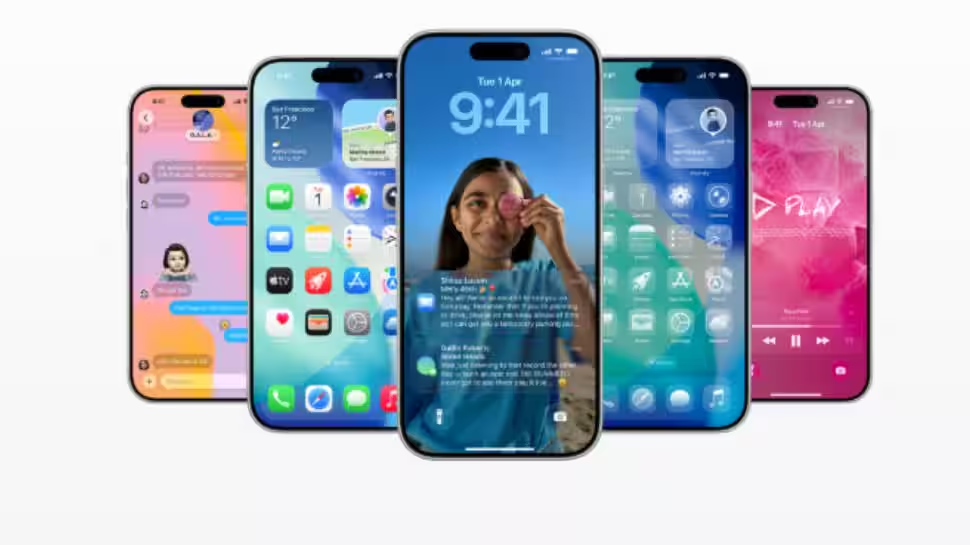
Adding further, the Cupertino-tech giant has also addressed user feedback on recent design changes and expanded features across Music, Podcasts, Reminders, Health, and AirDrop. The Liquid Glass design made its debut with the iOS 26 update and the version .2 looks to bring further tweaks to the interface for those who don’t like their iPhones being very glassy.
It is important to note that the iOS 26.2 update is available for iPhone 11 or later models, while the Apple AI features are limited to iPhone 15 Pro and higher models.
Add Zee News as a Preferred Source
Apple iOS 26.2: What’s News For iPhone Users
AirDrop now adds an extra safety step when sharing files with unknown contacts by asking the sender to enter a code shown on the receiver’s device. Apple News has become easier to navigate, with quick shortcuts at the top of the Today feed for sections like Sports, Politics, Business, and Food.
Meanwhile, the Home app now supports multi-pack accessory pairing, letting users add multiple accessories at once using a single setup code. Reminders gets more useful with alarm support, a snooze option, and Live Activity integration for better tracking.
Freeform tables can now hold text, images, documents, and drawings, and the cells automatically resize to keep the layout neat. The update also fixes an issue where some Privacy and Security settings were wrongly shown as being managed by an enterprise organization.
Adding further, the iPhone Users now get an additional Lock Screen time customization option that lets them adjust the clock’s look by changing the opacity of the Liquid Glass effect, making it easier to personalize the display.
Apple iOS 26.2 Update: How To Install It
Step 1: Open Settings on your iPhone.
Step 2: Tap on General.
Step 3: Select Software Update.
Step 4: Check for the new iOS 26.2 update and tap Download and Install.
Step 5: Enter your passcode and let the iPhone reboot to complete the iOS 26.2 installation.
Apple iOS 26.2 Update: Eligible Models
The update is compatible with a wide range of iPhones, including the iPhone 17 series which includes the iPhone 17, iPhone 17 Pro, iPhone 17 Pro Max, and iPhone Air. It also supports the iPhone 16 lineup, comprising the iPhone 16, iPhone 16 Plus, iPhone 16 Pro, iPhone 16 Pro Max, and iPhone 16e.
Older models such as the iPhone 15 series (iPhone 15, iPhone 15 Plus, iPhone 15 Pro, and iPhone 15 Pro Max), iPhone 14 series (iPhone 14, iPhone 14 Plus, iPhone 14 Pro, and iPhone 14 Pro Max), iPhone 13 series (iPhone 13, iPhone 13 mini, iPhone 13 Pro, and iPhone 13 Pro Max), iPhone 12 series (iPhone 12, iPhone 12 mini, iPhone 12 Pro, and iPhone 12 Pro Max), and the iPhone 11 series (iPhone 11, iPhone 11 Pro, and iPhone 11 Pro Max) are also included. In addition, iPhone SE models from the 2nd generation onwards are eligible for the update.

Comments are closed.