

Every day, we browse dozens of websites without giving much thought to what happens behind the scenes. We click links, stream videos, shop online, access banking portals, and download files, all while trusting our web browser to keep us safe. But what if a website contains malicious code? What if an online advertisement is infected with malware? Or what if hackers exploit a vulnerability in your browser?
This is where browser sandboxing comes into play. Often working silently in the background, browser sandboxing is one of the most important security technologies protecting users from cyber threats. It creates a secure, isolated environment that prevents malicious code from escaping into your computer, significantly reducing the risk of malware infections and unauthorized access.
In this guide, we’ll explain what browser sandboxing is, how it works, why it matters, and how it helps make web browsing safer.
What Is Browser Sandboxing?
Imagine a child playing in a sandbox at a playground. The sandbox creates a clearly defined space where the child can play freely without affecting the surroundings.
Browser sandboxing works on the same principle.
It is a security technique that isolates browser processes—such as individual tabs, websites, advertisements, extensions, or downloaded content—from the rest of your operating system. Even if malicious code runs inside the browser, the sandbox prevents it from accessing sensitive files, installing software, or interfering with other applications.
In simple terms, browser sandboxing acts as a protective barrier between potentially dangerous web content and your computer.
Credits: Fidelis Security
Why Browser Sandboxing Is Important
The internet is filled with legitimate websites, but it also hosts countless cyber threats. Simply visiting a compromised webpage can expose users to attacks if proper security measures are not in place.
Browser sandboxing helps defend against several common threats.
Malware
Cybercriminals often hide malware inside websites, downloads, or online advertisements. Without isolation, malicious software may attempt to install itself, modify system files, or steal personal information.
Sandboxing limits what this malware can do by preventing it from interacting directly with your operating system.
Zero-Day Exploits
Zero-day vulnerabilities are software flaws that developers have not yet patched. Attackers often exploit these vulnerabilities before security updates become available.
Although sandboxing cannot prevent the vulnerability itself, it restricts what an attacker can accomplish after exploiting it, making successful attacks far less damaging.
Malicious Scripts
Modern websites rely heavily on JavaScript and other scripting languages to deliver interactive experiences. Unfortunately, attackers can inject malicious scripts into compromised websites or advertisements.
Browser sandboxing confines these scripts to a restricted environment, preventing them from accessing your personal files or sensitive system resources.
Unintentional Data Leaks
Some browser extensions or websites may attempt to collect excessive information about your browsing habits, location, or personal data.
Sandbox restrictions help minimize unauthorized access to sensitive information and reduce opportunities for data leakage.
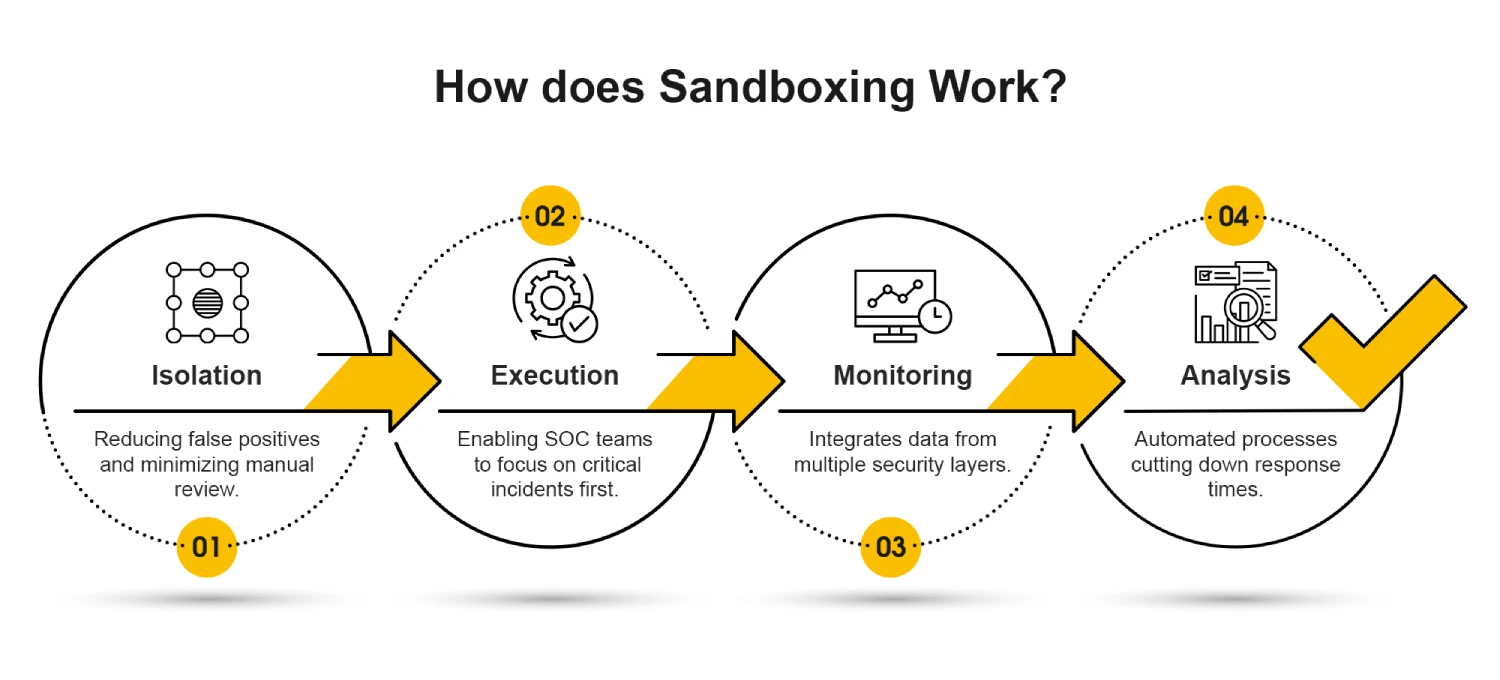
How Browser Sandboxing Works
Browser sandboxing combines multiple security techniques to isolate web content from your computer.
Process Isolation
Modern browsers typically run each website, browser tab, or plugin as a separate operating system process.
This means that if one webpage crashes or becomes infected, it generally cannot affect other tabs or browser components.
For example, if one tab encounters malicious code, the attack is confined to that individual process instead of spreading throughout the browser.
Restricted Permissions
Programs running inside the sandbox operate with extremely limited permissions.
Even if malicious code executes successfully, it cannot easily:
- Modify operating system files
- Install software
- Access confidential documents
- Read sensitive system information
- Control other applications
By denying elevated privileges, the browser significantly limits the damage attackers can cause.
Memory Isolation
Each sandboxed process receives its own protected memory space.
This prevents one webpage from reading or manipulating the memory used by another browser tab or application, reducing the effectiveness of many memory-based attacks.
Resource Control
Browsers also limit access to system resources such as hardware devices, network functions, storage, and inter-process communication.
These restrictions make it much harder for malicious software to escape the sandbox.
Credits: Frugal Testing
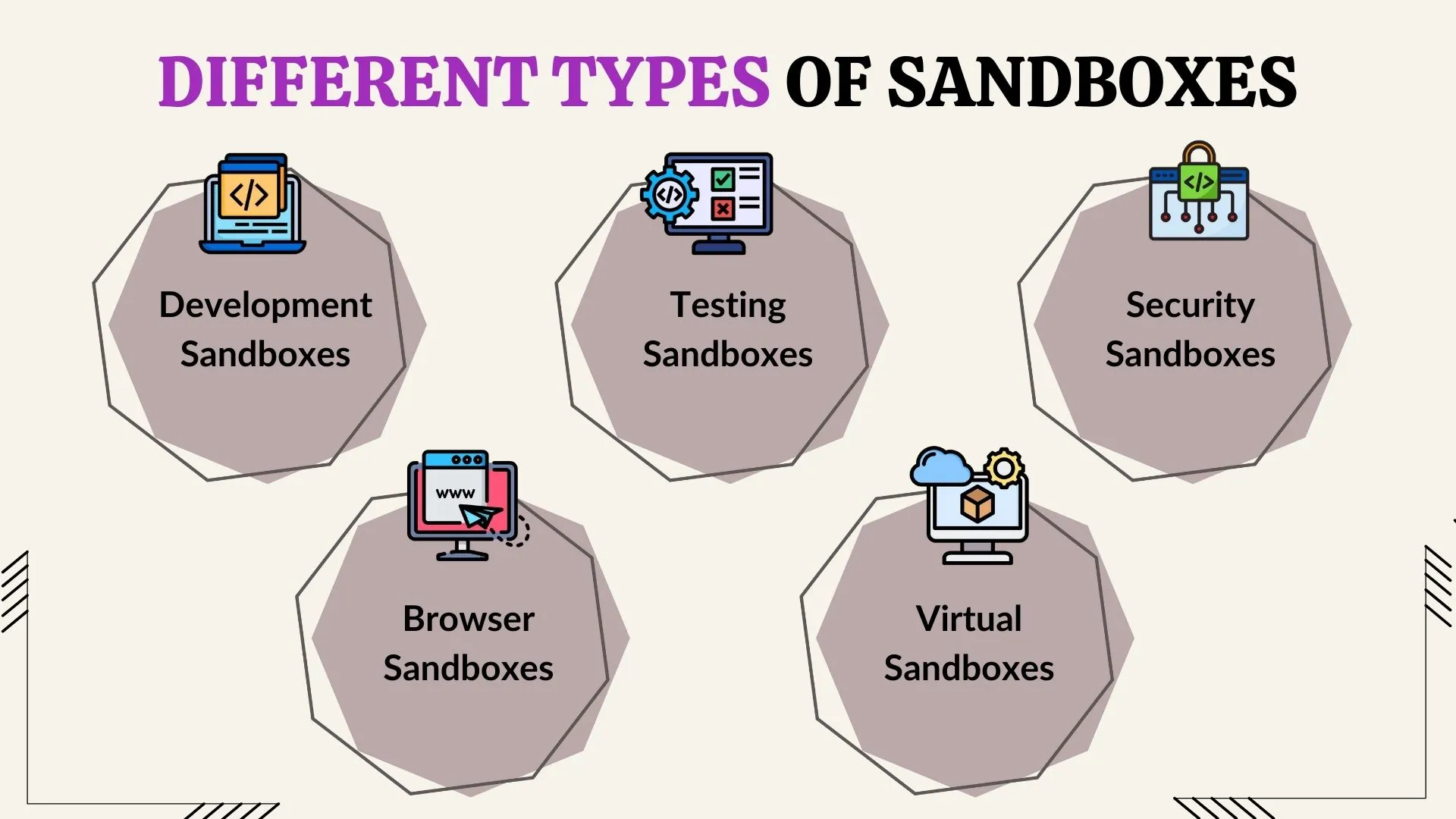
Types of Browser Sandboxing
Not all sandboxing works the same way. There are two primary approaches.
Local Sandboxing
Most popular browsers—including Google Chrome, Microsoft Edge, Mozilla Firefox, Brave, and Opera—implement local sandboxing.
Here, the browser creates isolated processes directly on your computer using built-in operating system security features.
Local sandboxing provides strong protection while maintaining excellent browsing performance.
Remote Sandboxing
Organizations that require maximum security often use remote browser isolation, also known as remote sandboxing.
Instead of executing webpages on the user’s device, websites run on remote cloud servers or virtual machines. Only a safe visual representation of the webpage is transmitted to the user’s computer.
Because potentially malicious code never reaches the endpoint device, remote sandboxing offers an additional layer of protection against sophisticated cyberattacks.
Many enterprises, government agencies, and financial institutions use this approach for high-risk environments.
Benefits of Browser Sandboxing
Browser sandboxing delivers several important security advantages.
Protection Against Unknown Threats
Traditional antivirus software relies heavily on known malware signatures.
Sandboxing, however, limits the impact of both known and previously unseen threats, making it effective against emerging attacks.
Reduced Attack Surface
By restricting access to operating system resources, sandboxing dramatically reduces the number of ways attackers can compromise a device.
Even successful exploits encounter significant barriers when attempting to escape the sandbox.
Better Stability
Because browser processes are isolated, one crashed webpage is less likely to crash the entire browser.
This improves both stability and user experience.
Automatic Protection
Most users never need to configure browser sandboxing.
Modern browsers enable it by default, quietly protecting users without requiring technical knowledge or manual intervention.
Easier Recovery
If malicious activity occurs within the sandbox, simply closing the affected browser tab—or restarting the browser—often removes the temporary environment where the attack was confined.
Although downloaded malware still requires removal, sandboxing minimizes the chances of permanent system compromise.

Limitations of Browser Sandboxing
Although highly effective, browser sandboxing is not a perfect security solution.
Sandbox Escape Attacks
Sophisticated attackers occasionally discover vulnerabilities that allow malicious code to “escape” the sandbox and interact with the operating system.
These attacks are rare but represent one reason why browser updates are so important.
Doesn’t Stop Phishing
Sandboxing protects your computer from malicious code, but it cannot prevent users from voluntarily entering passwords or financial information into fake websites.
Safe browsing habits remain essential.
Browser Extensions
Some browser extensions receive elevated permissions that exceed normal sandbox restrictions.
Installing untrusted extensions can weaken browser security considerably.
Downloaded Files
Once you intentionally download and run a program outside the browser, sandbox protections generally no longer apply.
Downloaded software should always come from trusted sources.
Browser Sandboxing in Popular Browsers
Nearly all major browsers implement sophisticated sandboxing technologies.
- Google Chrome pioneered multi-process sandbox architecture and remains one of the strongest implementations.
- Microsoft Edgebuilt on Chromium, inherits Chrome’s advanced sandboxing features while adding Microsoft security enhancements.
- Mozilla Firefox uses a multi-process architecture with sandbox protections that continue to improve with each release.
- Brave builds upon Chromium’s sandbox while adding additional privacy protections such as tracker and advertisement blocking.
- Safari uses Apple’s operating system security framework to isolate browser processes across macOS and iOS devices.
Regardless of which major browser you choose, sandboxing forms a core part of its security design.
Best Practices for Staying Safe
Browser sandboxing works best when combined with other cybersecurity habits.
To maximize your protection:
- Keep your browser updated with the latest security patches.
- Enable automatic browser updates whenever possible.
- Avoid downloading files from untrusted websites.
- Install browser extensions only from trusted developers.
- Use reputable antivirus software alongside browser protections.
- Be cautious of phishing emails and suspicious links.
- Regularly remove unused browser extensions.
- Browse using secure HTTPS websites whenever available.
These simple practices complement browser sandboxing and significantly improve your overall online security.
The Future of Browser Sandboxing
As cyber threats continue to evolve, browser vendors are constantly strengthening sandbox technologies.
Future improvements are expected to include:
- Stronger hardware-assisted isolation.
- Enhanced process separation.
- Better protection against memory exploits.
- Improved defenses against sandbox escape techniques.
- Greater integration with cloud-based browser isolation.
Combined with advances in artificial intelligence and threat detection, browser sandboxing will remain a critical component of web security for years to come.

Credits: Bleeping Computer
Final Thoughts
Browser sandboxing is one of the most important yet least visible cybersecurity technologies protecting internet users today. By isolating browser processes, restricting permissions, and containing potentially malicious code, it significantly reduces the chances that a harmful website, infected advertisement, or unknown exploit can compromise your computer.
While no security measure can guarantee complete protection, browser sandboxing dramatically lowers the risks associated with everyday web browsing. Combined with regular software updates, trusted downloads, and cautious online behavior, it forms a powerful first line of defense against modern cyber threats.
The next time you open a browser tab, remember that an invisible security barrier is already working behind the scenes to keep your device—and your data—safe.

Comments are closed.