


Highlight
- The latest Chrome Beta 144.0.7559.31 update is available for Windows, iOS, and Chrome OS users.
- Focuses on bug fixes, performance improvements, and stability across all platforms.
- No significant new features; aimed at preparing for the upcoming stable release.
- Available for developers and testers, with auto-updates for existing Beta users.
The latest Chrome Beta update, 144.0.7559.31, is now available for users on Windows, iOS, and Chrome OS. While this version doesn’t bring major new features, it plays a crucial role in fixing reported bugs and preparing for a stable release. Beta versions are essential for testing new builds and ensuring a smooth experience for millions of Chrome users.
The new beta updates will be available on all operating systems: Chrome Beta for Windows, macOS, and Linux; for iPhones and iPads; and on the Chrome OS beta channel for Chromebooks.
Chrome Beta Update for Desktop Systems
The Chrome Beta update (version 144.0.7559.31) is now available for Windows, Mac, and Linux users. This update focuses primarily on bug fixes and performance improvements rather than introducing new features. While Google hasn’t officially announced changes, the update aims to refine internal processes before the stable version is released. Developers and testers can explore code modifications through the Chromium Git Code Base for more detailed updates.
Most updates in Chrome Beta give developers an avenue to make performance adjustments and bug fixes, which ultimately help improve the overall experience of Chrome users.
As stated earlier, this particular version of Chrome Beta does not include any NEW features. However, Google has provided links to the Chromium Git Code Base for those who may wish to view the complete list of code modifications. These resources will primarily benefit developers and testers working with Chrome Beta.
Users of the Chrome Beta will automatically receive this update as long as they are using the Chrome Beta. Users not using Chrome Beta can sign up for the Beta program via the Chrome Beta page on the Google Chrome website.
Chrome Beta Version 144 Reaches iOS Devices
Chrome Beta version 144 is also available for iOS users, now slowly rolling out on the Apple App Store. As part of the beta testing phase, this update keeps Chrome on iPhone and iPad aligned with the desktop version, ensuring consistency across platforms during testing. Google’s practice of syncing version numbers lets users experience the same features across devices during the beta phase.
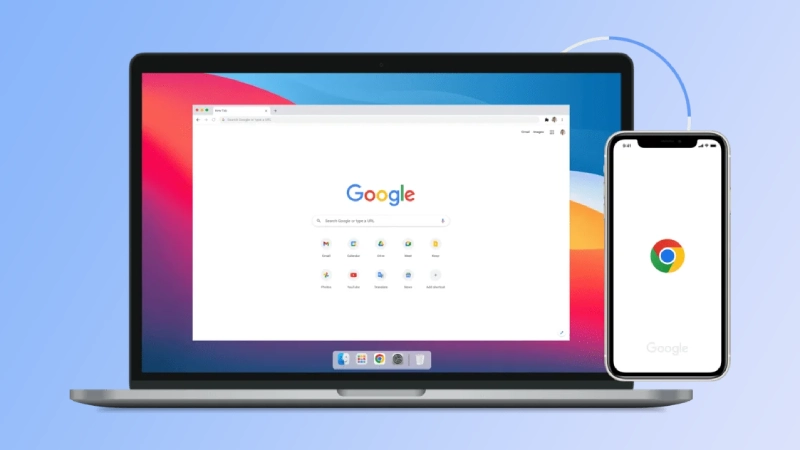
Just like the desktop release, Google has not shared details about what has changed in this iOS update. That suggests the focus is on fixing issues and improving browser stability.
Beta builds can sometimes behave differently from stable versions. Users who rely on Chrome for daily work should keep that in mind before installing the beta version.
ChromeOS Beta Channel Gets New Build
Chrome OS Beta has been updated to version 16503.18.0, bringing the Chrome browser to version 144.0.7559.27 to Chromebooks and Chrome OS Flex devices enrolled in the beta program. This update focuses on improving system-level fixes and browser optimizations for Chrome OS users.
Google has not listed feature changes for this ChromeOS update. ChromeOS beta releases often focus on system-level fixes and browser improvements working together.
Keeping ChromeOS on the same beta browser version as other platforms helps Google test changes more effectively before stable releases.

Why These Chrome Beta Updates Matter
Chrome Beta updates play a key role in Chrome’s development cycle, allowing Google to test features and fixes with a broad user base before full release. Developers benefit from early access to updates to ensure their websites and extensions work correctly, while regular users can report bugs and help improve the final stable version.
These updates give users of Chrome daily a lot of assurance, as they help support the day-to-day experience in terms of functionality, stability, and application performance.
Users of Google Chrome are served through four channels, each tailored to a specific group. These four channels are the stable channel (standard), beta (x), development (dev), and canary (o).
Final Note
While the latest Chrome Beta version includes small changes, they are crucial for fixing bugs and refining performance before the official release. Whether you’re a developer or a regular user, participating in the Chrome Beta program ensures you’re part of the process to help shape the browser’s future. Join the Chrome Beta today and experience the latest updates first-hand.

For testers and developers, this beta cycle is worth watching. For everyone else, it quietly improves what comes next.

Comments are closed.