


Amid the AI arms race, big tech is fiercely competing with each other to dominate the generative AI space. Consequently, OpenAI, Microsoft, Google, and Anthropic are vying for users’ attention by introducing advanced AI tools. However, most of these tools are guarded by paywalls, rendering them inaccessible to millions of potential users. It seems Google has a different strategy as it has been releasing powerful AI capabilities for free. At a time when users need to shell out hundreds of rupees a month for premium AI tools and features, the search giant’s strategy has stood out as a potential opportunity for creators, developers, and anyone looking to use professional-grade tools without heavy commitment.
Over the last few years, Google has quietly released a suite of powerful AI tools that rival its expensive paid contemporaries. From building web apps to generating studio-quality audio, these free tools deliver professional results without subscription fees.
Here’s what you need to know about each one.
NotebookLM Video Overviews
NotebookLM, launched in 2023, has evolved beyond its capability to assist with research and is offering a Video Overview feature. The tool can be accessed from notebooklm.google.com. In order to start using it, navigate to the top right section and click on ‘Create new’, then upload your documents, articles, PDFs, etc. After uploading, look for the ‘Studio’ tab on the right side of the interface and click on ‘Video overview’. It is recommended that before clicking on generate, you click the settings icon to customise the output with specific instructions about topics, tone, and focus areas. Upon generating it, the AI tool can also be used to transform the content into explainer videos with visuals, diagrams, and quotes pulled from source materials.
Notably, the video generation feature takes several minutes, which is also the time that the AI tool takes to read through documents, understand the context, and write scripts for the presentation. The video overview feature is perhaps the most useful tool to make any technical documentation easy to understand, essentially transforming dense papers into engaging training videos. As of now, the tool supports over 80 languages and allows multiple outputs per notebook.
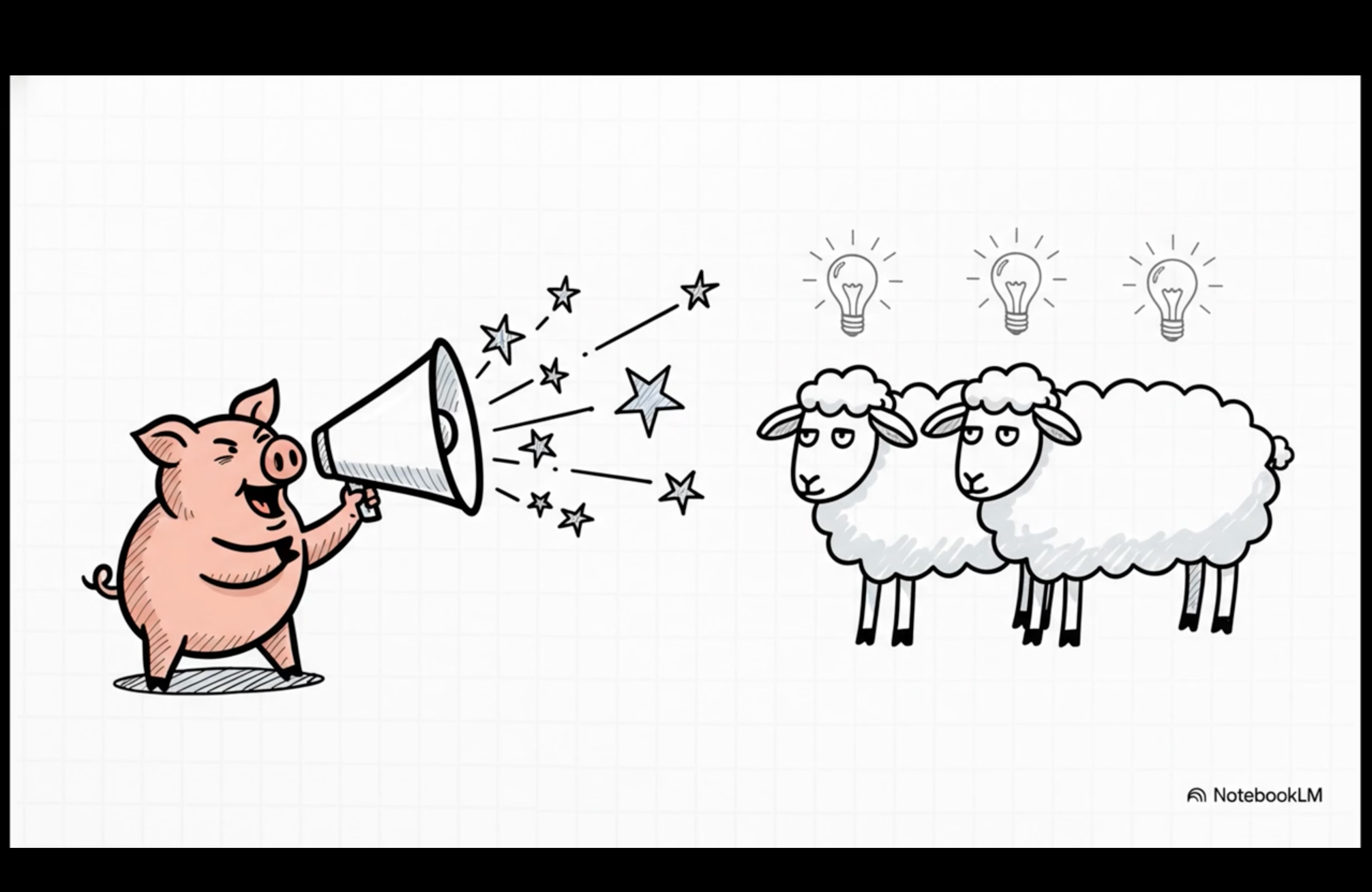 A screengrab of an explainer video created by NotebookLM. The video is based on a literary essay on George Orwell’s ‘Animal Farm’.
Google AI Studio Build
Google AI Studio Build can be accessed from aistudio.google.com. This tool can transform plain English descriptions into functional web applications. To try it out, you can head to the Build button located in the left sidebar, following which a window will prompt you to write your idea in plain English. You can type what you want to create, such as ‘RSVP link to a birthday party with name, email, contact, and food preferences’, and the tool generates React and Angular (technologies used for creating user interfaces or front ends) applications. The AI tool generates clean interfaces and working functionality that you can test. Users can refine the designs through natural conversation and make changes to the colour scheme, add or delete logos, change fields, etc. Besides the platform exports, production-ready code making it valuable for rapid prototyping or creating tools that would otherwise need the expertise of in-house developers.
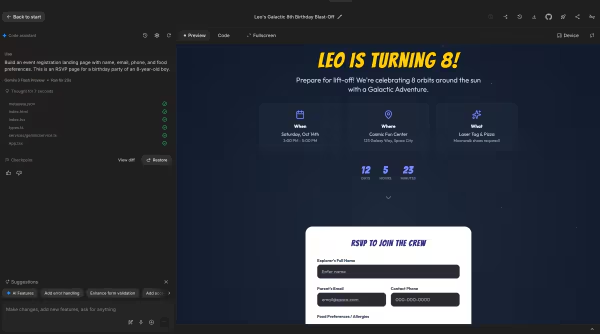 RSVP page created using AI Studio.
Google Workspace Studio
This can be accessed from studio.workspace.google.comand it allows users to build workflow automation agents using plain language. In order to try this, one should click on ‘Create New’ on the homepage to open the interface. Later, head to the text box at the bottom and enter a prompt in plain English, such as ‘Create a tool that generates 10 viral headlines for a topic entered.’ Based on the prompt, the system autonomously creates node-based workflows with input nodes, AI processing blocks, and output displays. Users can either let the AI build the entire structure or customise it manually by adding nodes from the top menu. Once done, click Start to test the workflow immediately. Perhaps the biggest advantage here is that, unlike conventional automation tools that require technical expertise, this platform deploys Gemini AI to make complex automation accessible to users without technical knowledge. Workspace Studio focuses on internal operational tools for companies, contrary to AI Studio Build, which generates public-facing applications.
Story continues below this ad
Gemini Canvas for presentations
This is one of the AI tools that are built into the Gemini interface and can be accessed from gemini.google.com. In simple terms, it converts documents into professional-grade presentations. To use this, you would need to open Gemini, hover over the Agents tab beneath the text box right next to the plus sign, and select the fourth option – Canvas. Later, upload your source document or paste text into the interface. You can use prompts such as ‘Create a presentation from the document; include visuals for each section.’ Once you hit enter, the AI tool analyses content to create slides in logical progression, and it will include relevant images, graphics, and professional formatting in real time. Users can refine presentations using plain language, such as ‘make slide 3 more visually appealing’ or even ‘add a comparison chart’. Once you are content with the output, you can simply click on ‘Export to slides’ in the top right corner to save directly to Google Slides for final touches. This feature is available for free and for Pro users.
Pomelli for brand marketing
Pomelli is yet another AI tool that is accessible through Google Labs. It is known to generate on-brand social media content by analysing website design and messaging. To try this, users should look up ‘Pomelli Google Labs’ and navigate to the platform page. You will be required to enter your website URL when prompted, following which the tool will scan the site and extract brand colours with hex codes, fonts, voices, and visual style. Once the brand profile is generated, review it and click on ‘Looks good’ if everything is accurate; you can also make adjustments if needed. Later, the system automatically creates three campaign suggestions; users can even enter custom prompts such as ‘create a campaign for a one-day flash sale on my course’ to generate social media posts.
The design quality may not be great, but the outputs would likely maintain professional standards ideal for most business needs. We were unable to try this, as Pomelli is currently only available in the United States, Canada, New Zealand, and Australia for its beta phase.
Imagen 4 for image generation
This tool comes integrated with Gemini through its ‘create images’ tool option. It is noted for professional-quality image generation, which is on par with other premium services. To try it, open a fresh chat in Gemini at gemini.google.comselect the ‘Agents’ option below the text box, and choose ‘Create Images’. Now, type in a detailed description of the image you want, for example, ‘Generate a product mockup of a minimalist iPhone 17 Pro case with a matte black finish with the words ‘Alea Iacta Est’ on a clean white desk next to a MacBook and stationery.’ The tool generates images in less than 30 seconds. While it has improved text rendering capabilities and multiple artistic styles, the output requires more refinement. For instance, we prompted it to create a case for the iPhone 17 Pro, which features an expanded camera bump; however, it created a case that is best suited for the iPhone 16 Pro. This tool generates images with resolutions up to 2K, and the latest iterations offer realistic textures, professional lighting effects, and accurate composition.
 Sample image created using Gemini.
Backed by Google’s Imagen 4 image generator, this tool can be ideal for creating product mockups, marketing visuals, and creative compositions through detailed text prompts. All images produced using this tool come with invisible SynthID watermarks for transparency. It is free within Gemini and also has faster generation options (Imagen 4 Fast) available through Google AI Studio for developers.
Multi-speaker audio generation
This feature in AI Studio allows you to generate studio-quality voice with multiple speakers having a natural conversation. This feature can be accessed at aistudio.google.com. To try it, navigate to ‘Home’ on the left sidebar, then click on ‘Turn text into audio with Gemini’; you can further select single-speaker or multi-speaker audio generation. To create podcast-like conversations with distinct voices, opt for multi-speaker options. Once selected, paste the dialogue script into the text field, then select voice profiles from the dropdown menu on the right side for each speaker. Before you generate audio, you can give specific style instructions like ‘Keep it warm and conversational.’
Finally, click on ‘Run’; the system takes about 30 seconds to generate the studio-quality audio. The updated Gemini 2.5 modes even support 30 different voice options in over 24 languages with greater expressivity and consistent character voices throughout the output. The outputs generated can be refined further and can be downloaded immediately via the three-dot menu.
These AI tools symbolise a radical shift in how AI can assist in various environments. Even though some of the above features remain in beta or have some geographical restrictions, they make for worthy alternatives to paid AI tools. Free tools, especially the combination of Google’s infrastructure and Gemini AI capabilities, can present opportunities for creators, educators, small businesses, etc. These services assist in creating professional-quality content without substantial investments. The only caveat here is that the output is largely dependent on the user’s prompt and intent. With these tools continuously evolving, they are likely to gain more capabilities and availability.
It needs to be noted that while these tools are available for free, they come with usage limits, API restrictions, and varying terms for commercial use. Data handling policies differ by product, and some consumer-facing tools may use interactions to improve services. As a precaution, we recommend avoiding entering highly sensitive or personal information. Additionally, many of these tools remain in beta or are offered through Google Labs, so outputs and availability may change over time.

Comments are closed.