
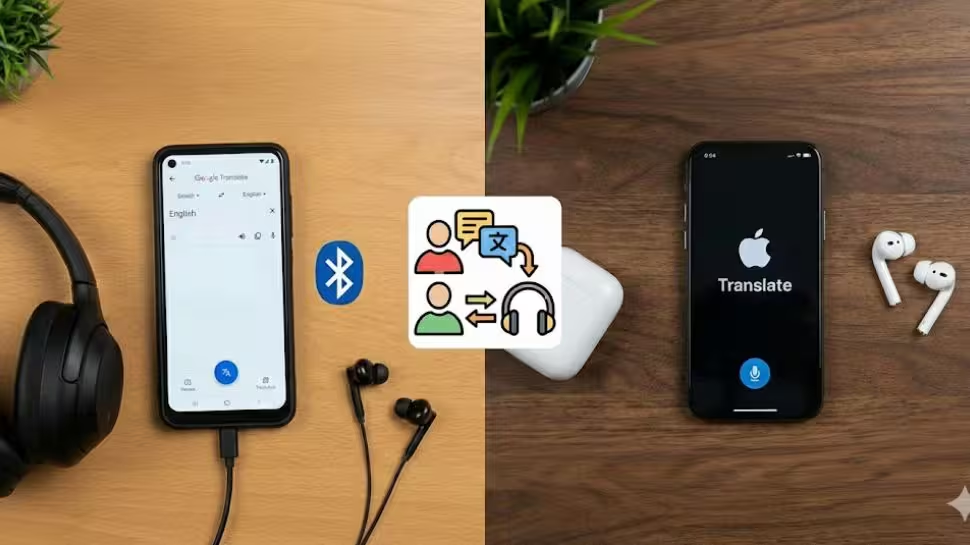
Google Translate Brings Real-Time Translation To Any Headphones: How To Use It And How It Differs From Apple’s Live Translation | Technology News

Google Translate In Real Time App: In a country like India, every journey is a conversation in itself, one that shifts languages with every mile. From a chai-side chat in a small town to a boardroom discussion in a bustling metro, words often change faster than people can keep up. That is where Google Translate quietly steps in, turning confusion into clarity.
Whether you are traveling across states, attending meetings, or connecting with someone from a different culture, language barriers no longer have to slow you down. Now, Google is taking this experience a step further by offering real-time translation through the Translate app, powered by Gemini and seamlessly accessible across all headphones, making communication feel natural, instant, smooth, and effortless.
More interesting part is that you do not need costly smart earbuds or special translation devices. Any regular wired or wireless headphones will do the job. If you are wondering how to use Google Translate for real-time translations on any headphones, this article will guide you step by step.
Add Zee News as a Preferred Source
How To Use Google Translate On Any Headphones In Real Time
Step 1: Open the Google Translate app on your smartphone.
Step 2: At the top, select your spoken language on the left and the language you want to understand on the right.
Step 3: Tap the Conversation option located at the bottom left of the main screen.
Step 4: When the prompt appears, tap the Start button to begin real-time translation.
Step 5: Keep your phone close to the person who is speaking and ask them to speak clearly at a normal pace.
Step 6: The app will listen through your phone’s microphone, and the translated audio will automatically play in your connected headphones.
Google Translate Vs Apple Live Translation: What Makes Google’s Real-Time App Different
Google’s real-time translation keeps things simple and easy to use. You do not need to buy special devices or costly earbuds. An Android phone, the Google Translate app, and any headphones, wired or wireless, are enough. Once you turn it on, you just listen while the other person speaks, and the translated voice plays in your headphones. The feature supports more than 70 languages in beta and even keeps the speaker’s voice style and pauses, so it feels natural. (Also Read: Google Pixel 10 Pro Gets Huge Discount On THIS Platform Under Rs 1,00,000; Check Camera, Display, Battery, Price And Other Specs)
On the other hand, Apple takes a different path with Live Translation. It is deeply tied to the Apple ecosystem and works only with certain AirPods and an iPhone running the latest iOS with Apple Intelligence. The big advantage is two-way conversation, where both people can talk and hear translations. Apple also offers text transcripts and replay options, making it helpful but limited to Apple devices.
Conclusion:
Since this is a beta feature, you may notice a few bugs or minor translation errors, which are common with AI tools. Tech giant Google is actively improving the feature to make it more accurate and reliable. iPhone users are expected to get access sometime in 2026, along with a wider rollout to more countries. It is important to note that Google Translate does not work in offline mode, so you must ensure a stable network connection while using the app.

Comments are closed.