

Highlights
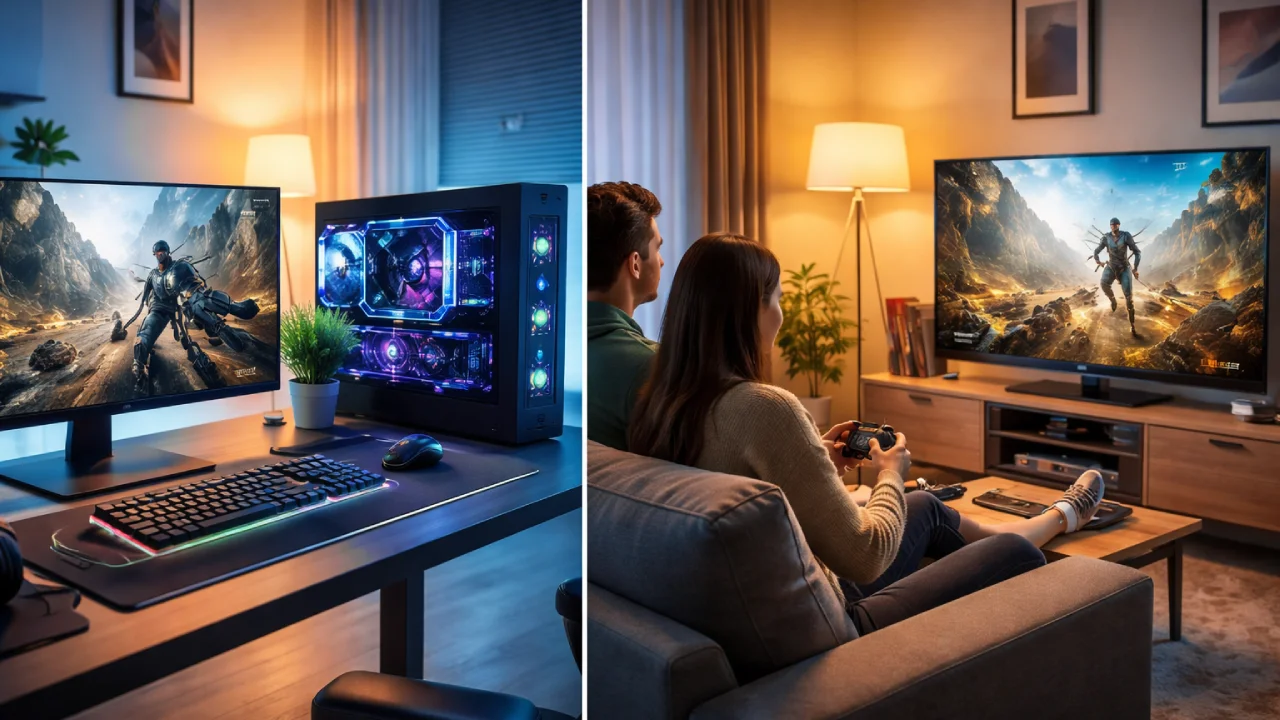
- High-Refresh Gaming Monitors vs TVs show that monitors deliver smoother gameplay and lower input lag for daily gamers
- TVs provide larger screens and better HDR for movies and family viewing, but often sacrifice responsiveness
- The best value depends on lifestyle needs, budget limits, room space, and long-term power consumption
Whether you’re a gamer, consume content, or spend your day in front of a computer, you probably have been confronted with the question: Should I invest in a high-refresh monitor or a new TV?
For most people, including those living in India, the decision to buy a monitor or television is based less on specs than it is on budget, family use, energy consumption, room size, visual comfort, and long-term value.
Screens are for gaming and for serving as an integral part of our daily routines, e.g., working from home, binge-watching on Netflix, watching YouTube videos, watching cartoons with the kids, and even taking online courses.
So, let’s look at these options from a practical perspective and try to figure out how to spend your hard-earned money.
Refresh Rate Explained: Why High‑Refresh Monitors Feel Smoother Than TVs
Why do gamers keep talking about refresh rate so much?
What it means in real life
Refresh rate (measured in Hz) is how many times your screen updates per second.
- Gaming monitors commonly offer 144Hz, 165Hz, or even 240Hz
- Most TVs still run at 60Hz, with some newer models offering 120Hz
For common people, this isn’t just a “pro gamer” feature. A higher refresh rate:
- Makes games smoother
- Reduces eye strain during long sessions
- Makes even simple actions like scrolling feel fluid
India vs the Global scenario
- India: Affordable high-refresh monitors (144Hz) are now available for around $180–$250
- Global: Similar monitors can be found for $150–$220, often with better panel options.
Most true 120Hz televisions typically range from around $600 and up, making them prohibitively expensive for many middle-class consumers.
If you play competitive games like Valorant, CS: GO, or Fortnite, even casually, then you will notice better performance of higher refresh rate monitors every day.
As an aside, smooth visuals are good and all, but how do you feel when you press a button on your controller or keyboard?
Input Lag Comparison: Monitors vs TVs and Real‑Life Performance
That’s where input lag comes in.

Why Low Input Lag Matters for Everyday Gamers
Input lag is the delay between pressing a button and seeing the action on screen.
- Gaming monitors: 1–5 ms input lag
- TVs (even in Game Mode): often 10–30 ms
To a casual observer, 20 ms may not sound like much. But in real life:
- Your shots feel delayed
- Racing games feel less controlled
- Even menu navigation feels sluggish
After a long day of work or studies, gaming is supposed to be relaxing—not frustrating. High input lag can turn a fun session into mild irritation without you even realizing why.
India vs the Global scenario
Globally, TV brands are improving game modes, but monitors still dominate in consistency. In India, many budget TVs advertise gaming features but still struggle with lag unless you move into premium price brackets.
If gaming is your stress-buster after daily responsibilities, a monitor’s low input lag gives you instant, responsive feedback, making games feel fair and enjoyable.
Okay, but TVs look so vibrant and cinematic. Does HDR change the value equation?
HDR Performance Showdown: Do TVs Really Beat Gaming Monitors?
HDR is where TVs shine, but only under certain conditions.
The everyday reality of HDR
HDR (High Dynamic Range) improves:
- Bright highlights
- Dark scene details
- Overall immersion
TVs generally win here because:
- They’re brighter (600–1000+ nits)
- Better local dimming
- Larger screens enhance cinematic feel
Most budget monitors claim HDR, but:
- Peak brightness is often too low
- HDR feels more like a marketing label than a real upgrade
Users’ daily use perspective
HDR looks amazing during:
- Movie nights with family
- Console gaming from the couch
- Weekend binge-watching
But during daily tasks like
- Office work
- Online classes
- Long gaming sessions
HDR is often turned off due to eye fatigue.
India vs the Global scenario
Globally, OLED and mini-LED TVs offer excellent HDR – but at premium prices. In India, true HDR TVs remain expensive, while HDR-certified monitors are standard but limited in real-world impact. If your screen doubles as a family entertainment hub, a TV’s HDR adds visible value. If it’s mainly for gaming and work, HDR becomes less critical.
So, should size and space be the deciding factor?
Screen Size & Lifestyle: Choosing What Fits Your Home Best
Yes, and this affects daily life more than specs.
How Screen Size Impacts Real Homes and Daily Use
- Monitors: 24–27 inches, desk-friendly, personal use
- TVs: 43–55 inches, wall-mounted, shared use
For middle-class homes:
- Limited room size matters
- Shared bedrooms or living spaces are common
- One screen often serves multiple people
On TV:
- Encourages shared experiences
- Takes more space
- It’s not ideal for long desk-based use
A monitor:
- Fits small rooms
- Saves electricity
- Supports work + play balance
India vs the Global scenario
In India, smaller homes make monitors more practical for young professionals and students. Globally, larger living spaces make TVs more common – but monitors are still preferred for productivity.
Choose based on how you livenot just how you game. A screen that fits your room and routine will always feel like a better value.
What about cost, durability, and long-term value?
Price & Power: Which Option Gives Better Long‑Term Value?
This is where monitors quietly win for middle-class buyers.
Cost comparison (USD)
- 144 Hz Monitor: $180–$300
- 120Hz TV: $600–$1200
Hidden daily costs
- TVs consume more power
- Larger panels mean higher electricity bills
- Repairs are more expensive
Monitors:
- Last longer for desk use
- Cheaper to replace
- Easier to resell or upgrade
India vs the Global scenario
Globally, energy costs are rising. In India, especially, power efficiency matters for monthly budgeting. A monitor running daily for work + gaming is more economical.
For most middle-class users, a high-refresh monitor delivers better cost-to-usage value over time.
So which one should you actually buy?
Conclusion
If we’re being honest, there’s no universal winner.

- Choose a high-refresh gaming monitor if:
- You game regularly
- You work or study on the same screen
- You value responsiveness and comfort
- You’re budget-conscious
- Choose a TV if:
- Gaming is casual
- Family viewing matters
- You love movies and HDR visuals
- Space and budget allow it
For young marketers, students, and business owners, a high-refresh monitor quietly improves daily life, from smoother workdays to more enjoyable gaming nights.

Comments are closed.