

1
Privacy display feature in Samsung Galaxy S26 Ultra
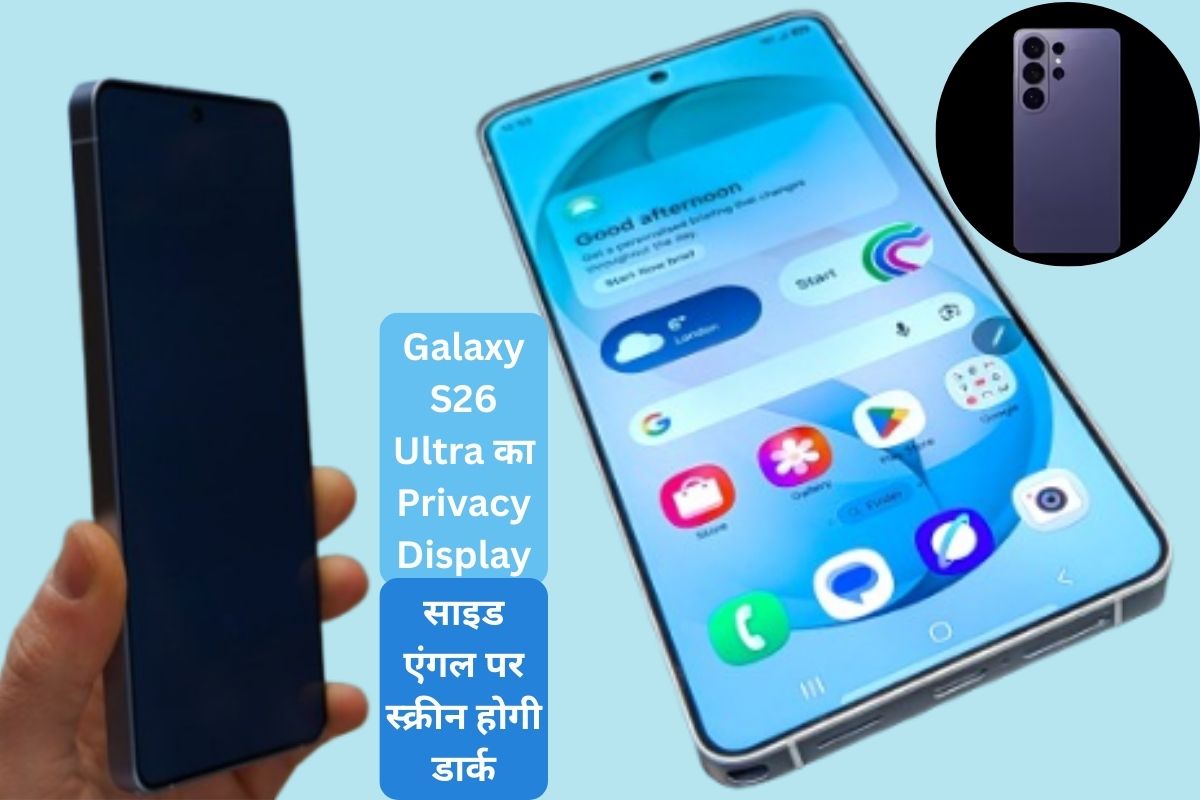
Samsung has introduced a unique feature in its new flagship device Galaxy S26 Ultra from security point of view – Privacy Display. This technology is designed for those users who want that only they can see the information displayed on their screen, while others cannot read it.
How does Privacy Display work?
The Galaxy S26 Ultra’s OLED display primarily uses two types of pixels:
- Wide Pixels: These spread light all around, providing normal viewing angles.
- Narrow Pixels: These emit light directly towards the front.
When Privacy Mode is not activated, both types of pixels provide a normal OLED experience. But as soon as privacy mode is turned on, the wide pixels are actively turned off and the narrow pixels come into play. The result is that the viewing angle of the screen is extremely limited – clear when viewed from the front, but almost black when viewed from the sides.
User Controls and Modes
Samsung has focused on making this feature user-friendly:
- Maximum Privacy Protection: The entire display goes dark from every angle.
- Partial Screen Privacy: Only the notification shade is hidden, so that the message preview is not visible to others.
Users can activate it automatically for specific apps if they want.
Initial testing and results
This feature was demonstrated at the Galaxy Unpacked event. It passed the test perfectly – the screen looked normal when viewed straight on, but went completely dark when viewed from the side. There was no negative impact on the user experience during this period. Nevertheless, the company has not clarified whether it will be made available in other devices in the future.
Additional security features
Several other Samsung Knox-based privacy tools are also included in the Galaxy S26 series:
- Knox Vault: Security of personal data and biometric information.
- Call Screening: Facility to identify unknown callers.
- Privacy Alerts: Warning about unauthorized data access by apps.
- Private Album: Locked gallery for hidden photos.
- Personal Data Engine (PDE): Data encryption for AI features.
Have any thoughts?
Share your reaction or leave a quick response — we’d love to hear what you think!

Comments are closed.