
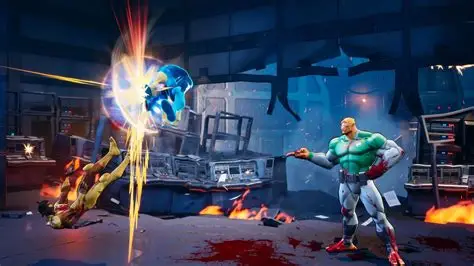

With the live event currently running, the Invincible VS Open Beta is in high demand! Here is how you can get one without having to pay any amount or spend hours in front of the screen. So, let’s get started and find a way to find it.
About Invincible VS Open Beta
The Invincible VS open beta is active right now, and you can make the best out of it. However, you have to act fast as this is the last day for it. It started on April 9 and is scheduled to wrap up tonight, April 11, at 9:00 PM PT. This playtest is strictly for PlayStation 5 and Xbox Series X|S users to test the servers before the full launch on April 30 this year. If you want a taste of it, this is a great time to go ahead and take a spin.
PC players have to wait for the official release, as there is no beta on Steam, but that shall arrive soon enough. Here, you can play as ten different characters, including Mark, Omni-Man, and Battle Beast, who are Just in demand. All you have to do is download the client directly from your console store and start playing.
Steps to get Invincible VS Open Beta
If you want to get Invincible VS Open Beta, then these are the steps that you can follow.
- First, you have to make sure that you are on a current-generation console, as this specific beta is only available for PlayStation 5 and Xbox Series X|S. If you are a PC player, you will have to wait for the full game launch on April 30th, and then you will have access to it to play.
- The next step is the search. So, to find the game on PlayStation 5, you have to head to the PlayStation Store and search for the game title. If the main page only shows a pre-order button, try looking for the three dots icon next to the listing. If you find it there, you have to select the open beta version from that sub-menu to start the free download.
- But if you use Xbox, then on Xbox Series X|S, you can simply search for the title in the Microsoft Store. You should see a separate, free listing that is specifically labeled as the open beta client. All you have to do is just select it and then download it to add it to your library.
Once the download finishes, you can go into the tutorial or ranked matches.

Comments are closed.