
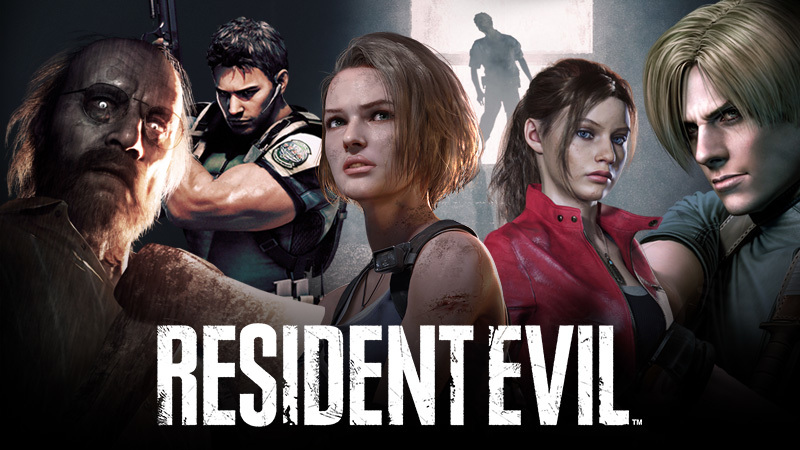

Photo modes have become a popular feature in modern games, and Resident Evil Requiem is no exception. This feature allows players to pause the action and capture cinematic moments, detailed environments, or intense character expressions. Whether you want to take dramatic horror shots or simply appreciate the game’s visuals, learning how to use Photo Mode properly can elevate your experience.
Photo Mode in Resident Evil Requiem is designed to be intuitive but also powerful. It lets you freeze gameplay at any moment and manipulate the camera freely. You can adjust angles, lighting, filters, and even character poses depending on the situation.
The feature works in real time, meaning whatever you capture reflects your current gameplay moment. This is especially useful during tense scenes or boss encounters where dramatic visuals are common.
How To Activate Photo Mode
Accessing Photo Mode is simple once you know where to look. The exact button may vary depending on your platform, but the general method remains consistent.
Here is how you can activate it:
- Pause the game using the main menu button
- Look for the “Photo Mode” option in the pause menu
- Select it to enter camera mode
Some versions may also allow quick access using a shortcut button. If available, this is the fastest way to capture sudden moments without missing the action.
Camera Controls Explained
Once inside Photo Mode, the camera becomes your main tool. You can detach it from your character and move it freely around the environment.
Key camera features include:
- Free Camera Movement: Move in any direction to find the perfect angle
- Zoom Control: Adjust how close or far your shot appears
- Tilt and Rotation: Add dramatic angles for cinematic effect
Take your time exploring these controls. A slight change in angle can completely transform the mood of your image.
Lighting And Filters
Lighting plays a huge role in horror games, and Resident Evil Requiem uses it brilliantly. Photo Mode lets you tweak lighting settings to enhance or alter the atmosphere.
You can:
- Increase or decrease brightness
- Adjust contrast for sharper visuals
- Apply filters for stylistic effects
Filters can make your image look colder, darker, or even vintage. For horror shots, darker tones and high contrast often create the best results.
Depth Of Field And Focus
Depth of field is one of the most powerful tools in Photo Mode. It controls how much of your image is in focus.
You can:
- Blur the background to highlight your subject
- Focus on specific objects or characters
- Create a cinematic look similar to movies
Using depth of field correctly can make your screenshots look professional. For example, focusing on a character while blurring a creepy background adds tension and directs attention.
Capturing The Perfect Moment
Timing is everything when using Photo Mode. The best shots often come from unexpected moments.
Here are some tips to capture great images:
- Pause during action scenes for dynamic poses
- Capture enemy encounters for intense visuals
- Use quiet moments to highlight environment details
Do not rush. Sometimes waiting for the right moment makes all the difference between an average shot and a stunning one.
Using Character Positioning
In some situations, you can adjust your character’s position slightly before entering Photo Mode. This helps you frame your shot better.
Try to:
- Face your character toward the camera
- Position them near light sources for better visibility
- Use environmental elements like doors or shadows for composition
Even small adjustments can significantly improve your final image.
Creative Composition Tips
Good composition separates ordinary screenshots from memorable ones. Think of Photo Mode as a tool for visual storytelling.
Keep these ideas in mind:
- Use the rule of thirds to balance your shot
- Frame your subject using objects like windows or walls
- Experiment with angles instead of always shooting straight
Horror games benefit from unusual perspectives, so do not be afraid to get creative.
Saving And Sharing Your Photos
Once you are satisfied with your shot, saving it is straightforward. Most platforms allow you to capture the image using a built-in screenshot button.
Make sure to:
- Hide the user interface before capturing
- Check resolution settings for higher quality images
- Save multiple versions if you are experimenting
You can later share these images with friends or keep them as part of your personal collection.
Why Photo Mode Matters
Photo Mode is more than just a feature. It lets you slow down and appreciate the craftsmanship behind Resident Evil Requiem. From detailed environments to carefully designed lighting, every frame tells a story.
It also adds replay value. You may find yourself revisiting areas just to capture better shots or experiment with different visual styles.

Comments are closed.