
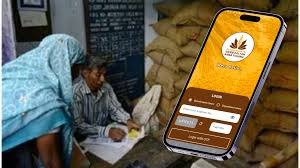
Ration Card Mobile Apply: Now get freedom from long lines, pick up the phone and apply for a new ration card like this

News India Live, Digital Desk: Are you also fed up of getting pressured by government offices to get a ration card made? Or do you not get enough time in the hustle and bustle of work to stand in queues for hours? If yes, then this news is a great relief for you. Under the “Digital India” campaign, now ration card services have become so easy that you can apply for a new ration card while sitting at home, sipping tea. Now there is no need to pay money to any broker nor to slide the file on Babuji’s table. You just need to have a smartphone and internet at hand. How to apply from smartphone? (Easiest Ways) You mainly have two best options to apply from home:UMANG App: (Most useful for new ration card)Mera Ration 2.0 App: (For ration management and One Nation-One Card)Method 1: How to make a new ration card from UMANG app?UMANG is the ‘Super App’ of the Government of India, where you can easily apply for the ration card.Download Do: First download the ‘UMANG’ app from Google Play Store and register with your mobile number. Search for service: Search ‘Mera Ration’ or ‘Department of Civil Supplies’ in the search bar of the app. Apply: Click on the option of ‘Apply for Ration Card’. (Note: This feature is live on the app only for some states, if your state is not visible, then see method no. 3). Fill the details: Name of the head of the family in the form, Fill the details of income and members.Photo Upload: Upload clear photographs of Aadhar Card, Bank Passbook and Photograph. As soon as you submit, you will get a ‘Reference Number’. Method 2: Use of ‘Mera Ration 2.0′ AppThe government has also recently updated the ‘Mera Ration 2.0’ app. This app is a boon for those whose card is already made or who want to make corrections in it. What can they do? With this, you can get food grains anywhere in the country under ‘One Nation One Ration Card’. Add Member: Whether you have a new daughter-in-law or a child in the house, you can submit a request to add their name through this app. Find Shop: You can see the location of the ration shop (Fair Price Shop) near you. Method 3: State Food Department website (for all) If the app does not work for you, then this method works 100%. Open your state’s ‘Food & Supply’ website (eg: fcs.up.gov.in or epos.bihar.gov.in) in your mobile browser (Chrome). Click on the “New Ration Card Apply” link there and fill the form. Keep the necessary documents ready in advance: Before picking up the phone, take a photo of these documents and save them in the gallery: Aadhaar card (of all members) Passport size photo (of the head) First page of bank passbook Income Certificate So what are you waiting for? Take advantage of technology and get your rights sitting at home. If you found this information useful, share it with your friends too!

Comments are closed.