
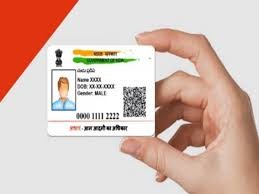
Want to avoid emptying your bank account? Lock your Aadhaar today itself, know the easy 2 minute method

News India Live, Digital Desk: Today we will talk about something which is kept in your purse and your entire identity is linked to it. Yes, your Aadhaar card. From getting a SIM card to opening a bank account, Aadhaar is required everywhere. But, have you ever thought that if someone else uses the fingerprint you give to withdraw money or get a SIM? AEPS (Aadhaar Enabled Payment System) fraud has increased a lot in recent times. Fraudsters are stealing money from people’s accounts by cloning their fingerprints. And the scariest thing is that it does not require any OTP. But there is no need to panic. UIDAI (Aadhaar making organization) has given a key in our hands which is called Aadhaar Biometric Lock/Unlock. Why is it necessary to lock Aadhaar? Think of it like the lock of the door of your house. Lock: When you lock the biometrics (fingerprint and iris) of your Aadhaar, then no one will be able to verify using your Aadhaar number even if they want to. Even if someone steals your fingerprint, the system will reject it. Unlock: When you need it yourself (like taking ration or buying a SIM), you can open it for 10 minutes and it will lock again once the work is done. How to lock your Aadhaar? (Easy Way) You don’t need to go to any cyber café. Do this work sitting at home from your mobile: mAadhaar app or website: First download ‘mAadhaar’ app from Google Play Store or go to UIDAI website. Login: Register with your mobile number. Lock/Unlock Biometrics: On the home page itself, you will see the option of ‘Lock/Unlock Biometrics’. Click on it.Lock: Enter your Aadhaar number and the security code (Captcha) given on the screen. An OTP will come on your registered mobile. Confirm: As soon as you enter the OTP, a message will appear on the screen—”Your biometrics have been locked.” How to use it when needed? Now suppose, you have to put your thumb in the bank, what if? Simply, go back to the same app, click on ‘Unlock Biometrics’. It will ask whether you want to open for 10 minutes or forever. Select ‘Temporary Unlock’. Your work will be done and after some time the Aadhaar will be automatically locked again. This 2 minutes of hard work can save you from lifelong troubles and financial losses. So don’t delay, secure Aadhaar for yourself and your family elders today itself.

Comments are closed.