


Zero Trust security is a modern cybersecurity framework built on one simple principle: “Never trust, always verify.”
Unlike traditional security models that automatically trust users and devices inside a corporate network, Zero Trust assumes that no user, device, or application is trustworthy by default—whether they’re inside or outside the organization’s network. Every request to access data, applications, or systems must be continuously verified before permission is granted.
Credits: Quick Launch
Why Was Zero Trust Created?
Traditional network security followed the “castle-and-moat” model.
- The castle represents the organization’s internal network.
- The moat represents firewalls, VPNs, and other perimeter defenses.
Once someone crossed the moat, they were generally trusted. However, modern organizations now use:
- Cloud services
- Remote work
- Personal (BYOD) devices
- SaaS applications
- IoT devices
This means there is no single secure perimeter anymore. If attackers steal credentials or compromise one device, they can often move freely across a traditional network.
Zero Trust eliminates this assumption by verifying every access request.
Instead of granting blanket network access, Zero Trust evaluates every login and access request based on several factors, including:
- User identity
- Device health
- Location
- Time of access
- Security policies
- Requested resource
- Risk level
Only after successful verification is access granted—and only to the specific resource required.
Think of it like entering a high-security building:
- Showing your ID at the entrance isn’t enough.
- Every restricted room requires separate authorization.
- Your identity may be rechecked throughout your visit.
Core Principles of Zero Trust
1. Continuous Verification
Authentication is not a one-time event.
Users and devices are continuously monitored during a session.
The system regularly checks:
- Is the user still authenticated?
- Has the device become compromised?
- Has the user’s behavior changed?
- Is the connection still safe?
Sessions may expire automatically, requiring re-authentication.
2. Least Privilege Access
Users receive only the minimum permissions necessary to perform their work.
For example:
- HR employees can access payroll records.
- Developers can access development servers.
- Marketing teams cannot access financial databases.
This minimizes damage if an account is compromised.
3. Device Trust
Zero Trust verifies not only users but also devices.
Before allowing access, it checks whether the device:
- Is company-approved
- Has updated security patches
- Runs antivirus software
- Uses disk encryption
- Has not been jailbroken or rooted
Untrusted or outdated devices can be denied access.
4. Microsegmentation
Rather than treating the network as one large trusted environment, Zero Trust divides it into many smaller, isolated segments.
For example:
- Finance systems
- Customer databases
- Email servers
- Development environments
Each segment has its own access controls.
Even if an attacker compromises one segment, they cannot automatically access others.
5. Preventing Lateral Movement
One of the biggest dangers after a breach is lateral movementwhere attackers move from one compromised system to others.
Zero Trust limits this by:
- Separating network segments
- Requiring re-authentication
- Restricting permissions
- Monitoring every connection
This helps contain attacks before they spread.
6. Multi-Factor Authentication (MFA)
Passwords alone are no longer sufficient.
Zero Trust typically requires multiple forms of authentication, such as:
- Password
- Authentication app
- Security key
- Biometric verification
- Fingerprint or Face ID
Even if a password is stolen, attackers still cannot easily gain access.
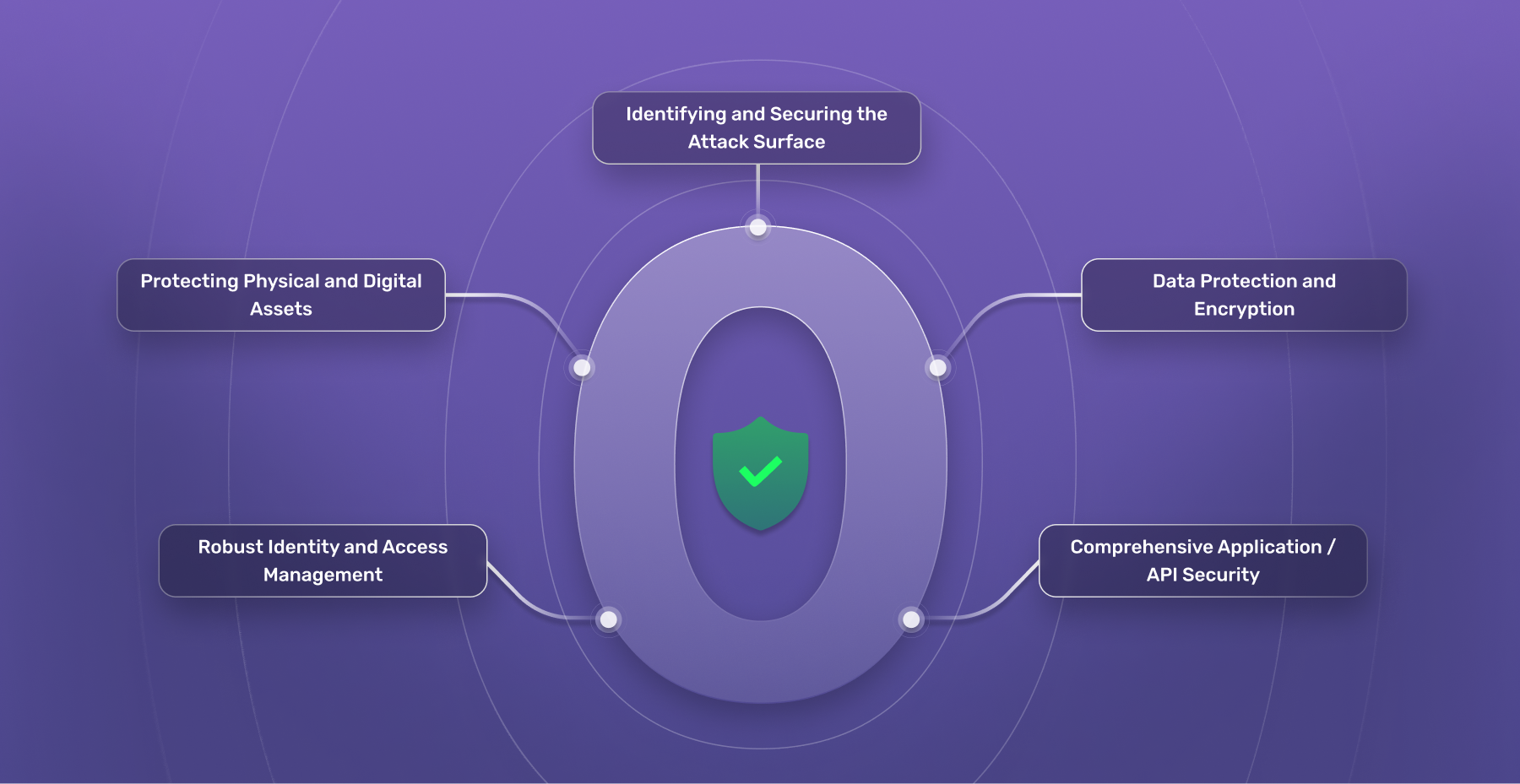
Credits: SuperTokens
Several technologies work together to implement Zero Trust:
- Identity and Access Management (IAM)
- Multi-Factor Authentication (MFA)
- Endpoint Detection and Response (EDR)
- Device Management (MDM/UEM)
- Zero Trust Network Access (ZTNA)
- Security Information and Event Management (SIEM)
- Secure Access Service Edge (SASE)
- Threat Intelligence platforms
ZTNA is one of the core technologies behind Zero Trust.
Traditional VPNs connect users to the entire corporate network.
ZTNA works differently.
Instead of granting network-wide access, it creates a secure, encrypted connection only between the user and the specific application they are authorized to use.
This significantly reduces the attack surface.
Organizations adopting Zero Trust gain several advantages:
Stronger Security
Every request is verified, reducing unauthorized access.
Reduced Attack Surface
Users only access the applications and data they need.
Protection Against Stolen Credentials
Even if attackers steal passwords, MFA and continuous verification make unauthorized access much harder.
Better Remote Work Security
Employees can securely access company resources from anywhere without exposing the entire network.
Limits Damage from Breaches
Microsegmentation prevents attackers from moving freely through the network.
Better Cloud Security
Zero Trust works well across hybrid and multi-cloud environments, where traditional perimeter-based security is less effective.
Improved Compliance
Continuous monitoring and detailed access logs help organizations meet regulatory requirements.
Organizations commonly use Zero Trust for:
- Replacing or supplementing VPNs
- Securing remote and hybrid workforces
- Protecting cloud applications
- Managing third-party contractor access
- Controlling IoT devices
- Rapid employee onboarding
- Securing multi-cloud environments
Successful Zero Trust implementations typically include:
- Continuously monitor users, devices, and network traffic.
- Apply the principle of least privilege across the organization.
- Use Multi-Factor Authentication for all critical accounts.
- Keep devices patched and updated.
- Segment networks into smaller security zones.
- Treat every access request as potentially risky.
- Use hardware security keys where possible for stronger authentication.
- Integrate threat intelligence to detect emerging attacks.
- Design security policies that balance protection with user experience to discourage workarounds.
Credits: LOGON Software Asia
Although highly effective, Zero Trust is not without challenges:
- Initial implementation can be complex.
- Legacy applications may not support modern authentication methods.
- Organizations need accurate visibility into users, devices, and applications.
- Policy management requires careful planning.
- Employee training is essential to ensure smooth adoption.
Despite these challenges, Zero Trust is generally implemented gradually rather than all at once.
The term Zero Trust was introduced by John Kindervag while at Forrester in 2010. The model gained widespread attention after Google implemented a Zero Trust architecture internally through its BeyondCorp initiative. It later became a foundational component of Gartner‘s Secure Access Service Edge (SASE) framework.

Comments are closed.