We may receive a commission on purchases made from links.
The USB Implementers Forum (USB-IF) gave the tech world its first taste of USB-C in 2014, with the new connector pitched as a smaller, more universal, and easier to use (thanks to being reversible) successor to the full-size USB Type-A port that had been the standard up until then. Fast forward a decade or so, and USB-C is now essentially ubiquitous.
It’s all but displaced previous compact USB ports such as USB Mini B and continues to be the physical connector of choice even as charging speeds and data transfer rates continue to climb. We’re all for it, too: Gone are the days of worrying about whether you have the right cable for your device, or of keeping a drawerful of different cables with different connectors for charging various gadgets or transferring data from them.
These days, you’ll find USB-C connectors on almost everything, including smartphones, laptops, and a wide array of useful gadgets. The latter range from handy everyday products like flashlights, wireless chargers, and screwdrivers to more situational, but no less practical, offerings like monitor light bars, compact fans, and digital-to-analog converters. Let’s quickly run through a few highlights.
Electric screwdrivers
Even if you’re not a DIY-er, you’ll probably find yourself in need of a screwdriver reasonably regularly. You can, of course, just use a regular old screwdriver, but a cordless unit can really cut down on time spent tightening and loosening fasteners. And, with USB-C charging, it’s easy to keep one ready to go for any impromptu tasks you may have around the house.
There are a lot of great electric screwdrivers on the market, including some from big-name brands like Makita, Milwaukee, and DeWalt. Those are solid choices if you expect to do a lot of DIY or repair work, but you don’t need to spend the $90 or so on one of those to get a decent screwdriver for lighter tasks.
Instead, you may want to consider the Hoto 25-piece screwdriver kit, which retails for $50. As the name suggests, you get 25 bits and a screwdriver that charges via a USB-C port, with the company touting a sub-150-minute recharge time. If you don’t need that many bits, Hoto has a 12-in-1 electric screwdriver that retails for $10 less.
Video output adapters
One of the best things about USB-C is the fact that it’s capable of more than charging and data transfer. If you have a device that supports it, you can also use USB to output video to a compatible monitor. You can even make use of USB-PD (Power Delivery) and keep your laptop charged while you do so.
Of course, one big problem is simply the fact that not every monitor you’ll encounter will have a USB-C input. Thankfully, that’s not a major hurdle, as there are plenty of video adapters on the market that’ll take a video output from your computer’s USB-C port and convert it to another display interface.
There are of many adapters that will let you connect your device to common HDMI and DisplayPort monitors, such as the Highwings USB-C to HDMI adapter and Acer USB-C to DisplayPort cable. You’ll likely only need these, but you can even get converters for more dated hardware: Critin sells a USB-C to DVI cable, and there are even USB-C to VGA adapters out there.
Power banks
Smartphones are an inescapable part of our daily lives, for better or worse. The vast majority of us own smartphones, and some even rely primarily on the devices for internet access in lieu of a laptop or desktop computer. Thus, keeping a phone topped up is quite crucial, especially when you’re on the go, and there’s no better way to do that than with a power bank.
Now, there are some downsides to using power banks, not least the fact that they often can’t juice up our devices as quickly as a wall charger, but those are sacrifices worth making if portability is your number one goal. There’s a seemingly endless range of power banks out there from all the major brands such as Anker and Belkin, many of which use USB-C for charging other devices and topping up their internal batteries.
It’s a buyer’s market, really. From heavy-duty units like Baseus’ 25,000mAh power bank, which can even charge laptops, to more compact ones like the Nimble Champ or Anker Nano, there’s a power bank out there for everyone.
Hubs and docking stations
The limited number of ports on modern laptops is a well-worn complaint by now, and, try as users and journalists might, it’s not a state of affairs that we see changing any time soon. Is only having two or three ports inherently a bad thing? Not necessarily, but it’s still a pain if you happen to need more connectivity than your laptop manufacturer provides out of the box.
That’s where USB-C hubs and docking stations come into the picture. These take advantage of the increased throughput of USB-C-based protocols and can range from basic hubs to full-featured docking stations. An example of the former would be Anker’s 4-in-1 hub, which breaks a single USB-C port into four Type-A data ports, with no charging or display support. It’s limited, but it also only retails for $18, making it a cheap way to add more USB connectivity to a laptop.
On the other end of the spectrum, we have docking stations like Baseus’ 7-in-1 unit and Anker’s chunky 13-in-1 station, which itself has a removable 6-in-1 hub. These go beyond the basic USB ports by adding HDMI output, card readers, headphone jacks, and even Ethernet ports, depending on the model.
Flash drives
Many of us probably rely on one cloud storage service or another to transfer files between computers, but the humble flash drive is still very relevant. They’re great as part of a 3-2-1 backup strategy, for one, ensuring that you have a safety net if anything goes wrong with your cloud storage.
They’re also likely still faster than most internet connections, with even lowly USB 3.2 Gen 1 drives like the Sandisk Creator capable of 300 MB/sec reads in the real world. This makes them a much better choice than cloud storage if you’re transferring huge files between computers you can access physically.
As you might expect for such a commonplace gadget, there’s no shortage of USB-C flash drives out there. The more affordable ones, such as the aforementioned Sandisk, will run on the USB 3.2 Gen 1 protocol and be plenty fast enough for most users. Those of you who have a need for speed, however, will have to fork out quite a bit more per gigabyte: the 512 GB Sandisk Extreme Pro, for example, has nearly 1,000 MB/s read and write speeds but will set you back nearly $140. The Sandisk Creator, on the other hand, costs just $88 for the same capacity.
Monitor light bars
A monitor light bar might not be the most obvious choice to add to your setup, but those who’ve used one will know that it’s a very useful USB gadget that can greatly enhance your workspace. These devices sit on top of your monitor and cast light onto it, which can minimize monitor glare, reduce eye strain, and light your workspace, all without taking up precious room on your desk.
There are many USB-C-powered light bars out there, but you’ll want to go for products like the Quintis monitor light bar that offer a couple of important features. First is an adjustable color temperature, so you can change how warm or cool the light is to suit your room or screen. The Quintis, for example, is adjustable between 3,000 and 6,500 Kelvin. It also has auto dimming, which makes sure the light bar doesn’t overpower your room.
Have a curved monitor? Don’t fret. There are lots of choices for you, too. The Onway curved monitor light bar, for example, supports 1000R and 1800R curves and shares the Quintis’ color temperature range and auto dimming functionality.
Portable fans
Those of us who live near the Equator know how crucial portable fans have become on a planet that seems to be getting hotter by the week. They’re a great way to cool yourself down while out and about, especially on a hot day, and can even offer some relief if you’re stuck at a desk without AC.
Amazon has many compact USB-powered fans on offer, whether you’re looking for a handheld unit or a larger one for stationary use. They’re generally very affordable, too, and you won’t have to pay a king’s ransom for the privilege of having a cooling breeze on demand. The Tunise portable fan, for example, retails for just $14.99 and has six speeds, 180-degree adjustment, and a 4,000mAh battery that can last up to 18 hours at low speeds.
If your looking for a fan that’ll sit on your desk or a nightstand instead, then the Warmco D3 might be up your alley. It has a larger 10,000mAh battery and has a built-in kickstand to prop it up. While it’s not quite as portable as the Tunise, it’s still thin enough to carry in a bag; not bad for $33.
AA batteries
Devices with rechargeable lithium-ion batteries are a common sight these days, but most of us will likely still own a few devices that run off of AA batteries. While single-use batteries are often perfectly fine functionally, there are times when it makes more sense to use rechargeable AA batteries instead, such as if you’re powering bike lights or game controllers.
Traditionally, you’d have to buy a set of AA batteries and the right charger, but there are now rechargeable AA batteries that feature USB-C ports for charging. Thus, offerings like the Coast Zithion-X or HW rechargeable AA batteries can do without the traditional charger, and they instead ship with 1-to-4 USB charging cables that let you charge all four batteries from a single USB port.
Now, these batteries aren’t necessarily the answer for everyone, as they are somewhat pricey — the Coast batteries cost $30 for four — and can take a couple of hours to charge. But if you rely on AA batteries a lot, the numbers may just work out.
EDC flashlights
A flashlight is perhaps not something you’ll use every day, but it’s useful enough to be part of the classic every day carry (EDC) write-light-slice loadout. You don’t even need to be some outdoorsy, tactical type to use one, either: A portable light source can come in handy during mundane tasks like rooting around in your desktop PC to fix something or rummaging through your car’s trunk at night — or any other situation where a bit of extra light wouldn’t hurt.
Yes, you will likely have a smartphone flashlight on hand, but they’re not very bright — user consensus is that the iPhone, for example, only puts out 40 to 50 lumens or so. Many USB-C compact EDC flashlights can output significantly more without costing too much: The $30 Wuben C3, for example, maxes out at 1,200 lumens.
If you are willing to spend a lot, though, then you can get some pretty fancy flashlights. The $120 Olight Arkfeld Ultra 3-in-1 we reviewed combines a 1,400 lumen flashlight with a UV light and laser pointer, while the Nitecore EDC37 cranks the light output up to an eye-searing 8,000 lumens and a beam throw of 459 yards. Sure, it costs $140, but that’s still quite impressive for something that charges via a USB-C port.
DACs and headphone dongles
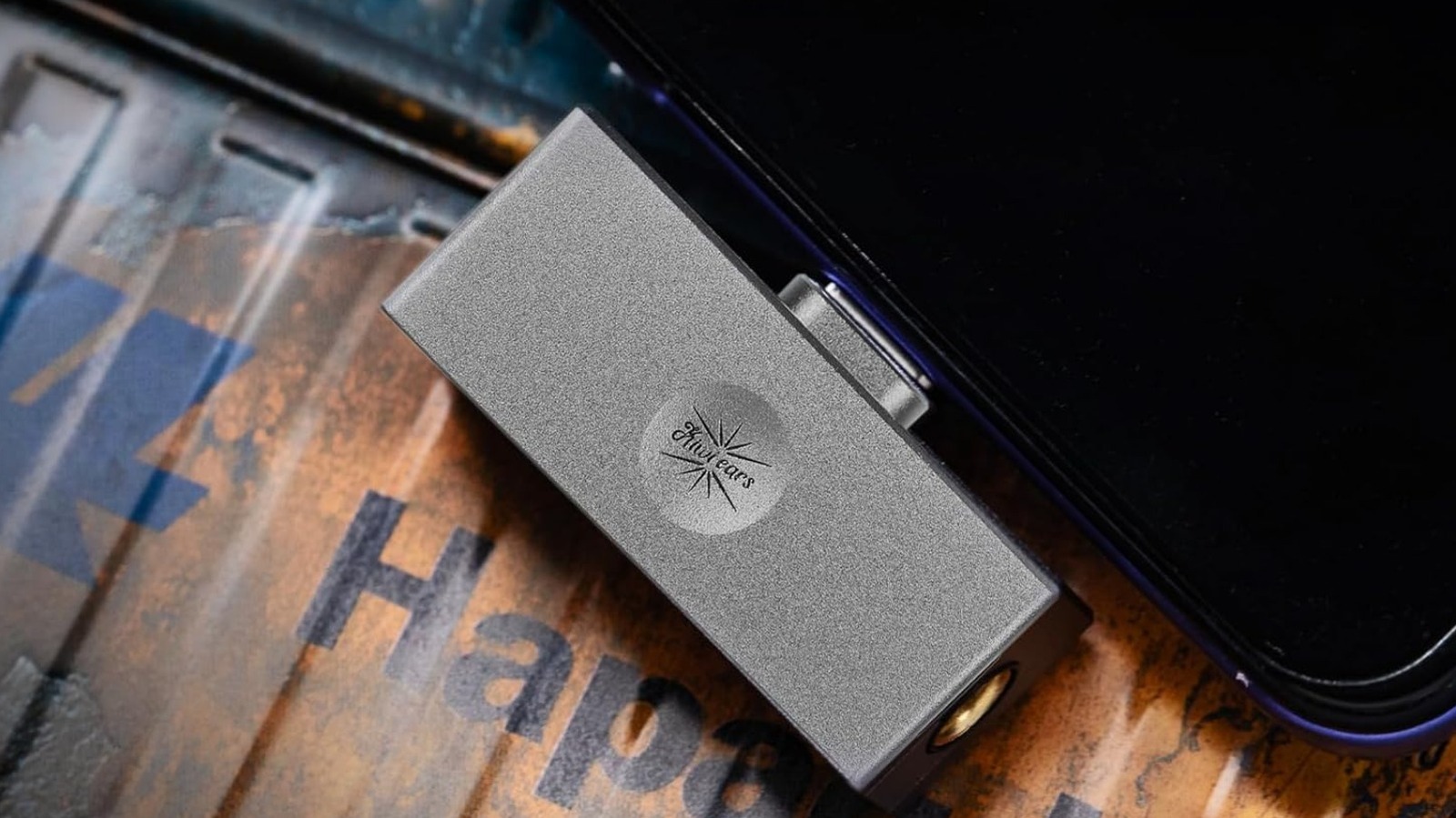
Wired earphones are well and truly back, and it’s a wonderful sight to see. Despite that, devices with headphone jacks are few and far between these days. Sure, you can get a dedicated digital audio player or portable CD player, but there’s a simpler option: a combination DAC (or digital-to-analog converter) and headphone amp.
The easiest, and cheapest, way to get one of those is to go for a dongle DAC. These will usually have a USB-C cable (or a port) on one end and a 3.5mm headphone jack on the other. Simply connect the former to your phone or laptop, and plug your earphones into the latter; no need for a separate headphone amp or any other hardware.
These can as cheap as the $9 Apple headphone adapter, but you’ll likely want to stretch the budget a bit more and go for entry-level audiophile options such as the $26 Kiwi Ears Allegro Mini or $33 FiiO KA11 if you’re serious about sound quality. You can, of course, spend orders of magnitude more — the $600 Chord Mojo 2 is a favorite amongst headphone enthusiasts — but there’s no reason to go that crazy if you’re just starting out.
Reading lights
E-ink readers are great — and offer a much better reading experience than smartphones or tablets — but there’s still a lot to like about printed books. You know you own them, for one, and can do with them as you please (within reason, of course). There’s no DRM limiting you, nor will you have to deal with unexpected policy changes like Amazon’s decision to remove users’ ability to transfer books via USB in 2025.
One area where printed books can’t compete, however, is low-light convenience. Modern e-readers have backlit displays so you can read in the dark, but a book will require you to turn on your bedside lamp or, even worse, the ceiling light. What’s a late-night reader to do, then? Well, one option is to use a tiny reading light that’ll illuminate just your book and nothing else.
These are available in many shapes and sizes. You can get clip-on units that light from above, such as the Gritin book light and the Glouscent book light. The former has a bendable gooseneck, while the latter trades the former’s flexibility for a pocketable form factor. Glouscent’s neck light, conversely, sits on your shoulders instead, and might be the way to go if you want a light for more than just books.
Electric air dusters
No matter whether with it’s a car, workspace, Hi-Fi setup, or desktop PC, we’re all fighting what seems to be a never-ending battle against dust. Hand dusting can only go so far, though, and sometimes, the only solution is to blast it away with a burst of air. That’s where the best electric air dusters can help immensely.
Think of these as a reusable can of compressed air; they do the same thing, just without the waste and expense. So, instead of paying $13 on, say, Staples compressed air cans every time you need to blow out your gaming rig, you can just pay $40 for a duster like the Wolfbox MegaFlow and get something that won’t run out.
The Wolfbox isn’t your only option, though; there are a ton of these compact electric dusters on Amazon, many of which have broadly interchangeable specs and attachments. No matter which one you go for, as long as you keep the battery topped up (which is easy since most charge via USB-C), you’ll have a way to quickly blow away dust and dirt always at hand — no more realizing you’re out of air duster cans just when you need them most.
Wireless chargers
Wireless charging isn’t the fastest way to juice your phone up, with even the latest Qi2 standard limited to a measly 25 watts. While speed definitely isn’t one of its strengths, wireless charging does have several pros, including convenience and reduced wear and tear on your charging port. And, really, having a wireless charger on your desk or nightstand isn’t about charging quickly; instead, it’s great for keeping your phone topped up while you work or do other things, ensuring it’s ready to go at a moment’s notice.
Modern wireless chargers are geared toward these use cases, and are generally compact, unobtrusive gadgets that’ll fit in on even the messiest desk. You can get ultra-minimal MagSafe-compatible pucks such as Ugreen’s Qi2.2 25W wireless charger or desk-bound ones that prop your phone up at a great angle for watching videos or using as a secondary screen. Iniu’s Qi2 15W charger is a good example of the latter, as is Belkin’s folding MagSafe Qi2 25W charger.
Do note that while some of these products only advertise iPhone compatibility, the fact that they rely on the Qi2 charging protocol means you should be able to use MagSafe chargers with your Android phone as long as you have the right case. Google’s PixelSnap, present on the Pixel 10 and newer, will also work.
Our methodology
A product’s practicality is very subjective, and one person’s everyday essential could be entirely useless to another. Thus we made sure our selection covered a lot of ground, to ensure that these products would be practical to as many readers as possible, and focused on products that would be useful in situations that crop up reasonably regularly in our experience.
As far as the specific products we decided to highlight, we made sure to choose those with Amazon ratings above 4 stars from 300 or more user ratings. While these criteria don’t guarantee quality, they at least minimize the influence of outlier reviews on the rating and show that a decent number of people liked the product.