
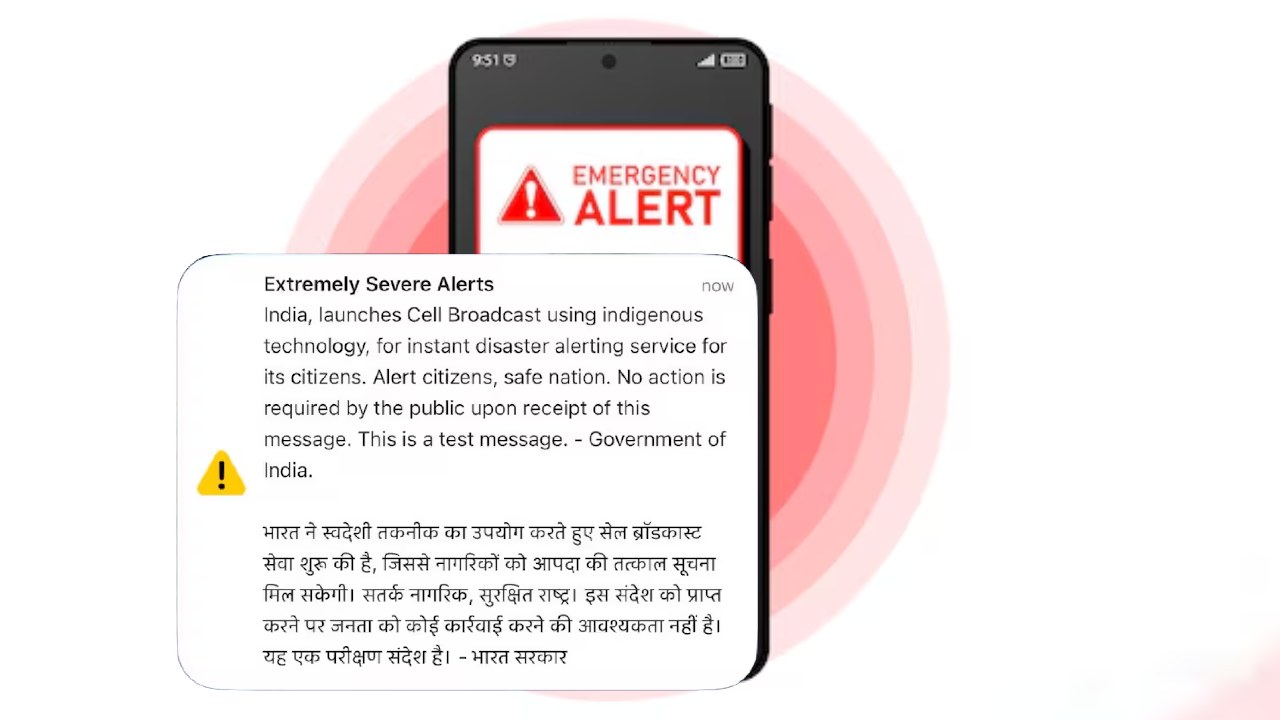

Emergency Alert Not Received: Government of India on 2nd May i.e. today on people’s phones Emergency Alert But many users complained that the emergency alert did not come on their phone, while the alert was seen coming on the phones of other people present with them. After which the question started arising in the minds of people that why and why has this happened? Are you also one of those people whose phone did not receive this alert and now you have a doubt in your mind that you are not safe or you have missed some setting which is necessary? So let us understand in simple language what is its real reason and solution?
Biggest mistake: Phone settings being closed
The reasons for Emergency Alert not coming on the phone also include that many times users keep Wireless Emergency Alerts which is available in Android and Government Alerts which is available in iPhone switched off in their phones, due to which the alert does not reach them. In such a situation, it would be right to follow these steps.
- Android users should turn on this feature by going to Settings > Notifications > Safety & Emergency.
- iPhone users should turn on Government Alerts by going to Settings > Notifications.
If this setting is turned off in your phone, then you will not receive any kind of emergency message.
Message may be missed even if test alert is turned off
Besides this, many times the government or agencies send test alerts to check the system. Alerts do not come to you even though your phone is switched off. In such a situation, it is important that you keep the test alert option on in your phone, so that future important messages can reach you without any interruption.
Network and location can also be the reason
Cell tower can also be a reason behind not receiving emergency alerts because these alerts are sent through cell towers. In such a situation, even if you live or are present in a place where the network is weak or the phone is not connected to the base station, the alert does not come. Apart from this, many times such alerts are sent only for a particular area or network. Which is not necessary for the rest of the people, it simply means that if you are not in that area then you will not get the message.
The position of the phone also affects
Now if we look at the common problems, the phone being switched off or being on Airplane Mode also causes alerts to not come. Apart from this, lack of support for Cell Broadcast technology in old phones or SIM cards also creates problems.
Also read: census 2027: Fill the census form sitting at home, otherwise it may prove costly, know the complete online process
What to do so that you do not miss the alert next time?
- Always keep Emergency Alerts settings ON
- Activate Test Alerts also
- keep the phone connected to the network
- Avoid Airplane Mode
- Use a new SIM or updated device
Obnews’s advice: small settings, big security
Obnews advises its reading audience that Emergency Alerts are very important for your safety. Keeping this in view, you have to keep the correct settings of your phone on, so that in case of emergency, you can get timely information. In such a situation, check the settings of your phone now and stay safe.

Comments are closed.