
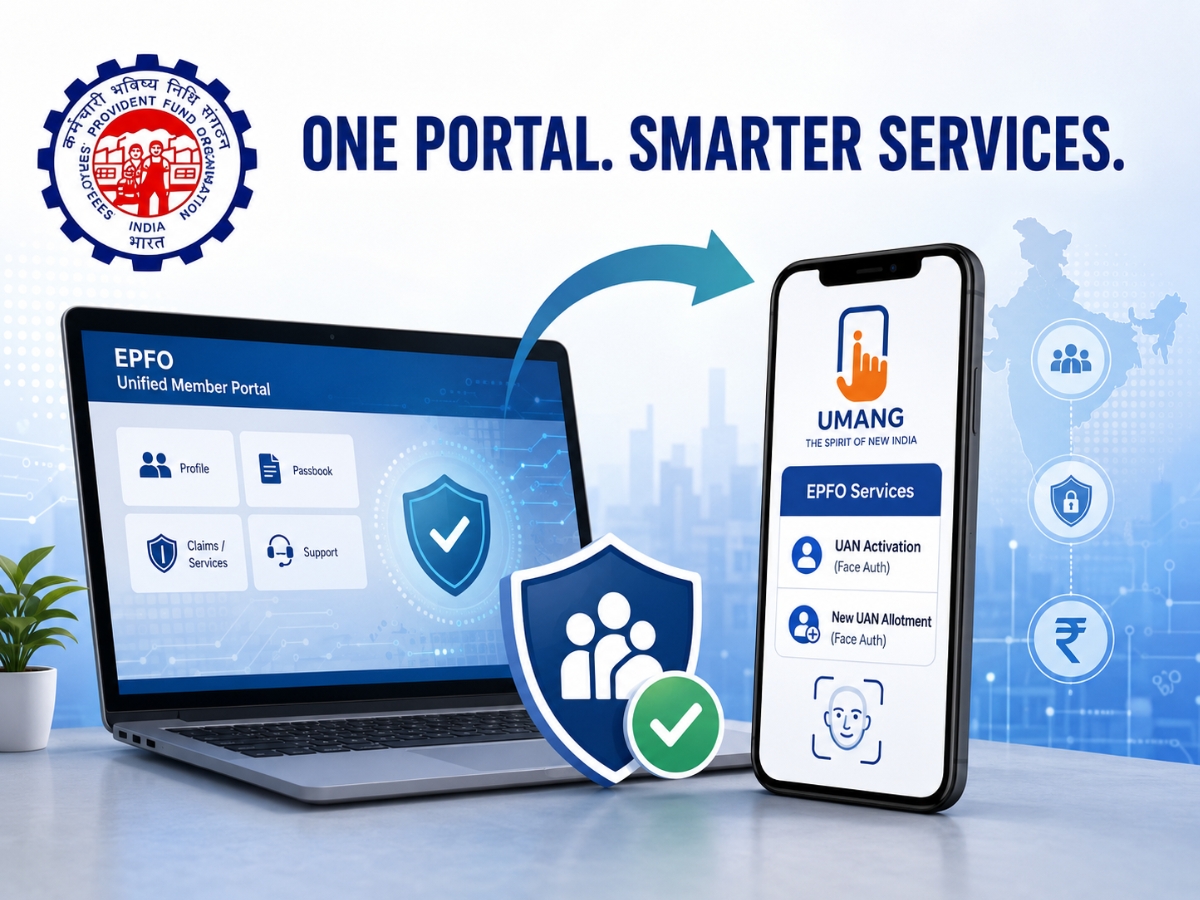

If you’ve been attempting to access the EPFO Unified Member Portal in the last few days, you may have noticed that things look a bit different. The portal was down for almost a week for a scheduled system upgrade, and now it is back with a new look and some important changes that every EPF member should know about.
The biggest change is that some of the most used services, such as UAN activation and new UAN generation, are no longer available on the EPFO website. These services have now been shifted to the UMANG app, wherein the user will have to go through Aadhaar-based face authentication (FAT). At the same time, EPFO has made it easier to recover the UAN if forgotten. Services like filing death claims are still available on the Unified Member Portal.
The EPFO says the upgrade is part of a major technology overhaul to make online services faster, more secure and reliable for subscribers.
What Is New On The EPFO Member Portal?
The EPFO has brought several changes in the way members can avail themselves of online services after the upgrade.
Key updates are:
- EPFO disables UAN activation on the portal.
- Direct website UAN generation is now closed.
- Now both the services are available only through the UMANG app.
- UAN activation and allotment are to be linked to Aadhaar-based face authentication on a mandatory basis.
- Getting your UAN if you have forgotten it now is very simple.
- The EPFO portal continues to be available for death claim filing.
How To Activate Your UAN Using UMANG App: Step-By-Step Guide
If you have been allotted a Universal Account Number (UAN) but have not activated it yet, here’s how you can do it now:
Step 1: Download the UMANG app from Google Play Store/Apple App Store.
Step 2: Open the app and click on EPFO Services.
Step 3: Click on “UAN Services Through Face Auth” and select “UAN Activation”.
Step 4: Aadhaar-based Face Authentication (Complete) and follow the instructions displayed on screen.
Your UAN will be activated after successful verification.
How To Generate New UAN Through UMANG App
EPFO has also moved the facility to generate a new UAN from its website to the UMANG app.
Here’s how you can do it:
Step 1: Launch the UMANG app.
Step 2: Visit EPFO Services
Step 3: Select “UAN Allotment and Activation”
Step 4: Aadhaar-based face authentication completion
Step 5: Follow the on-screen instructions to create your new UAN
Have A PF Account But No UAN? Here’s What You Should Do
Even those employees who already have an EPF account but were never allotted a UAN can get one.
Enter the member details as required and complete the verification process. Your registered mobile number needs to be verified. Once verified, EPFO will generate a UAN and attach it to the existing PF account.
UAN Lost? Here Is The New Retrieval Process
The improved portal has also made it easy to recover a forgotten UAN. To get it back, follow these steps:
Step 1: Enter the mobile number you have registered with.
Step 2: Upload the necessary address or identity proof.
Step 3: Verify the OTP received on your registered mobile number.
On successful verification, your UAN will be displayed.
EPFO Portal Still Has Death Claim Filing Facility
Services related to UAN have moved to UMANG; however, the filing of death claims by the nominees and beneficiaries can still be done through the EPFO Unified Member Portal.
Before you begin the process, please ensure that you have the following documents available:
- Aadhaar-linked mobile number of beneficiary
- Bank account information
- EPF death certificate of member
- Cancelled Cheque/Bank Passbook
- Beneficiary’s proof of date of birth, wherever applicable
EPFO has also prescribed certain rules of uploading:
- PDF files only
- Each file must be no larger than 2MB
- Do not use spaces in file names
What Is The UMANG App?
UMANG (Unified Mobile Application for New-Age Governance) is the official app of the Government of India. It provides access to digital services from various government departments, such as EPFO.
Now members can get tasks such as UAN activation and allotment done directly from the app using Aadhaar face authentication and need not visit an EPFO office or depend on the website to avail certain services.
Why Did EPFO Upgrade The Portal?
The EPFO says the changes are part of a large-scale drive to consolidate its database and modernise its software, improving the speed, security and reliability of its online services.
But the organisation has cautioned members making claims and online requests that they may face slightly longer waits than normal during the first two-week stabilisation phase due to extra verification checks.
Subscribers have also been advised not to make the same request repeatedly or to keep trying to log in during peak hours to avoid unnecessary delays.
What EPF Members Should Remember
The upgraded portal might look familiar, but the way some important services function has changed significantly. If you want to activate your UAN or generate a new one, now you will have to use the UMANG app instead of the EPFO website. Being aware of these changes will help you to perform your EPF-related duties without confusion and avoid unnecessary delays.
Also Read: ITR Filing 2026: Zero Tax in Form 16? Here’s Why You May Still Need to File Your Return
Priyanka Roshan is a business writer and assistant editor at the NewsX website who tracks everything from stock market swings and corporate earnings to personal finance trends and policy shifts. Known for turning fast-moving business developments into sharp, reader-friendly stories, she combines speed, accuracy, and a data-driven approach to break down complex financial news for everyday audiences.
With over 9.5 years of newsroom experience, Priyanka has worked with leading media organisations, including Bussiness, Times Now, and Ping Digital, covering diverse beats such as business, politics, technology, auto, travel, sports, and the world. From live breaking news desks to SEO-led digital storytelling, she specialises in creating engaging content that keeps readers informed without overwhelming them.
The post Can’t Activate UAN On EPFO Portal? Here’s The New Step-By-Step Process After EPFO’s Update appeared first on NewsX.

Comments are closed.