
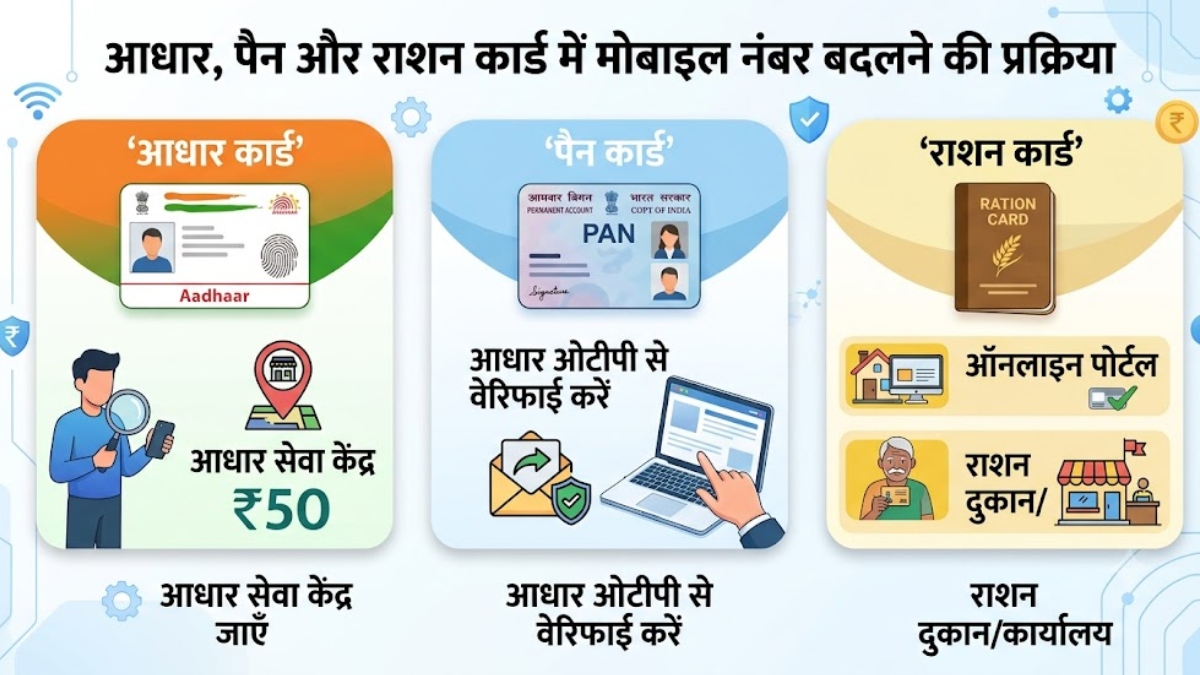
How to change mobile number in Aadhaar, PAN and Ration Card, know step-by-step process here

Aadhaar: In today’s time, it is very important to have a link to the correct and active mobile number in all our important government documents. Be it opening a bank account, availing benefits of government schemes or doing online verification (OTP), many tasks come to a halt if the mobile number is not updated.
If you want to update or change your new mobile number in your Aadhaar Card (Aadhaar), PAN Card (PAN) or Ration Card (Ration Card), then the entire process is very easy. Let us understand it through the steps given below.
How to change mobile number in Aadhaar Card?
Due to security reasons, there is no online process available to change mobile number in Aadhaar card. For this you will have to go to your nearest Aadhaar center.
step 1: Go to your nearest Aadhaar Seva Kendra. You can also book an appointment online by visiting the UIDAI website so that you do not have to stand in the queue there.
Step 2: Ask for ‘Aadhaar Correction Form’ from the employee present at the Aadhaar center.
Step 3: Fill your new mobile number and other important information clearly in this form.
Step 4: Hand over the form to the officer at the Aadhaar center. For this you do not need any other document.
Step 5: The officer will verify your biometrics (thumb or eye impression) and enter the new number in the system.
Step 6: For this service you will have to pay a government fee of ₹ 50. On completion of the work, you will get an Acknowledgment Slip, in which you can track your status using the URN number written there. Usually the new number is updated in 2 to 3 days.
How to change mobile number in PAN Card?
You can update your mobile number and address in PAN card online while sitting at home. For this follow the steps given below:
step 1: First of all go to the website of the official PAN Card Utility Portal (NDSL/Protean or UTIITSL).
Step 2: Select the option ‘Address Update’ or ‘Change/Correction in PAN Card’ on the homepage.
Step 3: Enter your PAN number, Aadhaar number, email ID and new mobile number.
Step 4: Accept the rules and verify your identity through Aadhaar OTP.
Step 5: As soon as you enter the OTP, your new mobile number and address will be immediately updated in the PAN database based on the mobile number entered in your Aadhar card.
3. How to change mobile number in Ration Card?
Ration cards in India are issued by state governments, so the process of changing mobile number may be slightly different in different states. In most states, you can do this both online and offline:
Online Method (For Most States):
step 1: Visit the official website of Food and Civil Supplies Department of your state.
Step 2: Find the option ‘Ration Card Details’ or ‘Update Mobile Number’ on the website and click on it.
Step 3: Enter your ration card number, name of the head of the household and other required information.
Step 4: After this enter your new mobile number and click on ‘Submit’ or ‘Send OTP’. Fill in the OTP received on your new number and submit it. Your number will be updated.
offline method
step 1: If online facility is not available on your state portal, visit your nearest food department office (Ration Office) or fair price shop (Ration Shop).
Step 2: From there, take the form for updating mobile number and fill the ration card number, name of the head and new mobile number in it.
Step 3: Attach the photocopy of ration card and photocopy of Aadhar card along with the form and submit it to the officer. Within a few days your new number will be linked to the ration card.

Comments are closed.