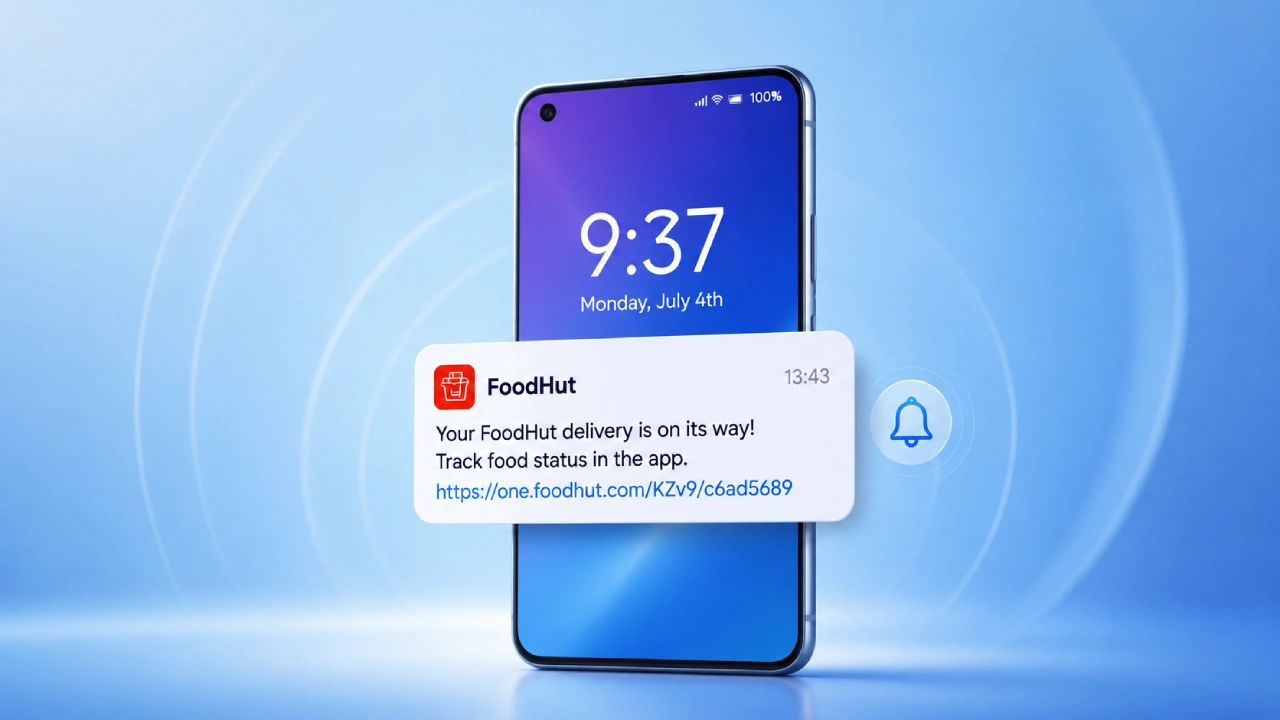
Push notifications allow a mobile app to talk to its user without needing to be open. Sometimes a delivery update can pop up while someone is still working, a banking application can instantly warn about a transaction, and a messaging platform might announce a new conversation. Even a news application can push a breaking-news alert while the user is doing something else entirely, like reading, commuting, or just staring into the kitchen sink for a minute.
This ability is, honestly, one of the defining traits of modern smartphones. Push notifications let applications communicate with users through messages delivered straight to their devices. For businesses, they become a strong channel for engagement. For users, they can provide genuinely helpful information at exactly the right moment.
Still, that same sense of immediacy creates a tricky kind of balance. Each notification is basically competing for attention. If an app sends too many, it can quickly become irritating, while sending too few might mean the app misses chances to share useful information. Notifications that arrive at the wrong time can interrupt people, drain attention, and push users toward disabling permissions altogether.
And as smartphones get more personalized and people care more about digital well-being and privacy, the question is no longer just “should an app use push notifications?” The real question is, rather, how intelligently it should use them.
What Are Push Notifications?
Push notifications are those messages that an application sends, or its backend infrastructure does, straight to a user’s mobile device. They work differently from the old style of messages where you need the app sitting open, because push notifications can still reach people while the app is running in the background or even when it is not actively being used.
They may include things like:
- Text
- Images
- Sounds
- Badges
- Action buttons
- Deep links that jump into specific parts of an app
So a notification can casually tell a user something, as an order has shipped, a payment has been finished, a friend sent a message, or a scheduled event is coming up soon. And behind what users actually see on their screen, there’s a bigger messaging machinery running, involving the app itself, its backend services, and the mobile operating system notification service.
How the Push Notification Flow Works
Usually, a push notification starts when something happens inside an app, or inside the backend setup. For instance, an e-commerce platform may notice that an order moved from “processing” into “shipped” territory (like suddenly changing status). At that point, the backend decides that it should really send a notification, then it passes the details and message contents through the correct push notification infrastructure.
After that, the mobile operating system takes over, delivering the message to the user’s device. In a lot of cases, the sequence looks kind of like this, not always in the same order, but the idea is consistent:
- The user installs the app.
- The app requests permission for notifications if the platform asks for it.
- The device generates an addressable push token, or it provides one, depending on the system.
- The application sends that token in a secure way back to the backend.
- A relevant event triggers the need for a notification.
- The backend forwards the message through the platform’s push service.
- The operating system delivers it and shows it based on the user’s settings, preferences, and rules.
Now, yes, the technical implementation can vary across platforms, but the core logic stays basically the same: the application sets up a pathway so its backend can request delivery of those timely, relevant messages.
Permission Handling: The First Test of Trust
One of the most important parts of push notifications is permission handling, like really. Modern mobile operating systems are giving users more and more explicit control over whether applications can send notifications in the first place. On iOS and Android, apps have to align with operating-system permission frameworks, along with the users’ own notification settings they choose.
So yeah, this has changed the relationship between applications and users quite a bit. In the past, notifications were kind of an invisible background assumption after installing an app, and it felt normal. Nowadays, permission requests are more often treated as an actual part of the user experience, not just a quick step you skip.
If an application immediately asks for notification access without any clear reason, it might get rejected. People will just move on. A better way is to build value first and sort of earn the right.
For instance, a shopping app could mention that notifications help with delivery updates and important order information before it ever shows the system permission request. The point is informed consent, rather than only chasing the most users who tap “Allow,” because that’s not the same thing.
Why Push Notifications Matter to Businesses
The main draw of push notifications is that they reach people directly, where no one really has to search for them. Email, well, it can get ignored or even forgotten. Social-media posts depend a lot on platform algorithms, and ads are basically battling for attention every single time, so it’s kind of hard to stand out.
A push notification pops up right inside the user’s own device environment. That’s why they’re especially useful for anything time-sensitive. You see them a lot in cases like delivery and transportation updates, financial transaction alerts, appointment reminders, and messaging. Also: news updates, sports scores, travel information, and promotional offers- all those.
And when they’re used in a thoughtful way, push notifications can improve engagement and bring users back to an application for a real, practical reason, not just because the app is “there.”
The big idea is the difference between engagement and interruption. Ideally, a notification should make the user experience easier, more helpful, instead of just making the app more visible in their day.
Personalization Makes Messages More Useful
Sending basically the identical notifications to every user is becoming less effective, honestly. In many modern applications, it’s possible to tailor messages based on a few signals like:
- User preferences
- Location, where permission exists
- Previous interactions
- Purchase history
- App activity
- Stated interests
- Time zones
A music app, for example, might alert someone about a new release from an artist they already keep playing a lot, instead of just blasting the same thing to everyone. In other words, you get higher relevance while cutting down on unnecessary nudges.
Still, personalization has to be treated carefully, because users should know what data is being used to shape their experience. This matters especially when behavioral data or location information is involved, and people may not always realize that.
Targeting and Segmentation
Personalization works kind of hand in hand with audience segmentation, in a way that feels connected, but still separate. Instead of treating the whole user base as one single audience, developers can form smaller groups based on meaningful traits, for example, things you can actually act on.
A travel application could, for instance, sort users who:
- Have an upcoming booking
- Often search for flights
- Have abandoned a reservation
- Haven’t used the application recently
Each of those segments can get different communications, and that is where the personalization shows up. This can improve the overall messaging flow, since people receive details that match their actual situation.
Still, targeting should not slide into surveillance. The more data an organization gathers, the heavier the duty to safeguard that data, and also to plainly explain how it is being used.
Timing Can Decide Whether a Notification Really Lands
A helpful message, delivered at the wrong moment, can still turn into a bad user experience. Like, imagine getting a promotional notification at 2 a.m. or a “not so urgent” reminder while you are in the middle of an important meeting. So nowadays, notification strategies end up thinking about timing, not just content.
Apps may rely on things like:
- User-chosen calendars and pauses
- Local time zones
- Behavioral rhythms
- Triggers tied to events
- Quiet hours
And honestly, the best notification is often not the one sent right after something happens. Sometimes the smarter move is to wait a bit, until the user is more likely to notice it, and actually use what it says.
Notification Fatigue Is Turning Into a Real Issue
Maybe the biggest risk for push notification strategies is notification fatigue. Users already get alerts from messaging apps, social platforms, banking services, shopping applications, news providers, workplace tools, and a whole lot more. When every app is grabbing for the same attention, every single notification starts to feel less valuable.
Too much sending can make people:
- Turn off notifications
- Mute certain apps
- Toss the alerts aside
- Uninstall the application entirely
That turns into a negative loop. An organization might push more notifications to raise engagement, and then later realize that excessive messages make users disengage completely. So quality ends up mattering more than raw quantity, even if the numbers look tempting at first.
User Control Is Sitting at the Center of Mobile UX
Lately, notification design has been realizing more and more that users should stay in charge. Apps should help people manage notification preferences in a way that feels natural, not shove them into that all-or-nothing setup. Helpful controls might come as simple groupings like:
- Important account alerts
- Messages
- Reminders
- Promotions
- Recommendations
- News
With this approach, users can get the details they actually care about while muting the less pressing stuff. Granular options often build trust too, because it feels like the application is paying attention to their time.
Transactional vs Promotional Notifications
Not every notification is doing the same job. Transactional notifications deliver information that is tied to something the user already did, or specifically requested. You might see examples such as payment confirmations, password-reset messages, delivery updates, and appointment reminders. Promotional notifications, on the other hand, try to nudge a purchase, a visit, or some other commercial action.
This split is important because users may reasonably expect the transactional alerts to be prominent, but see lots of promotional pings as interruptions, frankly. A thoughtful notification strategy therefore treats these groups differently, not just in wording, but in how often and how they appear.
Privacy and Data Protection
Push notification systems also raise important privacy considerations. Applications may end up collecting things like device identifiers, notification interactions, user preferences, engagement patterns, and account activity. Depending on the application and jurisdiction, there might be other items too, even if it seems small at first. So organizations really need to think about the privacy laws and data protection requirements that apply when they are designing those notification systems.
Security is just as important. Notification content should not unnecessarily expose sensitive details on a device lock screen. For example, a financial application may need to ask whether showing detailed transaction data in a notification could reveal private information to someone who only glances at the phone. In that sense, privacy-aware notification design becomes part of broader mobile app security, not just a checkbox.
Push Notifications and App Performance
Push notifications usually feel lightweight from the user’s point of view, but a poorly designed setup can still cause backend pain. Bigger applications can generate enormous amounts of events that call for things like message queues, notification services, delivery tracking, retry mechanisms, and analytics infrastructure. Developers need to make sure the notification system can survive traffic spikes without causing duplicate messages or annoying delays.
For instance, during a major sporting event, there can be millions of potential updates in a short time window. That’s why reliable infrastructure and messaging logic that’s carefully designed are essential for keeping a consistent user experience, even when everything is happening at once.
Best Practices for Push Notifications in 2026
A lot of teams seem to land on the same idea: send less, but make each note feel actually useful. In practice, it means product folks and engineers should focus on relevance, plain language, the right moment, and real user controls, not the illusion of controls.
You also want to ask for notification permission in a transparent way, and if the content is sensitive, then don’t let it show up where it has no business being seen. After that, it helps to keep checking how campaigns perform, and cut the stuff that brings almost nothing in return.
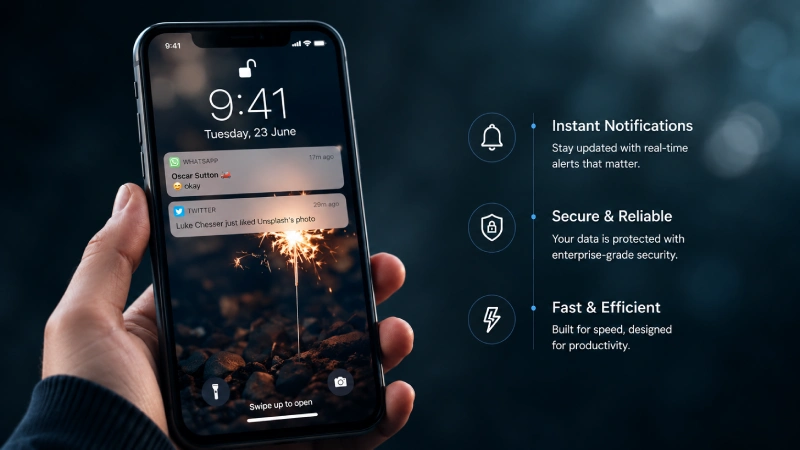
And maybe the whole thing boils down to a single question you can’t really dodge: Why does the person need to hear this now? If there’s no solid answer, then the push might be unnecessary, no matter how tempting it is to “just send something”.
The Future of Push Notifications
Looking ahead, push notifications on mobile are probably going to feel more intelligent, more contextual, and less “broadcast-y” overall. AI may help apps figure out a few things like which particular message is worth sending in the first place, and when it should be delivered so it doesn’t land at the worst time.
It might also help decide which users genuinely need the alert, not just the right group. And sometimes instead of pushing five separate updates, an app could group them into one short summary that’s easier to digest.
On top of that, operating systems should get better at sorting notifications based on what users prefer and what’s going on around them. So in the long run, you might see fewer interruptions, not more.
The aim is pretty straightforward: make mobile communication more valuable and let people manage their attention instead of having it managed for them.
Conclusion: The Best Notification Is the One You Actually Want to Get
Push notifications still feel like one of the strongest communication channels mobile applications have. They can send critical alerts, make daily chores easier, level up customer experiences, and bring people back to the app at meaningful moments. Yet that same power is also the problem. Since notifications go straight for human attention, careless use can turn a useful channel into plain irritation, fast.
So the future of mobile app engagement is likely to lean less on chasing how many messages can be pushed out, and more on the way an app decides to speak up, intelligently. Things like permission handling, personalization, audience segmentation, timing, privacy, and user control really need to align like one set of moving parts. In 2026, good push notification plans are shifting away from “more engagement at any cost” and toward a steadier idea: respect the user’s attention, and earn the right to interrupt it.