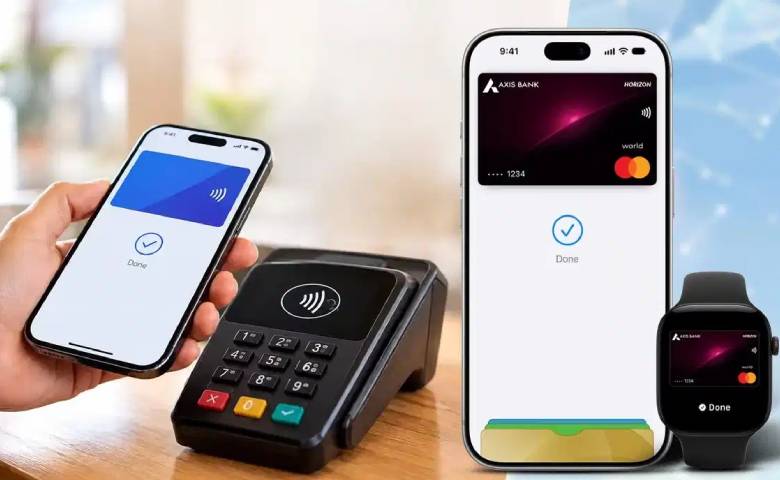
Technology News : Apple has launched its contactless payment service, Apple Pay, in India. The company has partnered with Axis Bank. Now, users in India can add their credit cards to their iPhones and make payments by tapping their phones on PoS machines. It was first launched in the US in September 2014. With its entry into India, Apple Pay is now available in over 90 countries and territories.
The service works with over 11,000 banks and network partners worldwide. Currently, only Axis Bank Visa and MasterCard credit cards can be used on Apple Pay in India. The company may expand to include other banks and debit cards in the future.
Apple Pay is the company’s digital payment service, which allows users to make payments by tapping their Apple devices at contactless PoS machines. This eliminates the need to take a physical credit card out of their pocket every time. This reduces the risk of card loss or damage. Additionally, Apple Wallet makes it easy to store and manage multiple cards digitally.
Apple Pay uses NFC (Near Field Communication) technology for payments. Payments can be made with iPhones, Apple Watches and iPads at PoS terminals that support NFC. Apple may soon bring Apple Pay support to Macs in India.
What devices will Apple Pay work with?
If you have an iPhone XR or later and iOS 18 or later, you can add an eligible Axis Bank credit card to Apple Wallet. For Apple Watches, Series 6 or newer models can use Apple Pay, which requires watchOS 11 or newer. Apple Pay isn’t limited to tap-and-pay at stores. Users can also make in-app purchases and payments on e-commerce platforms with their eligible credit cards. Payment security is ensured using Face ID, Touch ID or device passcode.
How to set up Apple Pay on iPhone?
First, unlock your eligible iPhone.
Then open the Wallet app on your iPhone.
Tap the plus (+) icon at the top of the screen.
Select Debit or Credit Card option here.
Now, place your appropriate Axis Bank credit card on the back of your iPhone so that the card information can be scanned.
If you want to add the card manually, select the Enter card details manually option.
Next, enter your full name, card number, expiry date and security code.
Tap Continue.
Follow the on-screen instructions to complete the card setup
Once setup is complete, your Axis Bank credit card will be added to Apple Wallet. You can then use it to make a payment by tapping your iPhone on an NFC-supported PoS terminal.