
Customer support automation has always faced a fundamental tension: customers want fast, accurate, personal answers, and the cost of providing them at scale through human agents alone is substantial. The traditional resolution was to hire more agents as volume grew, absorb the cost, and accept that off-hours coverage would always be limited. In 2026, that trade-off has been restructured by automation. It has structurally changed in ways that benefit both the business and the customer when implementation is handled correctly. Good support automation is a support workflow with clear permissions. The teams that get this right are the ones that designed the workflow before selecting the software, and treated automation as a precision instrument.
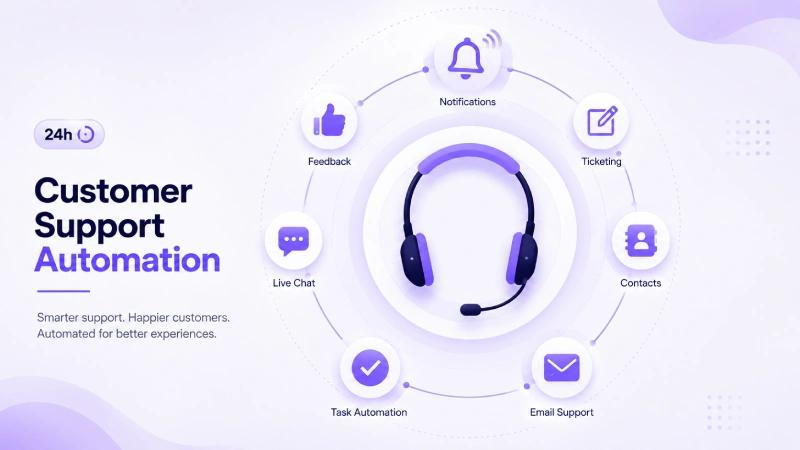
What customer support automation actually covers includes AI chatbots, workflow automation, and help desk integration to resolve repetitive tickets and improve KPIs. It connects knowledge base automation, CRM integration, and APIs to complete the full resolution cycle rather than just the first response. The operational components that matter most in 2026 fall into four categories.
Automated ticketing systems generate tickets, priority assignments, and issue categorisation from incoming emails, forms, and messages. AI chatbots and AI agents are conversational systems that answer FAQs, pull data from internal systems, trigger workflows, or escalate cases when needed. Intelligent routing assigns requests automatically to human agents based on intent, language, account type, urgency, or product line. Self-service enables customers to resolve issues independently through searchable documentation, guided flows, or interactive assistants.
The distinction between these components matters operationally because they require different investments, different success metrics, and different sequencing. A business that deploys a chatbot without building the knowledge base it draws from, or that implements intelligent routing without first classifying its ticket types, will find that each component underperforms because the dependencies beneath it are not in place. The mistake is treating AI like a replacement for the support team. That creates brittle bots, awkward answers, and angry customers when the software guesses wrong. The better approach is to automate the workflow around the customer conversation first, then decide which conversations an AI agent should handle directly.
Intelligent Ticket Routing: From Inbox Chaos to Structured Triage
For most support operations, the highest-volume and lowest-value work is the process of reading an incoming ticket, deciding what it is about, deciding who should handle it, and assigning it. Done manually at scale, this is a significant drain on senior agent time, for time that could be spent resolving complex cases rather than sorting simple ones. Natural language processing helps AI systems interpret and understand what customers mean in their inquiries and ticket descriptions. It identifies keywords and understands customer sentiment to intelligently route and triage tickets. Machine learning and generative AI then use customer history, conversation context, past resolutions, knowledge base content, and company policies to determine the next-best action.
AI can classify incoming messages by topic, urgency, customer type, channel, and sentiment. Instead of a manager manually scanning the inbox, the system can separate billing questions, order status requests, technical issues, cancellation risk, and VIP complaints. The practical implementation involves training the classification model on historical ticket data (labelled with the correct team, urgency level, and resolution type), so that new tickets are categorised against patterns the system has already seen. The more granular and consistently labelled the historical data, the more accurate the routing becomes.
AI automatically classifies, tags, and routes every ticket to the right team based on intent, sentiment, and business impact. It detects frustration, urgency, and churn risk in real time, prioritising high-value customers and escalating before issues grow. Sentiment detection is the dimension that makes routing genuinely intelligent: a ticket that uses calm language but describes a billing error on a long-standing enterprise account should route differently than an identical error reported with frustrated language by a new customer, and both should route differently from a simple password reset request regardless of tone.
For teams implementing routing for the first time, the practical starting point is classifying the top ten to fifteen ticket types that account for the majority of volume, building routing rules for those categories, and expanding the taxonomy gradually rather than attempting to classify every possible ticket type from day one.
Knowledge Base Suggestions: The Foundation the AI Draws From
The biggest implementation mistake is selecting an AI tool before building a knowledge base. Businesses get excited about AI features, deploy a chatbot, and then discover it confidently gives outdated or incomplete answers because the underlying documentation is a mess. Building a clean, structured knowledge base is the implementation work, not selecting the AI tool.
Tool selection takes days; knowledge base work takes weeks and determines success. This sequencing insight sits at the centre of every effective customer support automation deployment in 2026. The knowledge base is the substrate that every other component draws from. A chatbot is only as accurate as the documentation it retrieves. A routing system that suggests articles to human agents during triage is only as useful as the articles themselves. An agent assist tool that surfaces related tickets and suggested responses is only as reliable as the historical resolution data it learns from.
By 2026, Retrieval-Augmented Generation has become the go-to method for grounding AI responses in real documentation. This approach reduces the risk of the AI giving incorrect or fabricated answers, an essential safeguard for customer-facing tools. RAG works by retrieving the most relevant documentation chunks at query time and using them as the grounding context for the AI’s generated response, rather than relying solely on the model’s parametric knowledge. The practical result is that the chatbot’s answers stay tethered to your actual policies and product documentation rather than drifting toward plausible-sounding fabrications.
Regularly reviewing and cleaning your source material (removing outdated information, internal jargon, and irrelevant marketing language) is as important as the initial build. A knowledge base maintenance process with defined review cycles, clear ownership per article category, and a mechanism for surfacing articles that are generating high escalation rates is what separates a sustainable automation deployment from one that degrades over time.
AI can also suggest knowledge base content to agents within the ticket to help them resolve issues quickly by surfacing relevant articles, similar tickets, and suggested responses in real time, right inside the agent’s helpdesk console. Agent assist features an AI that supports the human agent, typically delivering faster resolution times and higher first-contact resolution rates than chatbot-only deployments, because human judgment remains in the loop while the mechanical search-and-retrieve work is automated.
Chatbot Escalation: Designing the Handoff That Customers Actually Experience
Escalation design is where most customer support automation implementations fail in practice. A chatbot that cannot escalate gracefully damages the customer relationship more than no chatbot at all, because it creates a frustration that did not exist before the automation was deployed. For high-stakes issues like billing disputes or emotionally charged topics, clear paths to a human agent should be fast and seamless.
The operational principle behind good escalation design is that the AI handles speed and the human handles judgment. The correct design: AI acknowledges complaints immediately, gathers relevant information, and routes to a human with everything pre-populated. AI handles the speed; humans handle the judgment on interactions.
An AI ticketing system follows an agentic workflow automation lifecycle. It detects customer intent, retrieves relevant context, applies business policies, takes the appropriate action, escalates with context when needed, and learns from outcomes over time. The “with context” element of that escalation step is what separates a well-designed handoff from a frustrating one.

When a customer is passed from a chatbot to a human agent, the agent should receive the full conversation transcript, the customer’s account context, the intent classification, the sentiment score, and any actions the chatbot already took, so the customer does not need to repeat their problem from the beginning. Forcing a customer to re-explain an issue they have already described once, because the chatbot and the agent workspace are disconnected, is one of the most reliable ways to turn a moderate frustration into a churn event.
Hiding the human handoff is a critical design mistake, as customers should not have to fight the bot. Clear, accessible escalation paths are a feature of AI design. The escalation trigger logic should include: any expression of strong negative sentiment, any mention of account cancellation or legal action, any billing dispute above a defined threshold, any issue the chatbot has failed to resolve after two or three turns, and any explicit customer request to speak with a human. None of these triggers should require the customer to navigate a menu, for they should be detected automatically and handled immediately.
Implementation Sequence and Measurement
The primary use cases for AI customer support automation in 2026 are: AI chatbots for automated ticket deflection and self-service, agent assist with real-time answer suggestions, automated ticket tagging and routing, sentiment analysis and customer health scoring, proactive support that predicts issues before customers report them, quality assurance through AI-powered scoring of all interactions, and knowledge base management with auto-generated and updated help articles.
The implementation sequence that produces the most reliable results begins with the knowledge base, moves to automated ticket classification and routing, then adds agent assist for the human team, and finally deploys a customer-facing chatbot once the knowledge base is clean enough to ground its responses reliably. Teams that deploy the chatbot first and build the knowledge base afterward consistently report lower containment rates and higher escalation volumes than teams that reversed the sequence.
The biggest measurement mistake is optimising for deflection. The correct measurement framework includes first response time (how quickly the customer receives a useful response, not just an auto-acknowledgment), first contact resolution rate, reopen rate (how often a closed ticket re-enters the queue within 48 hours), CSAT scores split by automated and human-handled contacts, escalation rate and escalation quality, and knowledge base deflection rate measured against customer satisfaction.
IBM reports that 70% of global customer service managers are using generative AI to analyse customer sentiment. The support operations teams extracting the most value from that data are using it not just for real-time routing but for closing the feedback loop to product, billing, and operations by identifying the recurring issues that generate support volume and addressing them at the source.
What to Watch Next
The direction of customer support automation in the second half of 2026 is toward agentic systems that do not just answer questions but take actions on behalf of customers: processing refunds, modifying subscriptions, checking order status from live fulfilment systems, and updating account details without human involvement. Automating refunds too early is a common mistake, as teams should start with answers and routing. The sequencing principle holds as automation capabilities expand: earn confidence in the system’s accuracy and escalation logic at the information layer before extending permissions to the action layer.
For any business starting this journey in 2026, the single most useful reframe is customer support automation as a service design project that uses technology as its execution layer. The outcome is a support operation that is faster for customers, less repetitive for agents, and more informative for the rest of the business, but only when the workflow, the knowledge base, and the escalation logic were designed with that outcome in mind from the beginning.