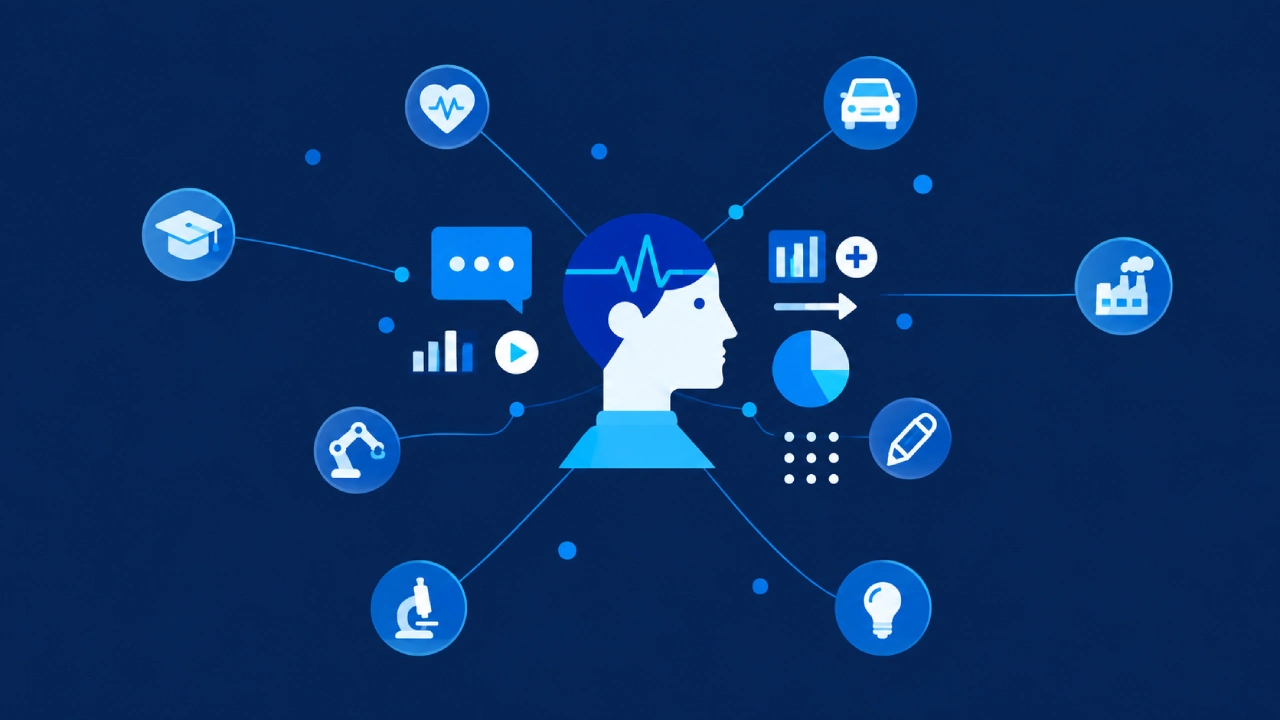
Over the last few decades, Microsoft has kind of repeatedly reshaped itself, just to keep up with major technological shifts. The company leaned hard into the personal computing era through Windows, became crucial for offices everywhere with Microsoft Office, and later morphed into a cloud force through Azure.
Now in 2026, Microsoft is chasing another reinvention, one that feels almost entirely built around artificial intelligence. Not like AI as a side thing or a standalone product, but more like AI embedded into the foundation of nearly everything it offers. The centerpiece of this idea is Copilot, an AI assistant framework meant to function across operating systems, productivity tooling, enterprise software, cloud infrastructure, and developer platforms.
“Copilot Everywhere” kind of summarizes Microsoft’s wider ambition: to turn AI into an integrated layer that supports most of the digital work people do, day after day. And yes, this move is far more than just rolling out chatbots or “smart assistant” features. Microsoft is basically reworking how people engage with software itself. Those older interfaces, with menus and commands and manual workflows, are starting to loosen their grip, while conversational, AI-assisted environments take over.
In the company’s view, this points toward a future where users more often describe what they need in natural language, while AI systems coordinate the details underneath without much fuss.
Copilot As the New User Interface
Back in the day, computing really relied on people doing direct interaction. Someone opened apps, moved through menus, clicked around, and ran commands on purpose, line by line. It was kind of manual, you know, even when it was “simple”.
Now Microsoft’s AI-first vision flips that whole approach. Copilot brings in this intent-driven computing world. Rather than walking through software step by step, users start talking in natural language prompts. Most of the time, the idea is not “find the button”; it’s more like “do the thing”.
For example:
- “Summarize this report and create a presentation from it.”
- “Analyze these spreadsheets and point out sales trends.”
- “Draft responses to today’s important emails.”
- “Generate code for a cloud deployment pipeline.”
In practice, the AI reads what you mean, coordinates the workflows, and then handles tasks across several applications, not just one at a time, either. So software stops feeling like separate tools stacked next to each other. It turns into a connected AI-assisted ecosystem.
Microsoft’s longer-term target seems pretty obvious too: AI should become the main interaction layer between humans and all those digital systems.
Windows and the Rise of AI-Native Computing
One of the most obvious examples of Microsoft’s shift is how Windows itself has changed. Windows used to be, more or less, a graphical operating system built around apps, documents, and manual multitasking. But in these last few years, Microsoft has started kind of reframing Windows as an AI-native platform, and not just something you open and then forget about.
Copilot is now pretty built into the OS in a way that feels native. It’s reachable right from the taskbar, and it also links up with system settings and other productivity tools. There’s also this ability to take in screen context and then try to act on it. The goal seems to be workflow automation across multiple apps, not only within one program.
So instead of digging through menus, users can start asking Windows to do things in a conversational way. Like it’s, you know, an interactive assistant instead of a set of buttons. For instance:
- “Optimize my battery settings for travel.”
- “Organize my files by project category.”
- “Summarize the documents currently open.”
- “Prepare my desktop for a presentation.”
What you’re seeing here is part of a broader industry movement, where operating systems are moving from being passive spaces into something more like a smart aide that understands what you mean, as well as what you’re looking at. Microsoft, in effect, is trying to turn Windows from a simple software environment into a productivity partner, and it’s doing it quietly but on purpose.
Microsoft 365 Copilot And The Reinvention Of Office Work
Honestly, the most commercially important piece in Microsoft’s AI direction might be how Copilot gets baked into Microsoft 365. Applications like Word, Excel, PowerPoint, Outlook, and Teams have for years basically defined what “modern” office productivity looks like. Usually, people had to manually write, arrange, organize, analyze, and also present the information themselves. Like, click, type, review, repeat. Copilot then shifts these routines in a pretty dramatic way, not slowly either.
In Word, for example, AI can help with things like drafting reports, rewriting text in different tones, summarizing long documents, and even generating outlines or proposal drafts. In Excel, Copilot assists with data analysis, formula generation, spotting trends, and building visualizations too. PowerPoint can spit out a presentation automatically from quick notes or a short report, while Outlook and Teams can summarize conversations, draft emails, and surface action items that came up during meetings.

So the whole point is that it reduces repetitive digital labor and frees people to spend more time on strategy, interpretation, and decision-making rather than grinding through the same clerical steps.
For enterprises, the attraction feels very obvious. Many companies now run in information-heavy environments where employees spend large chunks of time processing documents, meetings, emails, and spreadsheets. AI-assisted productivity tools are therefore often framed as a path to measurable efficiency gains.
Teams and the AI Augmented Workplace
With hybrid and remote work becoming a normal thing, organizations are basically drowning in communication overload. So employees end up juggling a bunch of stuff at once, like endless meetings, long email threads, constant chats that never feel quiet, and shared documents that sit across multiple platforms. In response, Microsoft is pushing Copilot deeper into Teams, kinda to help with that exact mess.
With AI-powered features now available, Teams can:
- Summarize meetings automatically
- Spot action items
- Draft follow-up notes
- Translate conversations as they happen
- Keep track of project-related discussions
So Teams starts to feel less like only a messaging space, and more like an intelligent workflow assistant, which is, honestly, the point.
The wider objective is to reduce cognitive overload across today’s workplaces. Instead of people manually sorting information, managing context, and trying to remember what mattered, users are increasingly leaning on AI to filter, condense, and prioritize communication.
Microsoft frames AI not only as a productivity boost, but also as a remedy for the rising complexity of digital work itself.
GitHub Copilot And The Transformation of Programming
Microsoft’s AI plans don’t just stop at research or marketing. They run straight through software engineering, and there is GitHub Copilot, kind of showing up everywhere.
Copilot has, really fast, become one of the most influential AI coding tools around. It basically helps developers by generating code snippets, explaining functions that feel unfamiliar, suggesting optimizations, and even taking over the repetitive programming tasks that people get stuck doing over and over.
For a lot of programmers, day-to-day coding is becoming more collaborative, like you’re not only typing but also steering. Instead of writing every line manually, people tend to supervise, tweak, and validate what the AI produces. And sometimes, you just look at the output and decide it’s good or not, which feels a bit different than the old workflow.
So, the role of software engineers starts shifting. Programming moves away from purely manual implementation. It becomes more about architecture, oversight, and system design, in a broader sense, not just “make it work” line by line.
Also, this gives Microsoft a stronger strategic foothold. Developers who build the next wave of applications are increasingly tied to Microsoft-linked AI infrastructure, whether they mean to be or not.
By putting AI right inside the act of building software, Microsoft gains extra leverage over the coming generation of digital ecosystems. And yeah, it’s not subtle.
Azure: The Infrastructure Behind The AI Ecosystem
Somewhere in the background, but still like the real backbone, is Azure, Microsoft’s cloud computing platform. It’s behind the AI applications, and you can almost miss it until you really need it. Azure is critical because most AI systems, especially the ones that are trained big, end up needing huge compute, storage, and networking. Training large models and then running them day to day just takes a lot of processing, and Azure has the infrastructure for that kind of workload.
In practice, Azure powers things like:
- enterprise AI rollouts
- cloud-based Copilot services
- AI model hosting, and related services
- hybrid enterprise setups
- data integration pipelines
Also, Microsoft’s ongoing partnership with OpenAI helped further lock in Azure’s role as a top AI cloud platform. So you start getting this vertically integrated ecosystem where each piece sort of clicks with the next: Azure supplies the foundations, Copilot supplies the AI-facing interfaces, Microsoft 365 brings the productivity environment, and Windows stays as the user-side operating system.
Put together, these pieces form one of the most complete AI ecosystems around, for sure.
AI PCs And The Hardware Shift
Microsoft’s AI-first plan also comes with a kind of hardware makeover. The company is pushing a fresh set of AI PCs, with Neural Processing Units (NPUs), that are made for AI tasks in particular. These machines are built to do a few things at once, like On-device AI processing, quicker AI interactions, and more battery efficiency, plus less need to lean on cloud computing. There’s also a privacy angle here: local processing helps keep sensitive work close by.
Microsoft’s Copilot+ PCs look like a direct attempt to tune the hardware so it feels right for AI-native experiences. It’s somewhat similar to older transitions where new hardware started following new “computing priorities” instead of the other way around. For example, GPUs grew up around graphics and gaming. Mobile processors became normal for smartphones. And now, AI accelerators are taking more center stage for smarter processing.
Microsoft basically expects that AI will turn into a core requirement for whatever “future computing hardware” looks like.
Enterprise Advantage: Why Microsoft Seems Really Well Placed
One part of the story where Microsoft’s AI plan looks especially strong is that it has a big influence across enterprise technology. Not like a lot of other AI-focused firms, Microsoft already sits inside key corporate layers of day-to-day infrastructure. Think Office tools, the work-producing side of everything. Also corporate communication systems, enterprise cloud environments, plus identity and security platforms. With that kind of reach, the company ends up with real distribution advantages, almost like it can quietly slide into existing routines.
So, when businesses want to bring in Copilot, they often find it easier than adopting a completely new AI platform from scratch. The reason is simple: they are already tangled in Microsoft ecosystems.
And since enterprises keep looking for productivity gains and process automation, Microsoft is positioned to become, sort of, a major and influential AI provider across the corporate world.
Challenges and Concerns
Even with its current momentum, Microsoft’s AI-first strategy still has some hard problems; not everything is smooth.
Reliability and Hallucinations
AI systems can still spit out inaccurate or even misleading information, especially in professional situations where precision really matters a lot.
Security and Privacy
Copilot-like tools often work with sensitive enterprise data, which brings up questions about permissions, compliance, and the risk of information leakage. That part can feel a little unsettling.
Workforce Anxiety
There is also this worry about the future of desk jobs. Automation tends to amplify fears for administrative work and for those repetitive knowledge-based tasks too.
Overdependence on AI
Some critics claim that if people lean too much on AI assistants, human problem-solving may slow down, and the independence behind decisions can get weaker, maybe silently.
Cost and Accessibility
Enterprise AI services are still pricey for many smaller organizations, and in developing markets this can be even harder to reach. So Microsoft has to juggle fast innovation with trust, transparency, and actual usability, not just promises.
The Bigger Picture: AI as the Next Computing Paradigm
Microsoft’s strategy really seems to point to the idea that artificial intelligence is, basically, the next big computing paradigm. And not just another feature, more like the main shift that comes after those earlier stages where everything was shaped by graphical interfaces, the internet, mobile devices, plus cloud computing. Microsoft appears to hold that AI will turn into the next foundational layer, remaking how people do digital things day to day.

So in that future, applications stop feeling like rigid screens, and instead turn conversational. Operating systems get context-aware, kind of like they know what you mean before you finish saying it. Productivity also becomes AI-assisted, more guided than manual, and in a way computing becomes intent-driven, not interface-driven.
Copilot Everywhere is therefore more than some product play. It’s Microsoft trying to redraw the way humans interact with technology itself, or at least that’s the general angle they’re aiming for.
Conclusion: Microsoft Wants AI To Become The Operating Layer For Modern Work
Microsoft’s AI-first direction looks like one of the boldest changes happening in tech right now.
With Copilot rolled into Windows, Microsoft 365, Azure, Teams, GitHub, and enterprise platforms, Microsoft seems to be assembling a kind of ecosystem where artificial intelligence is tucked into almost every piece of day-to-day digital work.
And the effects really stack up:
- Quicker productivity workflows
- Software development with AI help
- Smarter enterprise automation
- More context-based computing moments
- More conversational human-computer interaction
Still, there are big, pretty serious issues that pop up around trust, privacy, labor, and how much people end up depending on AI systems. By 2026, Microsoft isn’t just a company that ships operating systems and productivity tools.
They’re aiming to build an AI-mediated computing setting where Copilot turns into the main interface, the thing people use to get things done, talk, create, and interact with digital systems.
(Source)