
How to Watch Commonwealth Games 2026 Without Cable in India: LIVE Streaming, Free Options, Smart TV Setup & Complete Viewing Guide

0
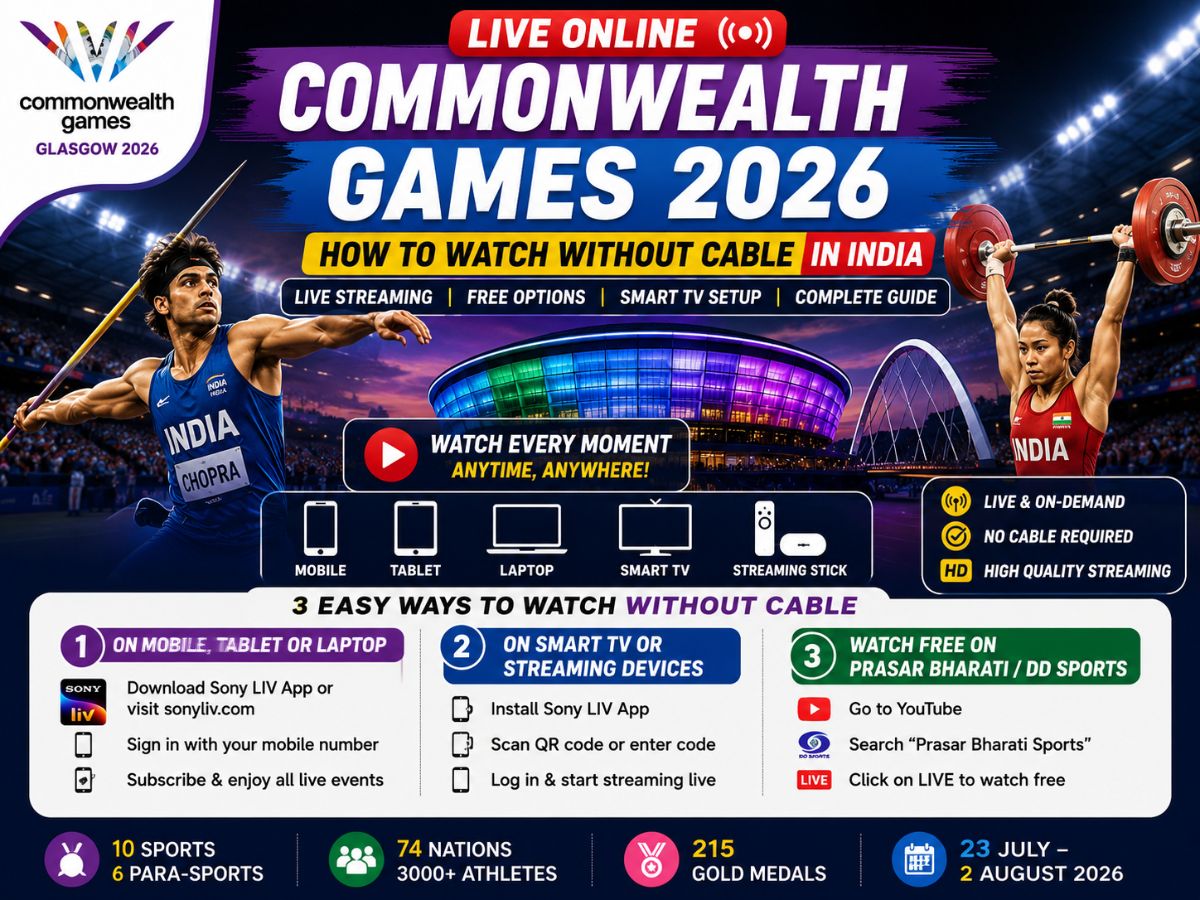
Commonwealth Games 2026: The Commonwealth Games 2026 will be held in Glasgow, Scotland, from July 23 to August 2, with more than 3,000 athletes from 74 Commonwealth nations and territories competing for 215 gold medals across 10 sports and six integrated para-sports. India will send a 124-member contingent with stars like Neeraj Chopra, Mirabai Chanu, Lovlina Borgohain and several other medal hopefuls. Even if you don’t have a traditional cable or DTH connection, there are many ways to watch the Games live on your smartphone, laptop, tablet or Smart TV. Here’s everything you need to know.
Premium Streaming Option
Sony LIV
Sony LIV is the official digital streaming platform for the Commonwealth Games 2026 in India.
It offers:
Every event streamed live
Over 600 hours of coverage
Multiple live feeds for simultaneous events
Multi-language commentary
English
Hindi
Tamil
Telugu
Kannada
On-demand replays
Interactive event timelines
Subscription Required: Sony LIV Mobile or Premium Plan
Free Streaming Option
Prasar Bharati / DD Sports
Fans who don’t have a paid subscription can still watch selected live coverage involving Indian athletes completely free.
Features include:
Available via:
How to Watch Commonwealth Games 2026 on Smartphone, Tablet or Laptop
Step 1
Download the Sony LIV app from the Google Play Store or Apple App Store.
Laptop users can visit SonyLIV.com.
Step 2
Sign in using your registered Indian mobile number.
Step 3
Enter the OTP sent to your phone.
Step 4
If you don’t already have a subscription, tap Subscribe Now and purchase a Mobile or Premium plan using UPI, debit card or credit card.
Step 5
Open the Glasgow 2026 Commonwealth Games section on the app.
Step 6
Choose your preferred language commentary and start streaming your preferred event instantly.
How to Watch Commonwealth Games 2026 on Smart TVs
Supported devices include:
Android TV
Google TV
Amazon Fire TV Stick
Apple TV
Smart TVs
Setup Guide
Step 1
Install the Sony LIV app from your TV’s app store.
Step 2
Launch the app.
A QR Code and activation code will appear.
Step 3
Scan the QR code using your smartphone.
Alternatively, visit the Sony LIV activation page using your phone browser.
Step 4
Log into your Sony LIV account and enter the activation code shown on your television.
Step 5
Once linked, open the Commonwealth Games section and start watching live.
How to Watch Commonwealth Games 2026 for FREE
If you don’t want to purchase a subscription, you can still watch selected live matches featuring Indian athletes.
Step 1
Open YouTube on your smartphone, laptop or Smart TV.
Step 2
Search for Prasar Bharati Sports.
Step 3
Open the verified official channel.
Step 4
Click on the LIVE section.
Step 5
Select the active DD Sports live stream and begin watching free.

Comments are closed.