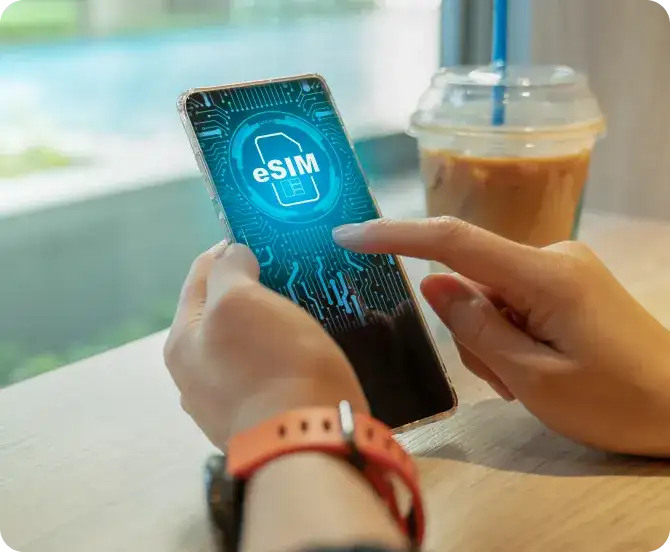
After purchasing a new smartphone, it is usually easy to transfer the SIM from the old phone to the new phone. But if you use physical SIM instead eSIM Let's use, So its method may be slightly different. Apple iPhone, Samsung And Google Pixel like many smartphones eSIM Facility is available. There is no need to insert a physical SIM card and the mobile network works through digital SIM profile.
eSIM One advantage of SIM is that if the phone is stolen, the thief cannot easily remove it and throw it away like a normal SIM card. AlthougheSIM This does not guarantee tracking of the phone. For this, it may also be necessary to have the phone's location and other security features turned on.
If you use your old number after getting a new phone eSIM want to use as, So before transfer, please check the procedure of your telecom operator and compatibility of the phone.
jio And Airtel how to users eSIM transfer?
jio And Airtel Both eSIM provide facility, But the process of transferring a number from an old phone to a new phone may differ depending on the operator and device.
Airtel Users: Airtel According to the official procedure ofeSIM facility related to Thanks Airtel Can be used through the app or through the means specified by the operator. new phone E.I.D. And other important information may be sought. After this one has to follow the instructions received through email or other authorized medium. The process is the same in every phone, that's not necessary.
jio Users: jio In eSIM Scheduled for activation or transfer SMS Process and verification may be required. new device E.I.D. And IMEI Such information may be required. Before starting the process jio Please confirm the instructions given in the current official guide of, Because the method may change according to old and new devices.
Verification call while completing any operator process, Complete the message or other instructions carefully. The time taken for network arrival may also vary.
iPhone From iPhone In eSIM how to transfer?
Apple some of iPhone Models and supported mobile operators eSIM Quick Transfer Provide facility. through this old iPhone new from iPhone In eSIM Transferring may be easier.
- Both iPhone Keep it nearby and turn on Bluetooth.
- New iPhone of Settings got into.
- Mobile Service Or Cellular go to option Add eSIM Select.
- If Transfer From Nearby iPhone option is available, So choose that.
- old iPhone Confirm the transfer by following the instructions on the screen.
This feature will work only, When both the device and your mobile operator support it. In some cases, separate activation may have to be done through the operator.
Android in the phone eSIM way to shift
something new Android During setup in smartphone eSIM Option to transfer is available. If your phone and operator support this feature, So the number can be transferred from the old phone as per the instructions given on the screen.
If direct transfer option is not available, So new from operator eSIM Profile may have to be issued. QR Use the code only as per the official procedure of the operator.
eSIM Do not make these mistakes while transferring
It is important to take some precautions while using a new phone, So that there is no problem in activating the number.
- Old eSIM Don't delete immediately: First confirm that the new phone is on network and can make calls. old phone after transfer eSIM May deactivate automatically.
- Keep old phone working: Keep the old device safe until the transfer is complete. This may be required for verification or instructions if needed.
- Maintain a stable internet connection: eSIM Trusted new phone to download or activate Wi-Fi Connecting to the network is useful.
- banking and otp Take care: eSIM after transfer SMS Temporary restrictions on service may apply. So banking or UPI Complete the necessary work related to the internet first and get information about the applicable restrictions from your operator.
- QR Do not share the code with anyone: eSIM Keep activation codes and personal verification information safe.
After purchasing a new smartphone eSIM it is not difficult to transfer, But it is important to follow the correct procedure. The safest way is to check your operator's official guide and confirm the network on the new phone before starting the transfer.