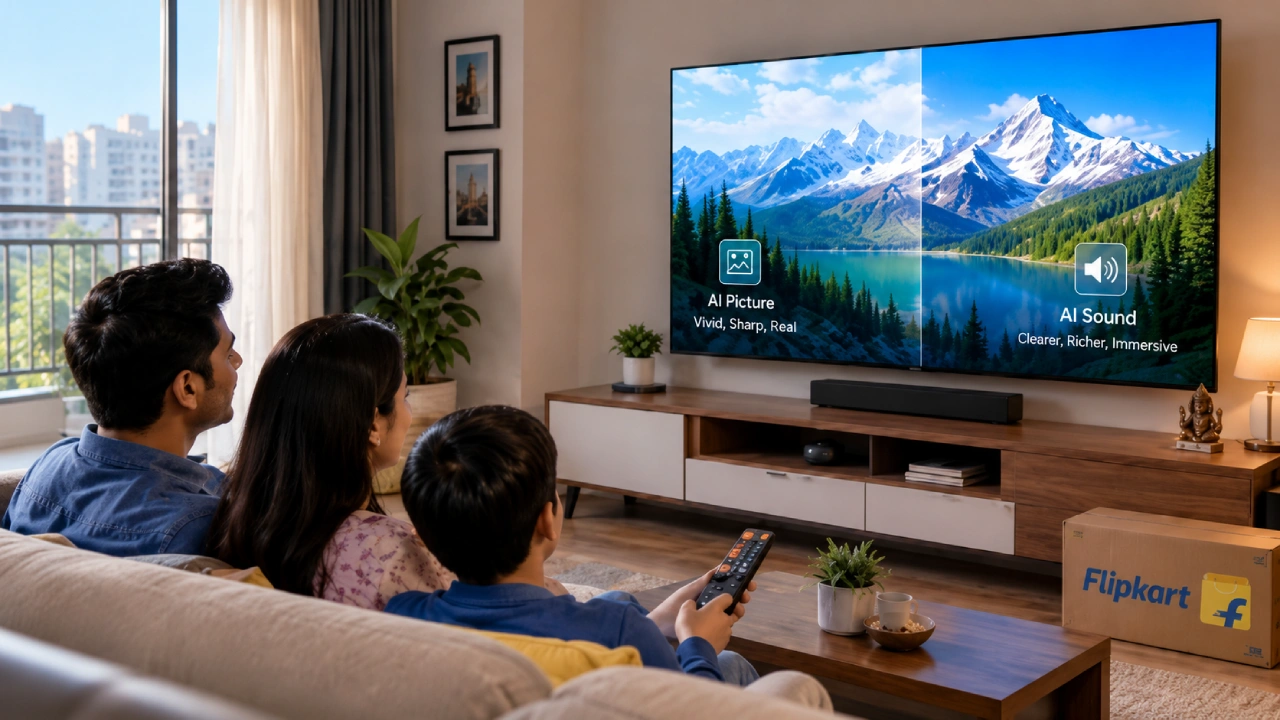
Artificial intelligence is becoming a more visible part of modern televisions. Instead of simply displaying the incoming video and audio signal, an AI-Powered TV can analyze what is on screen and adjust settings in real time. That can affect sharpness, color, contrast, motion, and even the way dialogue or background effects are reproduced.
If you are buying a smart TVfocus on how its AI features improve picture, sound, and overall viewing. Understanding what the processor can do makes it easier to compare specifications and choose features that match the content you watch most often.
What Does AI Actually Do on TV?
Most AI-powered televisions use a processor that analyses picture and sound data while content is playing. These systems can recognize patterns such as faces, objects, scenery, speech, or different types of content.
The TV can then apply processing based on what it detects. This happens automatically, so you do not have to keep changing settings between a film, sports match, or streaming program.
AI processing still works alongside the television’s hardware. Panel type, brightness, local dimming, refresh rate, speaker quality, and source quality all matter. AI can optimize what the television has to work with, but it cannot compensate for every hardware limitation.
How AI Can Improve Picture Quality
1. Upscaling Lower-Resolution Content
Not everything you watch is available in native 4K. Older films, television channels, and some online videos may have a lower resolution.
AI upscaling analyses the incoming image and attempts to improve edges, textures, and perceived detail before displaying it at the television’s native resolution. This can make lower-resolution content look cleaner on a 4K screen.
The result still depends on the source. Processing may reduce softness and visible noise, but it cannot recreate every detail missing from the original recording.
2. Adjusting Color and Contrast
A dark film sequence and a bright cricket match require different picture handling. AI processors can analyze scenes and adjust brightness, contrast, and color presentation.
On televisions with local dimming or Mini LED backlighting, processing may also work with the lighting system to control bright and dark areas more precisely. This can help preserve shadow detail while keeping highlights clear.
3. Improving Motion
Sports, action films, and games can expose blur or judder more easily than slower content. Some AI picture engines identify motion and apply processing to improve clarity.
Stronger motion smoothing isn’t always desirable for films, so check whether the TV lets you adjust it or turn it off. This gives you more control over how different content looks.
4. Adapting to the Room
Some televisions can use sensors or processing to account for ambient lighting. A bright room may need a different picture balance from a dark room.
Automatic adjustment can be useful if your viewing environment changes during the day. Manual picture modes are still worth having because viewer preferences differ.
How AI Can Improve TV Sound
AI can also improve how a television handles audio by analyzing what you are watching and adjusting the sound accordingly. Some common ways it can help include:
1. Clearer dialogue
AI can identify speech and enhance voices so conversations are easier to hear alongside background music, sound effects,s or other audio, especially during busy or action-heavy scenes.
2. Content-based sound adjustment
The TV can recognize different types of content and adapt the audio presentation. Films may benefit from a wider soundstage, while news programs and dialogue-heavy shows can emphasize vocal clarity.
3. Virtual surround sound
Some AI audio systems can create a broader, more immersive sound effect using the TV’s built-in speakers. This can add greater depth to films, sports, and entertainment without requiring additional speakers.
4. Balanced sound levels
AI processing can help manage volume changes between scenes or content types for a more consistent listening experience across programs and streaming content.
5. Room-based optimization
Selected TVs can analyze the surrounding environment and adjust audio settings according to factors such as room acoustics or the TV’s placement.
AI processing can enhance everyday listening, though the overall experience also depends on speaker quality, placement and output.
AI Features Beyond Picture and Sound
AI can also support voice search, recommendations and content discovery. An Android TV may include voice controls and app-based features that make it easier to find programs or control compatible devices.
Do not assume every AI-enabled television uses the same operating system. Some run Google TV, others use proprietary platforms, and an Android TV may offer a different interface. Compare the app selection, update policy, casting support, and voice controls separately from the AI processor.
AI-Powered TVs Worth Exploring
| Model | AI-related features | Other useful specifications |
|---|---|---|
| LG OLED55C6PLA: 55-inch OLED 4K Smart WebOS TV 2026 | Alpha 11 AI Processor 4K Gen3, Dual AI Engine, AI Picture Pro and AI Sound Pro with virtual 11.1.2 upmixing | OLED panel and Dolby Vision |
| Samsung Vision AI: 55-inch 4K Mini LED Smart Tizen TV 2026 (UA55M2EHAULXL) | Vision AI Companion, 4K upscaling and colour enhancement | Mini LED panel, 50 Hz refresh rate and 30 W speaker output |
| Sony BRAVIA 3: 55-inch 4K LED Smart Google TV (K-55S30B) | Advanced AI Processor X1 | HDR 4K LED panel, Dolby Vision and Dolby Atmos |
Different TV models use AI in different ways. Some prioritize picture and sound enhancement, while others pair AI capabilities with advanced display hardware, features,s and intuitive software.
Conclusion: Is an AI-Powered TV Worth Considering?
AI can make TV processing more responsive by adjusting picture and sound based on the content being played. Upscaling can help lower-resolution sources, scene analysis can refine color and contrast, and audio processing can improve dialogue or create a broader sound presentation.
The key is to treat AI as one part of the television, not the main reason to buy it. A capable processor works best when supported by suitable display hardware, speakers, and connectivity. Compare what each AI feature actually does, then decide whether it improves the way you normally watch TV.