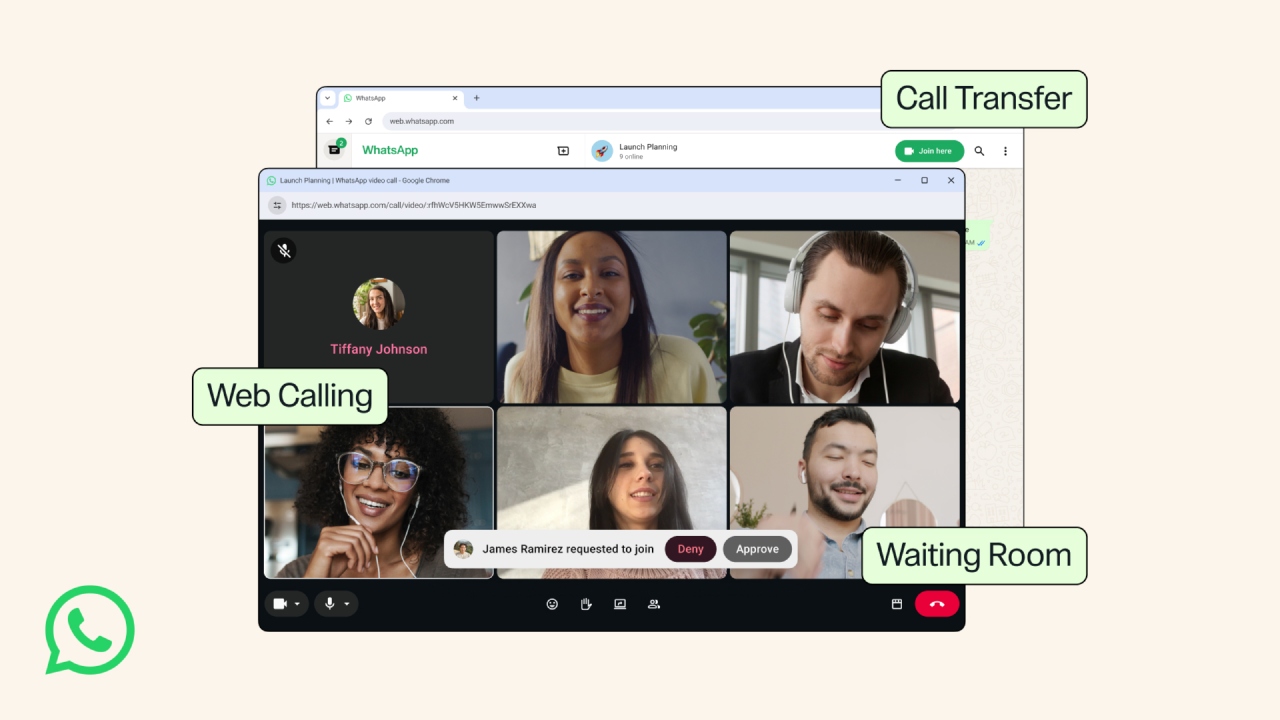
WhatsApp Web Calling Problems: WhatsApp has been preparing to bring audio and video calling features to its web version for some time. Now, many users are seeing the WhatsApp Web Calling option. User reports indicate that the company is rolling out this feature in a phased manner, so some people have received it, while others are still waiting.
Some users on social media are saying, “Maybe they’re rolling it out in batches, I just got it today!” Some theorize that it’s in a specialized beta or experimental stage. One user wrote, “It says it’s just a WhatsApp beta feature, and since it’s experimental, it might have bugs.”
The call button is visible but not working
Despite getting WhatsApp Web Calling, many users are experiencing technical issues. Some people see the calling interface, but audio or video calls won’t start. One user explained their problem, writing, “I also saw this feature today, but it’s not working for me (neither audio nor video).”
In some cases, the microphone and camera are not being detected, while many users are also seeing a message like “Please check your network connection or switch networks” during calls. Not only this, some people also reported that the calling option appeared for some time and then suddenly disappeared. One user wrote, “It was there for me for some time and then disappeared.”
Relief can be obtained through these methods
Based on user experience, some simple solutions have emerged. If calling isn’t working on WhatsApp Web, refreshing your browser, logging in again, or waiting for an update for a few days has worked for many users. If the microphone or camera isn’t detected, it’s important to check your browser permissions and device settings. Some users have also recommended using a desktop app or a PWA (Progressive Web App). One user claims, “Works on Ubuntu, even with installed apps!” (PWA)
The feature is new, so problems may arise.
WhatsApp Web Calling is still in its early stages, so it’s experiencing bugs and instability. Some users have also expressed concerns about an increase in spam and scam calls. In one report, a user wrote, “We’re getting more spam/scam calls on WhatsApp.” Another user complained, “It used to work, but suddenly it stopped working.”
So, if this feature isn’t available or isn’t working properly on your account right now, don’t worry. It’s likely that WhatsApp will fix these issues with future updates, and the feature will be available in a more stable form for all users.