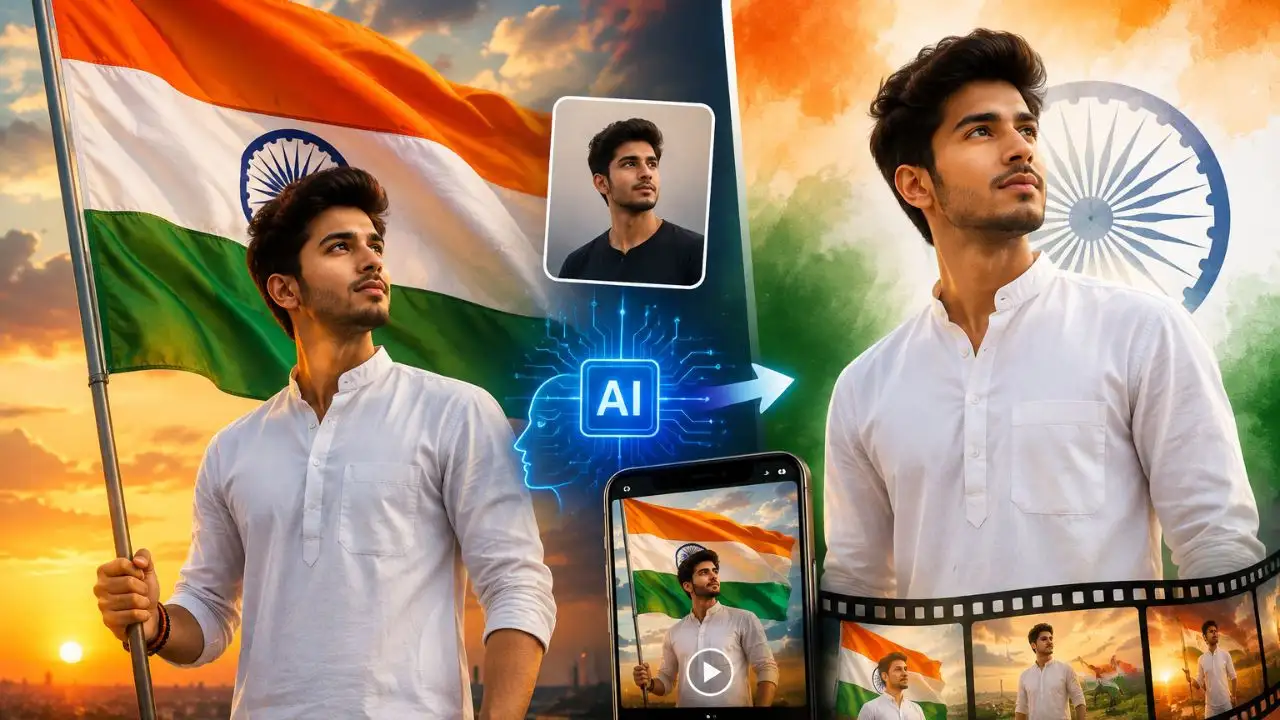
Celebrate Independence Day: Decorate your photos with AI
New Delhi: Patriotism is celebrated across the country on the occasion of Independence Day on 15th August. People share pictures of the tricolor and patriotic messages on social media. If you want to do something new and creative this time, you can turn your normal photo into an amazing Independence Day photo or short cinematic video with the help of AI. All you need is a good picture and correct instructions.
How to Create AI Independence Day Photo with ChatGPT
First, open ChatGPT and upload a clear and high-quality photo of yourself. Make sure your face is clearly visible in the photo. Next, enter the instructions below into ChatGPT as per your choice.
Prompt 1: Great photo with the tricolor
English Prompt:
Create a realistic Indian Independence Day portrait using my uploaded photo as the identity reference. Preserve my face, hairstyle, skin tone, age and natural body proportions. Show me standing proudly while holding the Indian national flag. Add a beautiful sunrise in the background with the flag gently waving in the breeze. Use natural lighting, realistic skin texture, sharp facial details, cinematic photography and a clean patriotic atmosphere. Create the image in a vertical 4:5 composition.
Hindi Prompt:
Create a realistic portrait for Independence Day using my uploaded photo as the basis for the identity. Keep my face, hairstyle, skin tone, age and natural body shape recognizable. Show me standing proudly with the Indian tricolor in my hand. There should be a beautiful sunrise view in the background and the tricolor should be seen waving naturally in the light breeze. Keep the lighting natural, the details of the skin and face should be clearly visible. The look of the photo should be cinematic and patriotic. Keep the image size vertical 4:5.
Prompt 2: Patriotic stylish look
English Prompt:
Transform my uploaded photo into a premium Indian Independence Day portrait. Keep my identity and facial features recognizable and unchanged. Show me wearing a simple white outfit against a soft Indian tricolor background. Add a subtle Ashoka Chakra and gentle lighting effects. Make the image realistic, elegant and patriotic with natural skin texture, detailed facial features, cinematic lighting and a vertical 4:5 composition.
Hindi Prompt:
Convert my uploaded photo into a stunning Indian Independence Day portrait. Keep my identity and facial features recognizable and natural. Show me in simple white clothes and have a beautiful and light background with the colors of the Indian Tricolour. Incorporate Ashoka Chakra in a clean and balanced manner. The picture should be realistic, attractive and full of patriotism. The details of the face and skin should be clear. Use cinematic lighting and frame the image in a vertical 4:5 format.
Create AI video like this after photo
If you want to create a short video along with the photo, upload the finished photo to an AI video tool. After this, video instructions can be given to add changes like light movement, camera effects and fluttering of the tricolor to the photo.
Video Prompt 1: Cinematic video with tricolor
English Prompt:
Animate the uploaded Independence Day photo into a realistic cinematic video. Preserve the person's exact identity, face, hairstyle, clothes and natural body proportions. Make the Indian national flag move naturally in a gentle breeze. Add subtle body movement and a slow camera push-in. Keep the background realistic with soft morning light. Use smooth camera motion, realistic fabric movement and cinematic depth of field. Create a respectful and emotional Independence Day atmosphere. Generate a vertical 9:16 video with realistic motion and high detail.
Hindi Prompt:
Convert uploaded Independence Day photos into a realistic cinematic video. Do not change the person's identity, face, hairstyle, clothes and natural shape of the body. The Indian tricolor should be seen waving naturally in the light breeze. Keep light and natural body movements of the person. The camera slowly moves towards the person. Light and natural morning light should be visible in the background. Keep the camera movement smooth and the movement of the clothes look real. A sense of respect and patriotism was visible in the video. Prepare the video in vertical 9:16 format.
Keep these things in mind
Keeping some small things in mind while creating photos or videos with AI can give better results:
- Always use clear and good quality photos of yourself.
- Choose a photo in which the face is clearly visible.
- Avoid heavily filtered or edited photos.
- When creating a video, include instructions like “Preserve exact identity”, “Natural Movement”, and “Realistic Motion”.
- Use prompts that depict the Tricolor and Ashok Chakra in a respectful and natural way.
- Before sharing on social media, check the prepared AI photo or video once.