Nowadays the use of wireless mouse has increased a lot. Among these, Bluetooth Mouse and 2.4GHz Wireless Mouse are mainly two popular options. Both do not require wires, but the method of connecting to the computer, usage and facilities are different. If you are thinking of buying a new wireless mouse, then it will be beneficial for you to understand the difference between the two.
Bluetooth mouse does not require USB dongle
Bluetooth Mouse connects directly to the Bluetooth connection of the laptop or computer. There is no need to install a separate USB receiver. This is why it becomes a very convenient option with modern laptops with less USB ports.
Before using the mouse for the first time, it requires Bluetooth pairing with the device. After this it usually connects easily. However, it may be difficult to use it with older computers or devices that do not support Bluetooth.
How does 2.4GHz Wireless Mouse work?
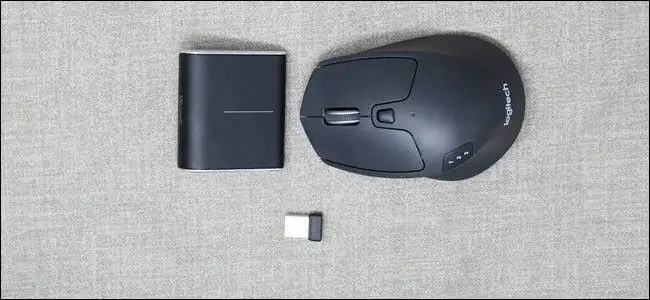
The 2.4GHz Wireless Mouse connects to the computer via a small USB receiver or dongle. After connecting the receiver to the USB port, the mouse starts working as soon as you turn it on.
Its biggest feature is its easy setup. Generally, there is no need to complete a separate pairing process like Bluetooth. For this reason, it is very popular for office, desktop and fast response work.
USB dongle is its biggest plus and minus
The receiver of a 2.4GHz mouse is small and is plugged into the USB port. If the dongle is lost or damaged, it may become difficult to use the mouse. Also, a USB port of the laptop is also used for this.
Whereas Bluetooth Mouse does not require a dongle, it is easy to handle during travelling.
Who is ahead in battery life?
Both types of wireless mice usually run on batteries. However, on the basis of connection technology alone, it cannot be decided whose battery will last longer.
The mouse's sensor, design, battery capacity and power saving features affect its battery life. Therefore, while purchasing, also check the battery life specified by the manufacturer.
Which mouse is better for gaming?
Both types of mice can provide a good experience in tasks like general browsing, office work, document editing and watching videos. In everyday use the difference is not much felt.
But for gaming or other tasks where fast and consistent response is required, a good quality 2.4GHz Wireless Mouse can be a better option. However, here too features like mouse quality, sensor and polling rate are important.
Why Bluetooth is better for laptop users?
If you often travel with a laptop and your device has limited USB ports, then a Bluetooth Mouse will be more convenient. There is no need to carry a separate dongle and the USB port also remains free.
On the other hand, if you use a desktop and want to use the mouse directly by connecting the receiver, then a 2.4GHz Wireless Mouse may prove to be a more convenient option.
Which mouse should I buy?
Bluetooth Mouse is best for those who want portability, use less USB ports and get rid of dongles.
Whereas 2.4GHz Wireless Mouse is a good option for those users who want easy plug-and-play setup and fast response.
Ultimately the right choice depends on your use. Bluetooth is convenient for general laptop and office work, while a good 2.4GHz model may be more useful for gaming and response-intensive use.
Share this story