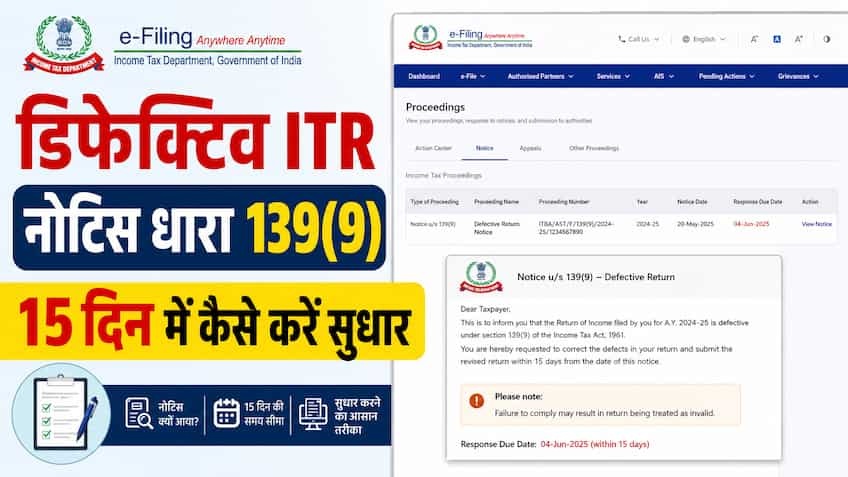
After filing Income Tax Return (ITR) most taxpayers wait for their refund or intimation of return processing (Section 143(1)). Many times, within a few days or weeks of the return being submitted, an alert comes on email and SMS from the Central Processing Center (CPC) of the Income Tax Department stating that your return has been declared 'defective' and a notice under section 139(9) has been issued. Common taxpayers get nervous on hearing the name 'Defective Notice' and assume it to be a legal action or a heavy fine. The reality is that a Section 139(9) notice is not a penalty or punishment, but an official warning given to you by the Income Tax Department and an opportunity to improve. The Department informs you that there are some technical, mathematical or documentary errors in the return filed by you, which are mandatory to be corrected. What is Section 139(9) and what is the real meaning of defective return? Section 139(9) of the Income Tax Act, 1961 empowers the Central Board of Direct Taxes (CBDT) to treat the return filed by a taxpayer as 'defective' if it is incomplete, erroneous or contrary to the rules. Simply put, when there is a serious mismatch between the information filled in your ITR form and the financial data available with the Income Tax Department, or you have left any mandatory schedule blank, the CPC's automated system stops processing that return. By law, after receiving a defective notice, the taxpayer is given 15 days from the date of issue of the notice to rectify the error. Why does the Income Tax Department send notice under Section 139(9)? These are the 6 biggest reasons why some common mistakes made by taxpayers while filing returns lead to this notice: Wrong ITR Form Selection: This is the most common reason for receiving a defective notice. For example, if you have stock market trading (Capital Gains or F&O) or business income, but you filed ITR-1 (Sahaj) or ITR-4 (Sugam) considering only salary, then the system declares it invalid and sends a notice under Section 139(9). Mismatch of TDS in 26AS, AIS/TIS and returns: If you have claimed tax exemption or refund on any TDS deducted in your return, but have not added the relevant income to the total gross income, the system directly generates the defect. The rule of the department is clear – the benefit of TDS will be available only when the gross income related to it is also declared. Submitting the return without paying the tax liability: If your 'Self-Assessment Tax' or interest was due in the return calculation and you directly verified the return without paying the challan (Unpaid Tax Liability), then the return will be considered defective. Incomplete information of Books of Accounts and Balance Sheet (Balance Sheet / P&L Missing): If a taxpayer falls in non-salaried or business category and has not filled the mandatory columns of Profit and Loss Account (P&L Account) and Balance Sheet or has ignored the minimum turnover rules of presumptive taxation (Section 44AD/44ADA). Huge difference in turnover and GST data: Huge difference between the total gross receipts/turnover declared in the form and the data filed in the GST return (GSTR-1 or GSTR-3B) without any explanation. Non-filing of tax audit report: If your turnover falls within the mandatory audit limit and you filed ITR directly under Section 44AB without getting it audited by a Chartered Accountant (CA) or without recording the date and details of the audit report. 15 days deadline: What will be the loss if notice is ignored? Ignoring a Section 139(9) notice or not responding to it within 15 days can prove extremely costly for the taxpayer. If the error is not rectified (or extension of time is not sought) within the stipulated 15-day deadline, the Income Tax Department declares the return 'Invalid'. The legal meaning of this would be that you had never filed ITR for that financial year. As a result: Your pending tax refund will be completely canceled. Due to non-filing of returns, heavy monthly interest will start being charged under Section 234A, 234B and 234C. Under Section 234F, a late filing fee penalty of up to ₹5,000 can be imposed. You will forever lose the right to 'Carry Forward' the current year's stock market or business losses to future years. 5-Step Process to Resolve Defective Notice Online in 15 Days You can easily file a reply to this notice by visiting the official e-filing portal of the Income Tax Department: Step 1: Login to the e-filing portal First of all, go to the official website of the Income Tax Department, incometax.gov.in. Login using your PAN card (User ID) and password. Step 2: Go to 'e-Proceedings' or 'Pending Actions' menu Once the dashboard opens, click on the 'Pending Actions' tab in the navigation bar above and select the 'e-Proceedings' option from the dropdown. Step 3: View Defective Notice and Error Code (Error Description) On the e-Proceedings page, you will see the list of notices issued under Section 139(9). Download the notice by clicking on 'View Details' and 'Notice PDF' there. The notice will clearly state the 'Error Code' issued by the CPC and mention in which specific schedule or calculation of your return the error has occurred. Step 4: Select 'Agree' or 'Disagree' option. Right in front of the notice you will find the 'Submit Response' button. On clicking this, two options will appear: If you agree with the department (Agree): If you feel that you have indeed made a mistake in selecting the form or filling TDS, then select 'Agree'. You will then have to generate a revised 'Corrected Return' (JSON file) through an offline utility or online. Select the correct form in 'Select ITR Form' and upload the new file. In this the 'Communication Reference Number' of the notice will be automatically linked. If you disagree with the department: If you feel that your original return was completely correct and the system has sent the notice by mistake, select 'Disagree'. Next select the reason from the dropdown and write your detailed legal/factual justification in the text box and upload the relevant documents (like bank statement, Form 16 or challan receipt) in PDF format. Step 5: Submit Response and E-Verify After checking all the details, click on 'Submit' button. After successful submission, an 'Acknowledgment Number' will be generated on the screen. If you have uploaded a new return, e-verify it immediately through Aadhaar OTP, Net Banking or EVC. What to do if 15 days are less? Rule of Time Extension If there is a complex discrepancy in your return, the resolution of which requires a revised Form 16 from your employer, a new certificate from the bank or an audit report from the CA and it may take more than 15 days, then do not panic. In 'e-Proceedings' on the e-filing portal, there is an option of 'Request for Adjournment / Extension of Time' next to the notice. You can apply for extension of time of additional 15 to 30 days there and enter the reasons. Once approved by the Assessing Officer (AO), you get additional legal time to file your reply. 4 Golden Rules to Avoid Defective Notices in Future Match your bank interest, dividend and share purchase and sale data verbatim by downloading your Annual Information Statement (AIS) and Taxpayer Information Summary (TIS) from the portal before filing returns. Never choose a tax form based on guesswork; If there is even a little capital gain or freelancing income other than salary, then directly select ITR-2 or ITR-3. E-verify the return only after 'Tax Payable' column shows zero in ITR; If there is any tax liability outstanding, first pay the challan through e-Pay Tax and enter its BSR code and challan number in the return. After submitting the return, do not forget to e-verify it within 30 days and keep checking the 'e-Proceedings' tab on the portal from time to time.