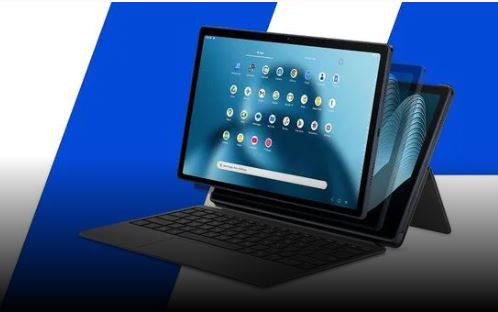
HP OmniPad 12 : Tablets were once known as digital canvases for artists, note-taking hubs for students and mobile workstations for professionals, but over the past few years, especially post Covid-19, these devices have seen a steady decline. However, recently, the scope of their role has quietly expanded. Tablets are no longer just for casual web browsing or streaming. People are using them more for work and learning – in fact, they have transformed from simple media viewing devices to tools for productivity and creativity.
Read :- Redmi 17 5G: Redmi's powerful phone has arrived, know the battery, price and chip.
Modern tablets are bridging the gap between smartphone portability and traditional laptop performance by offering high-refresh-rate displays, responsive stylus support, detachable keyboards, and tremendous processing power.
HP has taken advantage of this opportunity by launching the OmniPad 12. It has breathed new life into a category it had abandoned years ago. When the industry's focus was on making cheap machines and thin and light laptops. Starting at less than Rs 50,000 and coming with a keyboard, the OmniPad 12 is designed to solve a specific problem for a specific group of office goers and students – a compact, portable workstation for those who are always on the go.
design
The design of the OmniPad 12 is simple, understated and professional – a combination that's perfect for a device you take with you to work or school every day. Both the back and mid-frame of the tablet are made of metal, which minimizes flexing and creaking.
HP OmniPad 12 Camera
Without a case, the OmniPad 12 feels premium in hand. When held in landscape orientation, the power button is on the left side edge, just below the top-left corner. Once the Folio case and keyboard are in place, you'll rarely need to use these physical buttons much. The Folio case is smooth and has a leather-like texture, which feels good to hold. The keyboard is at the bottom, and when you close it, the tablet automatically goes into sleep mode, just like a typical laptop. The case is black in color, which matches the 'Meteor Silver' finish of the tablet and gives a classy and classy look to the whole package.
screen and audio
LCD touchscreen
The OmniPad 12 features a 12-inch LCD touchscreen with a resolution of 2K (2000×1200 pixels) and a refresh rate of up to 90Hz. This is enough for a whole day's work. The display is the best feature of this tablet. Right from the first start, it looks very thoughtfully designed and makes a great first impression.
With 100% sRGB color coverage, the display looks great for a typical office worker. The touchscreen works very fast and scrolling is smooth.
Read :- Infinix launches powerful phone with Dimension 7100 SoC, 144Hz display and 6,000mAh battery, check price and features
HP OmniPad 12 display
The quality of the display is clearly visible when watching dark-toned shows and movies. Playback quality was much better than many budget tablets on the market.
Quad-speaker setup
Also worth mentioning is the quad-speaker setup with DTS:X Ultra, which delivers loud and clear audio – more than enough for a personal viewing experience. With sound coming from both the left and right sides, the overall experience feels more immersive.
Performance and software
The OmniPad 12 is powered by the Qualcomm Snapdragon 6 Gen 3 chipset (hexa-core setup). The idea of incorporating a budget smartphone-grade processor in the tablet is to balance the rising price, so that it can come within the budget of everyday office workers.
Talking about software, the tablet runs on Android 16, which feels easy to use and familiar. As soon as you put on the folio case and keyboard, the tablet asks you to switch to desk mode, giving it the feel of a Windows-style Android laptop. Every gesture and keyboard shortcut works just as you'd expect on a Windows machine, and notifications and quick settings are neatly organized into the bottom-right corner of the screen.
camera and keyboard
In terms of cameras, the OmniPad 12 has a pretty standard setup for a tablet, with a 13MP rear camera and an 8MP front-facing camera. Both cameras take decent photos, but the front camera does a great job during video calls; It provides clear and good quality footage as well as a wide field of view.