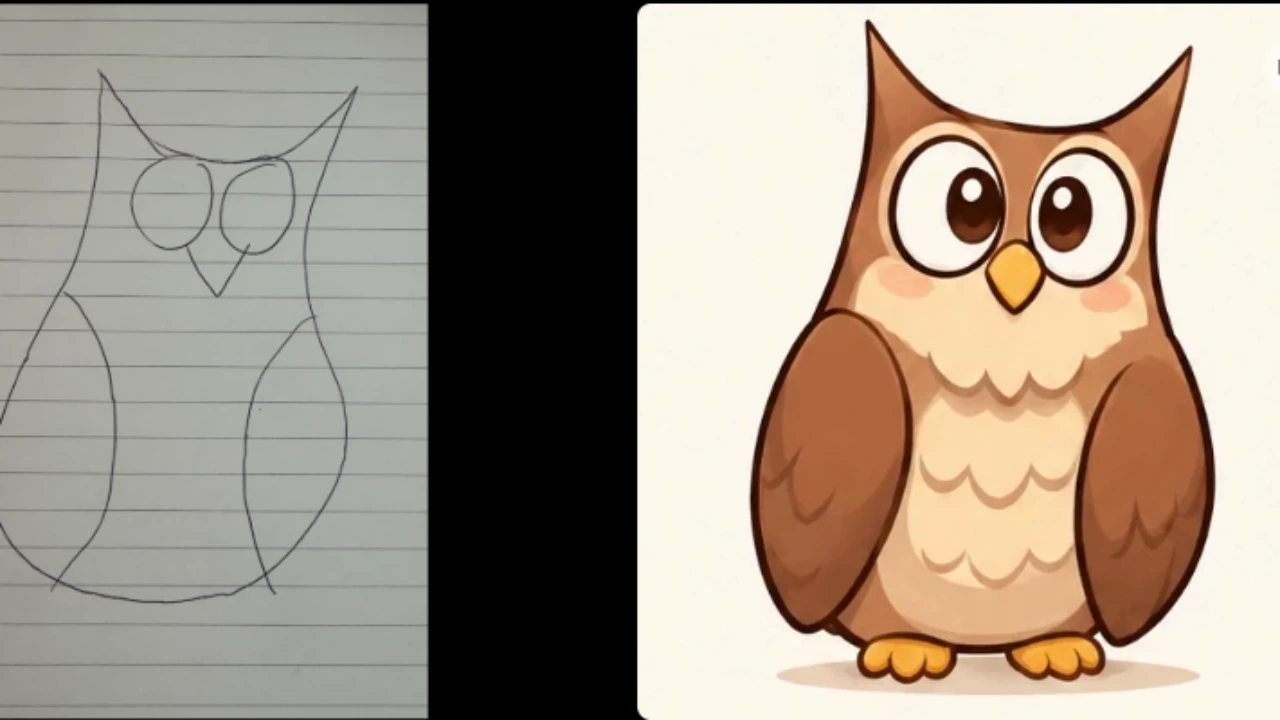
OpenAI says OpenAI Images 2.6 generates images 50% faster than the previous version. It also highlights better consistency across editing rounds, including preserving details such as a character’s clothing, a product’s appearance or a brand element while other parts of an image change.
This could help creators who need several related visuals for a campaign. However, improved consistency does not guarantee perfect edits. OpenAI notes that selected areas are not always precise and changes can extend beyond the highlighted region.
OpenAI Images 2.6 Create and Edit Animated GIFs
The most visible new feature for everyday users is GIF generation. Users can describe an animation in a text prompt or upload a still image or sketch and ask ChatGPT to bring the subject to life.
For example, they can turn a character illustration into a short waving animation or create a looping reaction for social media. The result is a short animatedGIF, not a full-length AI-generated video. After a GIF is created, users can adjust its playback speed and share the result.
These controls are intended for simple animated content and should not be confused with a full video-editing interface offering timelines, audio tracks or precise keyframe adjustments. They can also request changes in the conversation.
Uploading an existing GIF does not currently provide a conventional frame-by-frame editing workflow. Users can instead provide a still image or other visual reference and ask ChatGPT to generate a new animation based on it.
GIFs are designed for short, looping motion in social posts, reactions, storyboards and campaign assets. They are not full-length AI videos and do not replace a video-production workflow.
Reuse Saved Reference Images
ChatGPT is also introducing saved reference images, a feature designed to make it easier to reuse visual references across conversations. Users can upload a photo, assign it a name and save it. In a later conversation, they can type @ followed by the saved reference name to use the image again without uploading it.
For example, a creator could save a product photograph or character reference and use it when requesting another visual. This can help maintain continuity across projects, although it does not guarantee identical results in every generation. Saved reference images are a ChatGPT feature, not a separate capability of the Flare or Sunburst API models. The feature is rolling out gradually.
Images 2.6 vs Images 2.5: What Has Changed?
Images 2.6 builds on the earlier Images 2.5 models with a stronger focus on speed, editing consistency and developer control. OpenAI reports a 50% improvement in image-generation speed and highlights better preservation of visual details across editing rounds.
The update also introduces GIF creation in ChatGPT, saved reference images and API support for animated GIF and SVG output. New complexity controls give developers additional influence over how much planning goes into an image request.
These additions make Images 2.6 a broader update to both consumer image creation and developer workflows, rather than simply another model refresh.
Flare vs Sunburst: What Do Developers Get?
OpenAI has released two API model options: GPT-Image-2.6 Flare and GPT-Image-2.6 Sunburst. They serve different priorities and should not be treated as two separate modes in the standard ChatGPT interface.
GPT-Image-2.6 Flare and GPT-Image-2.6 Sunburst are two distinct API model options designed for different creative workflows. Flare prioritises speed and faster iteration, making it suitable for generating and refining visuals quickly.
OpenAI says it can generate an image in as little as six seconds when the quality setting is low. This is a company-reported result under a specific setting, not a guaranteed processing time.
OpenAI also highlights improved layout quality in Flare, particularly for posters, product imagery and other professional visual designs.
This could make the model useful for marketers and designers who need to produce promotional graphics and product-focused visuals while working through multiple iterations.
Sunburst prioritises higher-quality output and greater consistency across editing rounds, particularly when the quality setting is medium or high. It is better suited to detailed visual work that requires more precision. These are developer-facing API model choices, not two interchangeable modes that every ChatGPT user can select from the standard interface.
New API Controls for Creative Workflows
OpenAI is bringing image markup, which was already available in ChatGPT, to the API. Developers can use an annotation layer to identify the area they want to change and describe the requested edit in the prompt.
This gives applications a more direct way to guide image modifications without treating markup-guided editing as an entirely new capability across all OpenAI products. Developers can adjust complexity separately from image quality.
Lower complexity may suit quick edits, while detailed scenes may benefit from a higher setting. Higher complexity can also increase generation time and may sometimes introduce unwanted changes.
Selecting the highest setting does not automatically guarantee a better result, so developers should compare outputs and choose the setting that best suits each task.
These controls are intended for developers building image features into products, not ordinary saved-reference use in ChatGPT. However, markup-guided editing does not guarantee pixel-perfect results.
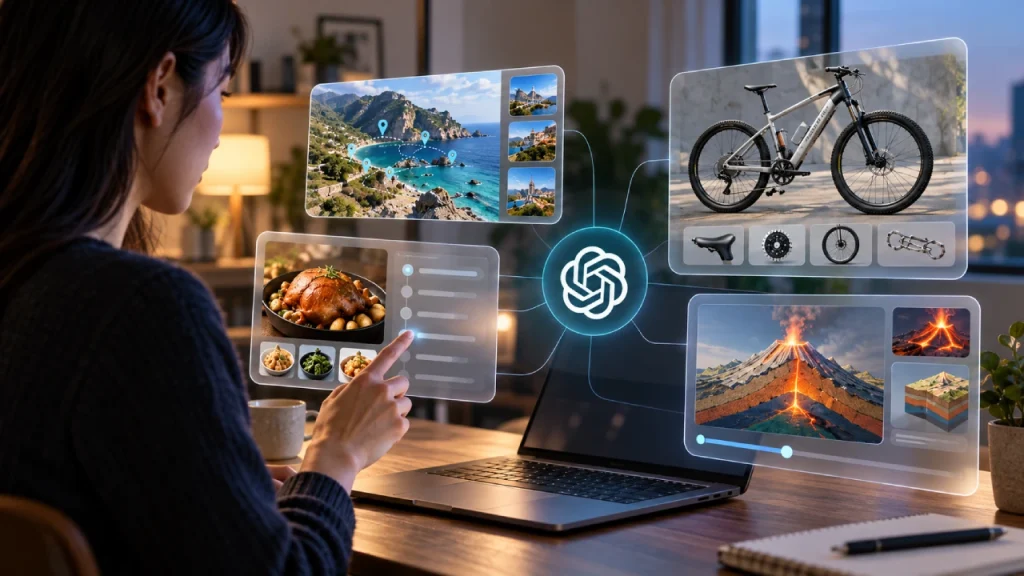
OpenAI’s documentation notes that image models can still struggle with precise placement and layout-sensitive compositions, and changes may affect areas beyond the intended selection.SVG output also does not remove the need to review a design before production.
Complexity and image quality control two different aspects of generation. Complexity determines how much planning the model applies before producing an image, while quality controls the visual detail and fidelity of the output.
Developers can choose low, medium, or high complexity. OpenAI recommends low complexity for most quick editing tasks, while medium or high settings may be more suitable for scenes involving numerous elements or detailed constraints.
Despite the improvements, image generation still has limitations. OpenAI’s documentation notes that the models can struggle with precise text placement, layout-sensitive compositions and maintaining recurring character or brand consistency across multiple generations. Complex prompts can also take longer to process.
Developers and creators should review generated visuals rather than assume that every detailed instruction will be followed exactly.
Animated GIF Generation Through the API
GIF generation is not limited to ChatGPT’s interface. Both GPT-Image-2.6 Flare and Sunburst support animated GIF output through the Image API.
Developers can request a GIF by setting the output format to GIF and describing the subject, movement and desired loop in the prompt. This makes it possible to build animated image generation into third-party applications and creative workflows.
Developers can also control the animation’s frame count and frame duration. The API supports between 2 and 64 frames, with a default of nine, while frame duration can range from 20 to 2,000 milliseconds. These settings are subject to the model’s size and total pixel limits. GIF output is supported through the image-generation endpoint, not the image-edit endpoint.
API Pricing and Usage
Developers should also account for API costs when integrating Images 2.6 into their applications. API usage is billed separately from ChatGPT subscriptions, and the final cost depends on token consumption and the selected model and settings.
OpenAI publishes separate pricing details for GPT-Image-2.6 Flare and Sunburst, so developers should consult the official pricing page before estimating the cost of a project.
The Bottom Line
OpenAI Images 2.6 expands image generation beyond static visuals by adding GIF creation, saved reference images and improvements to editing workflows. The update also gives developers more control through Flare and Sunburst, with API support for animated GIFs, SVG output and complexity settings.
However, the new features have practical limitations. Some ChatGPT capabilities are still rolling out, API outputs have specific technical restrictions, and improved consistency does not guarantee perfect results. OpenAI’s 50% speed improvement and Flare’s six-second generation figure should also be understood as company-reported performance claims.