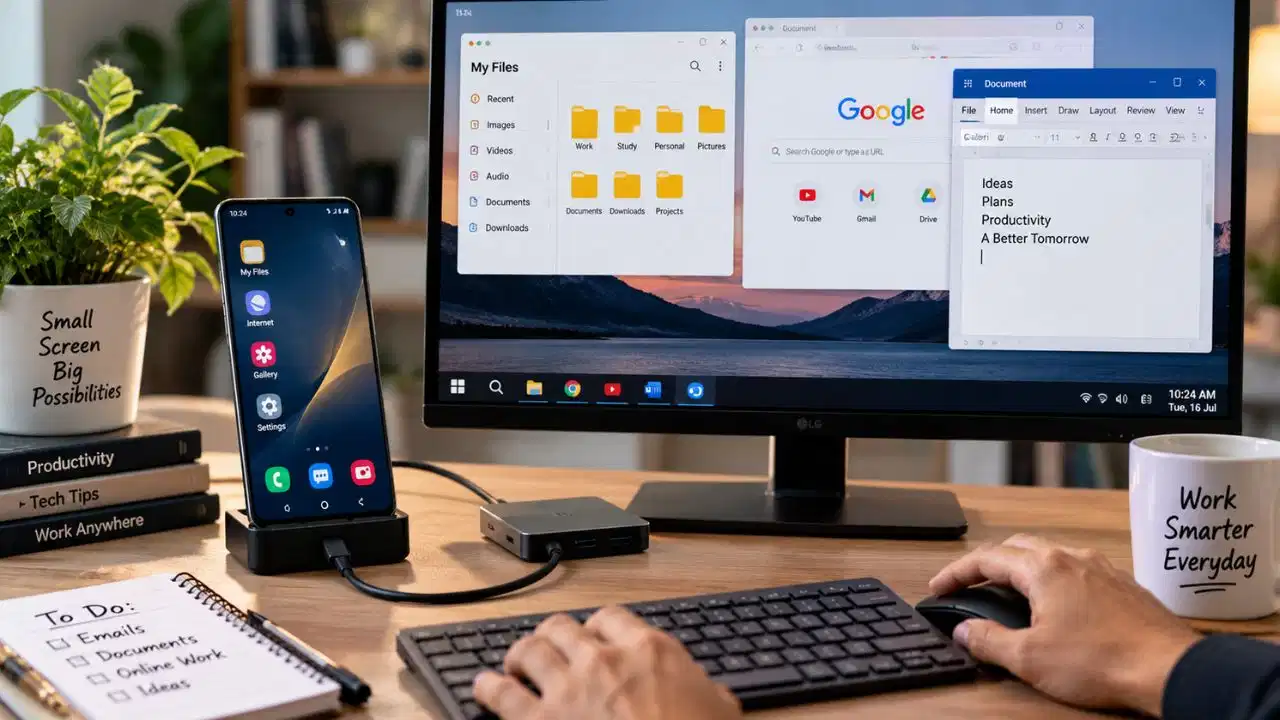
Tezzbuzz Desk – In today's time, smartphones are no longer just a means of calling, messaging or entertainment. Due to better processors, 5G connectivity, USB Type-C and many modern features, smartphones are now capable of performing many tasks like computers. With the help of some essential accessories, you can convert your Android phone into a portable computer or workstation. To use the phone as a computer, first of all it can be connected to a TV or monitor. If your smartphone supports video output via USB Type-C, a Type-C to HDMI adapter or dock can be used to cast the phone's screen on a larger display.
After this the keyboard and mouse can be connected wirelessly or via USB. With this, writing emails, editing documents, browsing the internet and other general office tasks can be done easily. However, not all smartphones support video output, so check your phone model and its compatibility before purchasing the accessory. Some premium Android smartphones also offer desktop mode. Samsung DeX available in the Samsung Galaxy series is a prime example of this. With the help of this feature, when the supported smartphone is connected to the big screen, the interface looks like a computer.
In this mode, different apps open as windows, which the user can reduce or enlarge as per his need. This makes it easier to multitask and use the phone to feel much like a computer. Even if you don't have a monitor or TV, a smartphone can be used as a mini computer. For this, connect Bluetooth keyboard and mouse to the phone. With the help of a physical keyboard, it becomes easier to write long emails, prepare documents and work online. Using Google Docs, Microsoft 365, and other productivity apps can also be more convenient this way. With a smartphone having a USB Type-C port, a USB-C hub can prove to be very useful. Many hubs have options like HDMI, USB port, Ethernet, and memory card slot. With its help, the phone can be simultaneously connected to a monitor, keyboard, mouse and other devices. In this way your small smartphone can turn into a mini workstation.
Using a smartphone as a computer is quite convenient, but it cannot replace a laptop in every situation. Tasks like email, web browsing, online meetings, document editing and light office work can be easily done on the phone. However, for professional video editing, game development or running software that requires more processing power and a specific computer operating system, a laptop or desktop would be a better option. That means, with the right accessories and features, a smartphone can make a great portable computer, but its capabilities will depend on your phone's hardware and your work needs.