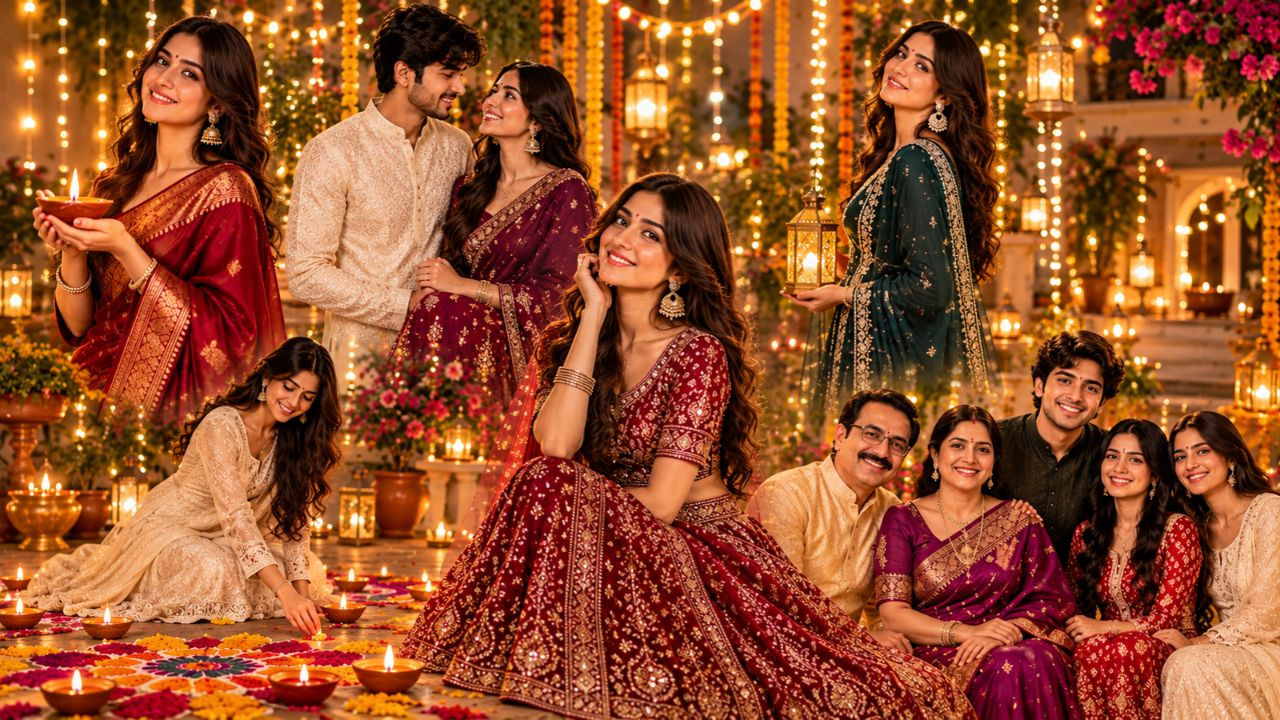
New Delhi: As soon as the festival of Diwali arrives, people start preparations ranging from home decoration to new clothes and pictures. On this occasion, everyone wants to share their beautiful pictures on social media. But for great photos, there is no need for expensive cameras or professional photoshoots. With the help of Artificial Intelligence (AI), you can convert even your normal photo into a wonderful Diwali photo. By uploading your photo in tools like ChatGPT and Google Gemini, your favorite outfit and festive background can be created.
Get traditional look in silk saree
If you want to create a traditional look for Diwali, then a silk saree look is a good option. With the help of AI, beautiful saree, traditional jewelery and light festive makeup can be included in the photo. Burning lamps and marigold flowers in the background can make the picture special.
Prompt: "Transform the uploaded reference photo into a beautiful, photorealistic Diwali portrait. Dress the woman in an elegant silk saree with traditional jewellery, bangles and subtle festive makeup. Set the scene in a beautifully decorated Indian home with glowing diyas, marigold flowers and warm fairy lights. Preserve her original face, facial features, skin tone and identity exactly. Change only the outfit and background. Natural skin texture, realistic lighting, professional DSLR photography, ultra-HD 4K quality."
Make a stunning photo in royal lehenga
This idea is great for those who like lehenga. In this, a royal look can be created with embroidered lehenga, beautiful dupatta and traditional jewellery. The background decorated with golden lighting and flowers will give the picture a premium photoshoot look.
Prompt: "Transform the uploaded photo into a royal Diwali portrait. Dress the woman in a luxurious embroidered lehenga with an elegant dupatta and traditional jewellery. Create a grand festive backdrop with golden lights, flowers and glowing diyas. Preserve her original face, facial features, skin tone and identity exactly. Ultra-realistic, cinematic lighting, premium fashion photography, 4K quality."
Create festive portrait with lamps
Diwali is identified with lamps and lights. In such a situation, you can also try the idea of showing your photo in a courtyard decorated with lamps. With the help of AI, backgrounds decorated with rangoli, earthen lamps and flowers can be created. This will show the real atmosphere of the festival in the photo.
Prompt: "Create a beautiful Diwali evening portrait using the reference photo. Show the person sitting gracefully beside glowing diyas, colorful rangoli and marigold decorations. Add warm golden lighting and a softly blurred festive background. Dress them in an elegant traditional Indian outfit while preserving their original face, features, skin tone and identity. Photorealistic, natural expression, professional festive photography, 4K quality."
Look beautiful in Anarkali suit
If you want to try something different from saree or lehenga, then Anarkali suit is a good option. The AI can add an embroidered floor length Anarkali, matching dupatta and beautiful earrings to the photo. The decoration of lanterns, flowers and lamps at the back will make the picture attractive.
Prompt: "Transform the reference photo into an elegant festive portrait of the same woman wearing an embroidered floor-length Anarkali suit, matching dupatta, earrings and bangles. Add a beautifully decorated Indian home background with flowers, lanterns and glowing diyas. Preserve her original face, features, skin tone and natural smile. Photorealistic, warm lighting, professional photography, 4K quality."
Make a couple photo with your partner
You can adopt the idea of couple photoshoot to create beautiful pictures with your partner on Diwali. In this, saree or lehenga can be chosen for women and kurta or Nehru jacket can be chosen for men. By uploading the photos of both of them in AI, a festive background decorated with flowers and lights can be prepared.
Prompt: "Create an elegant Diwali couple portrait using the reference photos. Dress the woman in a beautiful saree or lehenga and the man in a stylish kurta with a Nehru jacket. Set the scene in a festive home decorated with glowing diyas, flowers and fairy lights. Preserve both original faces, identities and natural expressions. Realistic proportions, warm lighting, professional photography, 4K quality."
Make photo with rangoli and flowers
If you want a beautiful combination of colors and flowers in the picture, then you can choose rangoli background. AI can show your photo in a decorated courtyard, where colorful rangoli, flower petals, lamps and lanterns will be visible.
Prompt: "Transform the reference photo into a beautiful traditional Diwali courtyard portrait. Show the person standing beside a colorful rangoli, flower petals and glowing diyas, with marigold garlands and lanterns in the background. Dress them in an elegant festive outfit while preserving their original face, features, skin tone and identity. Photorealistic, warm lighting, natural details, 4K quality."
Make royal Diwali photo with family
Diwali is a festival of sharing happiness with family. In such a situation, it is also a good idea to prepare a wonderful photo of the entire family. For this, you can upload photos of family members and ask everyone to show them in traditional clothes. The background with decorative lights, lamps and flowers will make the photo special.
Prompt: "Transform the reference photo into a royal Diwali family portrait. Dress everyone in coordinated traditional Indian outfits with elegant festive colors and subtle jewellery. Create a luxurious home setting with glowing diyas, marigold flowers, lanterns and warm golden lights. Preserve every family member's original face, identity, skin tone and natural expressions. Photorealistic, premium family photography, 4K quality."
Create AI photos like this with ChatGPT and Gemini
It is very easy to create a beautiful picture of Diwali with the help of AI. Just follow these steps:
Step 1: Open ChatGPT or Google Gemini app on the phone.
Step 2: Choose a clear and well-lit photo of yourself.
Step 3: Add a photo by tapping on the option to upload a photo.
Step 4: Copy one of the AI Prompts given above and paste it into the chat box.
Step 5: Instruct AI to create a photo.
Step 6: Wait for some time, your AI photo will be ready.
Step 7: Provide re-instructions for clothing, background, or other changes if needed.