
Automated WhatsApp messages are most useful when they respond to something that has already happened.
A customer submits a form. An order changes status. Someone books an appointment. A support request is created. Instead of asking an employee to send the same acknowledgement or update manually every time, the message can become part of the workflow.
That is the key difference between automation and simple scheduling.
Scheduling is based on time. Automation is based on events and conditions.
The best WhatsApp automation does not try to replace every conversation. It handles the repetitive parts and hands the conversation back to a person when judgment is needed.
Start With the Event That Should Trigger the Message
Every automation needs a clear starting point.
Common triggers include:
- a new enquiry,
- a completed registration,
- an appointment booking,
- a payment confirmation,
- an order status change,
- a support request,
- a lead moving to another stage.
The message should make sense immediately after that event.
For example:
New quotation request
Hi Daniel, we’ve received your quotation request. Our team will review the details and follow up shortly.
Appointment confirmed
Hi Sarah, your appointment is confirmed for Thursday at 2:30 PM. Please reply here if you need to make any changes.
Event registration completed
Hi Michael, your registration for Thursday’s workshop is confirmed. We’ll share the joining details before the event.
The recipient should never need to wonder why the message appeared.
Automate Repetitive Steps, Not Entire Conversations
The easiest tasks to automate are usually the ones employees repeat in almost exactly the same way.
Examples include:
New enquiry → acknowledgement
New registration → confirmation
Order status changed → customer update
Support request created → receipt confirmation
These actions are predictable.
A negotiation, complaint or complex support issue usually is not.
Automation can still handle the opening step:
Hi Rachel, we’ve received your request regarding invoice 2048. Our billing team will review it and follow up.
After that, a person can take over.
This keeps automation useful without forcing customers into a rigid sequence when their situation needs human attention.
Map the Workflow Before Choosing the Tool
It is usually better to define the process first and choose the technology afterward.
Suppose a software company receives demo requests.
The manual workflow might be:
Demo request → employee checks form → confirmation sent → lead assigned → salesperson follows up
A more efficient version could be:
Demo request → automatic confirmation → lead assigned → salesperson follows up
Only one communication step was automated, but the repetitive work has already been reduced.
Before building a workflow, define:
- what starts it,
- what message is sent,
- what customer information is needed,
- what happens next,
- when a person should take over.
This prevents businesses from adding automation simply because the software allows it.
Make the Message Match the Trigger
Automated messages should use the context that already exists.
Compare:
Thank you for contacting us. We will respond soon.
with:
Hi Emma, we’ve received your request for a product demo. Our team will review your preferred time and follow up shortly.
The second message is more useful because it confirms exactly what happened.
Relevant information may include:
- customer name,
- enquiry type,
- selected service,
- appointment time,
- order reference,
- registration details.
Only include information that helps the recipient understand the situation.
Automation should make messages more timely and relevant, not simply make generic messages arrive faster.
Add Conditions Before the Next Step
Most real workflows are not perfectly linear.
Something can change after the first message is sent.
The customer may reply. An order may be cancelled. A payment may be completed. An appointment may be rescheduled.
The automation needs to account for those changes.
Consider this workflow:
Quotation request → acknowledgement → quotation prepared → customer notified
If the quotation is cancelled before it is completed, the final message should not still be sent.
Useful conditions can include:
- customer already replied,
- payment completed,
- appointment changed,
- order cancelled,
- issue resolved,
- lead status updated,
- customer opted out.
Conditions prevent the automation from continuing simply because another step was originally planned.
Stop Automation When the Situation Changes
A good workflow needs a clear stopping point.
If the customer replies, a sales follow-up sequence may no longer be necessary.
If a support issue has been resolved, additional automated reminders should stop.
If an appointment changes, messages related to the original time should no longer continue.
A simple workflow might look like:
Customer action → automated response → customer replies → automation stops → employee continues
Without that final rule, customers can end up receiving automated messages that conflict with a conversation already happening with a real person.
That is one of the quickest ways to make automation feel poorly designed.
Use Lightweight Workflows When Full Automation Is Not Needed
Not every team needs a complex CRM integration or event-driven messaging system.
Some businesses simply want to reduce repetitive browser-based work while continuing to manage communication through WhatsApp Web.
Free WhatsApp Sender can support this type of workflow when teams need to prepare similar messages for multiple relevant contacts without rebuilding each one manually.
This is different from full trigger-based automation.
A browser messaging workflow can reduce repetitive sending, while true automation usually requires another system—such as a form, CRM, booking platform or order database—to trigger the message when an event occurs.
Keeping that distinction clear helps businesses avoid calling every repeated message “automation.”
Build Follow-Ups Around Real Changes
Automated follow-ups are most useful when something meaningful has happened since the previous message.
Consider a quotation workflow:
Step 1: Customer requests a quote
Hi Emma, we’ve received your quotation request and will review the details shortly.
Step 2: Quotation becomes ready
Hi Emma, your quotation is ready. The full details have been prepared for your review.
Step 3: Customer replies
The automated sequence stops and the salesperson continues the conversation.
Teams using WhatsApp Sender for repeated customer communication can apply the same principle: each message should correspond to a genuine stage in the customer’s journey.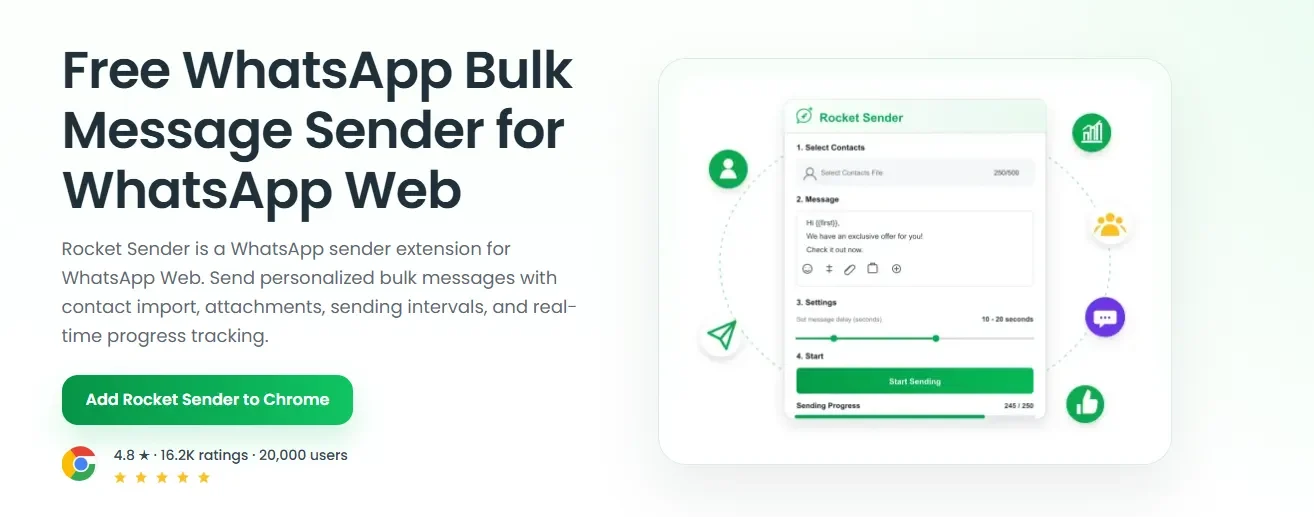
The workflow should not continue just because another automatic step happens to exist.
Keep Automated Messages Short
Most automated WhatsApp messages only need to explain three things:
What happened → what happens next → whether the customer needs to do anything
For example:
Hi James, your registration for Thursday’s workshop is confirmed. No further action is required. We’ll send the joining details before the event.
Or:
Hi Maria, we’ve received your booking request. It is not confirmed yet; our team will contact you once availability has been checked.
The wording should also reflect the actual status accurately.
If a booking is still pending, the message should not imply that it is confirmed.
Clarity matters more than length.
Know When to Hand the Conversation to a Person
Automation works best with predictable information.
Once the conversation becomes unusual, human intervention usually becomes more useful.
Typical handoff points include:
- detailed product questions,
- complaints,
- pricing negotiations,
- billing disputes,
- exceptions to normal policies,
- unusual support problems.
The transition should be simple:
Customer asks complex question → stop automated follow-up → assign conversation to the relevant team
Customers should not have to fight through an automated sequence before reaching someone who can actually help them.
Review the Workflow, Not Just the Message Copy
Once automation is running, look at the conversations it creates.
Useful warning signs include:
- duplicate messages,
- messages arriving after a case was resolved,
- customers repeatedly asking the same question,
- incorrect status information,
- automation continuing after a reply,
- the wrong contacts entering the workflow.
These are often workflow problems rather than writing problems.
If customers repeatedly ask whether an appointment is confirmed, the message may be unclear.
If follow-ups continue after someone replies, the stop condition needs work.
If unrelated contacts receive the same automated update, the trigger itself may be wrong.
Automation should improve as these patterns become visible.
Keep Automation Connected to Real Customer Actions
Good WhatsApp automation follows a simple pattern:
Event happens → conditions are checked → relevant message is sent → workflow either continues, stops or moves to a person.
That is more useful than building long sequences simply because messages can be automated.
Scheduling still has a place when a message needs to go out at a specific time, but automation should be driven primarily by what is happening in the customer’s journey.
When businesses design workflows around real events instead of message volume, automation becomes what it should be: a way to remove repetitive work while keeping communication timely and relevant.